內容簡介
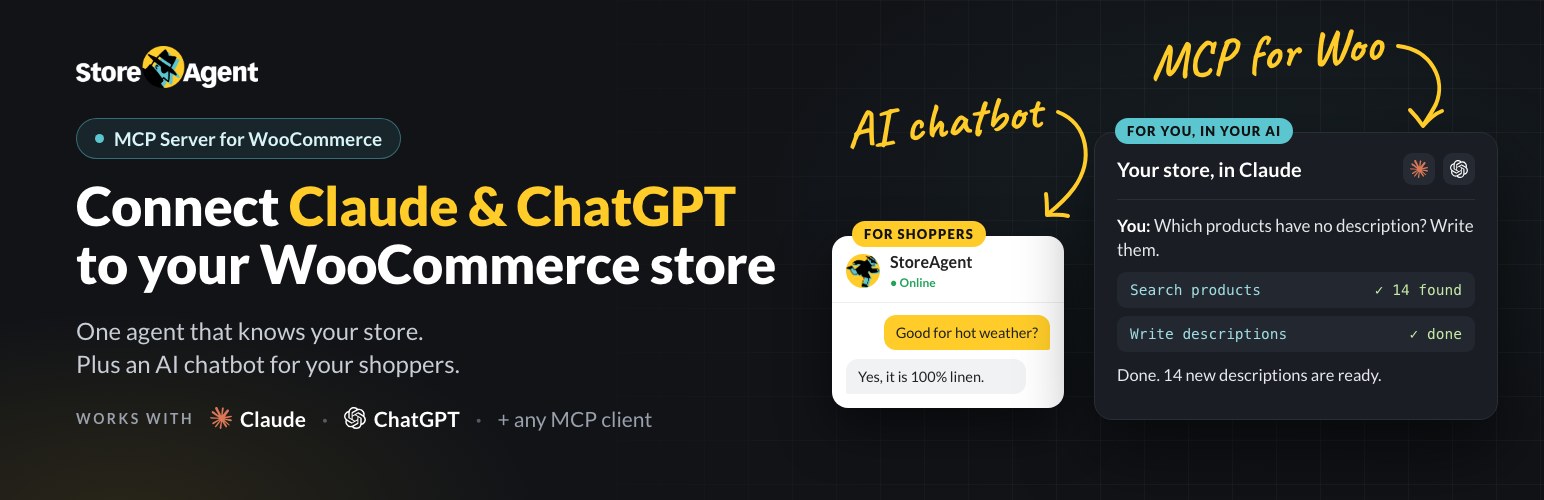
StoreAgent 是一款專為 WooCommerce 設計的 AI 聊天機器人外掛,提供 24/7 的顧客服務,並能自動生成產品描述、標籤和評論摘要,提升商店的運營效率和顧客滿意度。
【主要功能】
• WooCommerce MCP 伺服器連接 ChatGPT 或 Claude
• 24/7 WooCommerce 聊天機器人即時回答顧客問題
• AI 產品描述生成器快速創建 SEO 友好內容
• AI 產品標籤生成器建議最佳化標籤
• AI 評論摘要轉換評論為社會證明
• 無需編碼的簡易設置,快速啟用功能
外掛標籤
開發者團隊
② 後台搜尋「StoreAgent – WooCommerce AI Chatbot, AI Agent & WooCommerce MCP Server」→ 直接安裝(推薦)
📦 歷史版本下載
原文外掛簡介
🟡 WooCommerce AI Agents for Chat, Support and Store Management
StoreAgent brings WooCommerce AI to your store in three ways. A WooCommerce AI chatbot answers shoppers 24/7. A WooCommerce MCP server connects ChatGPT, Claude, Gemini, Grok or any other MCP client to your store. A set of AI agents writes your product descriptions, tags, alt text and review summaries. All of it works from your real catalogue: titles, attributes, variations, live prices, stock and reviews.
There are no OpenAI or other LLM API keys to find or pay for. Connect your store and the AI features switch on.
👉 You’ll need a free StoreAgent.ai account to activate the AI features.
💬 WooCommerce Chatbot for AI Customer Service and Support
Most store support is the same few questions. Where is my order? Is this in stock? Does it come in blue? The StoreAgent store chatbot answers them in under 10 seconds from your own products, pages and policies, and cuts repetitive support questions by 70% or more. Your team only sees the conversations that need a person.
What the AI chat does on your storefront:
🟢 Product-aware answers from titles, specs, attributes, variations and reviews, including per-variation pricing on variable products
🟢 Live price and stock read at the moment it answers, so it never quotes a stale figure
🟢 Order lookups for signed-in shoppers, which you can switch off in the Privacy setting
🟢 In-chat coupon offers to move a hesitant shopper over the line
🟢 Human escalation that hands billing, refund and cancellation topics to a person, and emails you unresolved chats with the customer set as reply-to
🟢 Competitor blocklist so the chatbot never names brands you choose
🟢 Tone control, a custom avatar and conversation starters that let the widget speak first
🟢 Multi-language replies in each shopper’s own language
🟢 Guest and logged-in support, with full chat history on paid plans
🛒 An AI Chatbot That Knows Your WooCommerce Store
Choose which post types feed the chatbot (products, posts, pages, or any mix) and StoreAgent keeps that index in sync as you publish and edit. You can exclude pages, watch indexing progress as a live percentage, and re-sync any post type on demand. The chatbot stays hidden until the first index finishes, so no shopper meets a chatbot that knows nothing yet. Answers can cite the store content they came from.
Match the widget to your brand with colours, greeting text and screen position, open it by default, or place it inline with a shortcode. Preview mode lets you test answers before shoppers see them.
The dashboard tracks chatbot impressions, conversations and chat-to-cart events as a KPI band and a conversion funnel, with a plain-English briefing you can share with your team.
🔌 WooCommerce MCP Server: Connect ChatGPT, Claude, Gemini or Grok
MCP (Model Context Protocol) is the open standard AI assistants use to connect to outside tools. StoreAgent includes a WooCommerce MCP server, so ChatGPT, Claude, Gemini, Grok, Grok Bot, Cursor or any other MCP client can work directly with your store. Think of it as ChatGPT for WooCommerce, using the assistant you already pay for.
Add your store as a custom connector, approve the connection in wp-admin, and your assistant can read store data and, where you allow it, act for you. Read-only abilities are on by default. Anything that makes changes stays off until you switch it on, and a 30-day activity log shows every action a connected assistant took. WooCommerce MCP is included on every plan, including free.
Things store owners ask their AI assistant through WooCommerce MCP:
🤖 How many orders came in this week, compared with last week?
🤖 Which orders are paid but not shipped yet?
🤖 Which products are low on stock or sold out?
🤖 Write a description for each product that is missing one, for me to review.
🤖 Which products have no tags, upsells or cross-sells? Fill the gaps.
🤖 Summarise the reviews for this product.
🤖 What questions do shoppers keep asking the chatbot?
For order and stock data, the MCP server uses WooCommerce’s own abilities (WooCommerce 10.9 and later), so your assistant sees live data, not a copy.
🧩 A WordPress MCP Server for Your Other Plugins Too
More WordPress and WooCommerce plugins now register abilities through the WordPress Abilities API. StoreAgent’s MCP server picks up every ability on your site automatically, so Claude or ChatGPT can use a new plugin’s abilities as soon as you install it. The same permission rules apply to every ability. StoreAgent also exposes 30 of its own abilities, so other AI tools on your site can call its agents directly.
✍️ AI Agents for WooCommerce Product Content
Every plan includes AI agents for the content jobs you keep putting off:
✍️ Product, short and category descriptions written for SEO
🏷️ Product tags, plus a scheduled check that finds untagged products
⭐ Review summaries that turn long review threads into social proof
🖼️ Image alt text, generated automatically for new product images
🤝 Upsell and cross-sell suggestions
🎟️ Coupon descriptions
🛡️ Review moderation that triages incoming product reviews
❓ Product Q&A with an Ask a Question widget on the product page
Run an agent on one product, on a sample, or in bulk from the products list or WP-CLI. “Complete with AI” fills out a thin product in one click, and each agent shows its credit cost before it runs. StoreAgent also watches description length and quality, and sends one-click fixes to your dashboard.
🌍 Works With Your WooCommerce Stack
StoreAgent works with any WooCommerce-ready theme, including block themes. It integrates with Wholesale Suite (respecting wholesale role pricing), WC Vendors and SiteGround Optimizer. Front-end assets are lightweight and CDN-served, and the AI runs on StoreAgent.ai, not on your server.
🆓 Get Started for Free
The free Lite plan includes the WooCommerce chatbot, WooCommerce MCP and the AI content tools. Keep it as long as you like, and upgrade when you need higher limits or advanced features.
See all plans at storeagent.ai/pricing/.
Use of Third-Party Services
This plugin connects your store to the StoreAgent.ai service to power the AI chatbot and the AI content tools. A free StoreAgent.ai account is required.
When enabled, the plugin sends the content you select for indexing (for example product titles, descriptions, attributes, prices and reviews) and the messages shoppers type into the chatbot to StoreAgent.ai, which generates the responses and content and returns them to your site.
Service: StoreAgent.ai
Terms of Service
Privacy Policy
When you connect an AI client such as Claude or ChatGPT through MCP, that client can read customer personal data from your store, such as names, email addresses, billing and shipping addresses, order totals, order notes, and refund details. Data a client reads leaves your store and is processed by the AI provider behind that client. Add this to your privacy policy before you connect a client.
When you deactivate the plugin, a short “Quick Feedback” form asks why you are leaving. It is sent to StoreAgent.ai only when you choose Submit & Deactivate. Choosing Skip & Deactivate, closing the form with Escape, or clicking outside it sends nothing at all, and nothing is sent before you choose Submit. When you do submit, the form sends the reason you picked, anything you typed in the comment box, your site address, your plan, and version details for the plugin, WordPress and WooCommerce. Your email address is included only if you tick “You can email me about this.”
Please make sure this is compatible with your own privacy policy and applicable data protection laws before enabling the chatbot on a live store.
Feedback and Support
If you encounter any issues or have feature suggestions, please reach out to us at [email protected].
Have an idea for an AI tool? Let us know.