
內容簡介
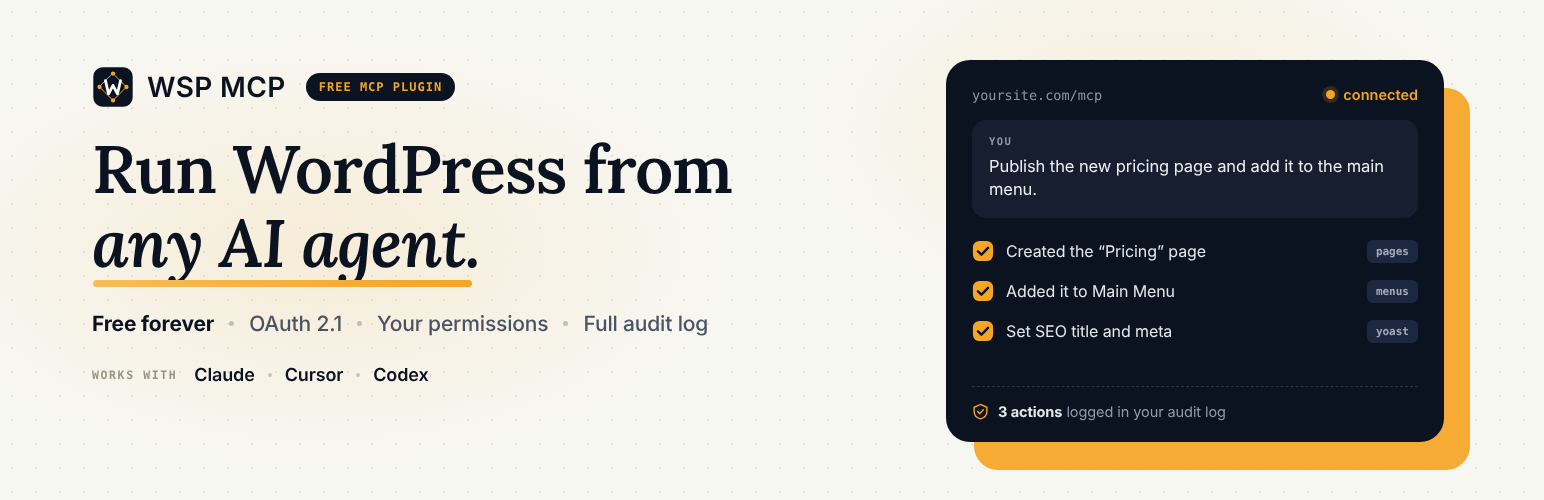
WSP MCP 是一款免費的 WordPress 外掛,讓 AI 助手如 Claude、ChatGPT 等能直接與您的網站互動。用戶可以用簡單的英文指令讓 AI 自動執行各種任務,提升網站管理效率。
【主要功能】
• 直接與多種 AI 助手連接
• 提供 200 多種工具供使用
• 安全預設,僅啟用讀取工具
• 審計日誌記錄所有 AI 行動
• 使用儀表板追蹤 AI 使用情況
外掛標籤
開發者團隊
② 後台搜尋「WSP MCP – Free MCP Plugin for WordPress: Connect Claude, ChatGPT & AI Agents」→ 直接安裝(推薦)
📦 歷史版本下載
原文外掛簡介
WSP MCP is a free MCP plugin for WordPress. It lets AI assistants like Claude, ChatGPT, Cursor, Codex and Antigravity work directly with your website. Ask in plain English and the AI does the work:
“Write a blog post about our summer sale and save it as a draft.”
“Find every page missing a meta description and suggest one.”
“Show me this week’s WooCommerce orders and mark the shipped ones as completed.”
“Add a Contact link to the main menu.”
Everything is built in. You don’t need another plugin, an account, or any coding. Install it, copy your connection details, paste them into your AI app, and start chatting.
You stay in control: every tool has its own on/off switch, anything that changes your site is off until you turn it on, and the AI can only do what its WordPress user is allowed to do.
Built and maintained by WebSensePro. Guides and help: wspmcp.com.
Watch: set it up in a few minutes
What is MCP?
MCP (Model Context Protocol) is the standard way AI assistants connect to other apps. Think of it as a plug: once your WordPress site has an MCP plugin, any AI app that supports MCP can read and update your site, with your permission.
Why WSP MCP?
100% free. Every feature and every tool, no paid version.
Easy to connect. A Connection page with ready-made setup for Claude, Cursor, Codex, Antigravity, OpenClaw and OpenCode, with copy and download buttons. Cursor users can connect in one click.
Safe by default. Only read-only tools are on when you install. You pick what else the AI can do.
Teach the AI your site. Write an AGENTS.md and CHANGELOG.md once; connected AIs read them first instead of exploring your whole site.
See everything the AI did. The Audit Log records every action: what, when, and by whom.
Usage dashboard. See how often the AI is used, which tools are most popular, and how fast they respond.
Your data stays on your site. Logs and stats are stored in your own database, never sent anywhere.
What your AI can do (200+ tools)
WordPress basics
Posts and pages: read, write, edit, delete
Categories and tags
Comments: read, approve, delete
Media library: browse, upload images, edit titles and alt text
Menus: create menus, add or reorder links, assign menu locations
Users: list, create, edit
Site settings: title, tagline, permalinks
Plugins and themes: list, activate, switch
Custom post types
Site-wide search
Works with your favorite plugins (tools appear automatically when the plugin is installed)
WooCommerce: products, variations, orders, refunds, coupons, customers, sales reports, low-stock alerts, reviews
Yoast SEO and Rank Math: SEO titles, meta descriptions, focus keyphrases
Elementor: read and edit page layouts, widgets, global colors and page settings
Ultimate Addons for Elementor: widgets, header/footer templates, layouts
Advanced Custom Fields: field groups, fields, values, post types, options pages
Gravity Forms, Contact Form 7 and WPForms: forms, entries, notifications
For safety, the AI can’t add raw code (HTML, JavaScript or CSS) to your pages, and sensitive store tools like refunds and customer data need a shop manager or administrator account.














