[WordPress] 外掛分享: MountDev AI MCP Connector

首頁外掛目錄 › MountDev AI MCP Connector
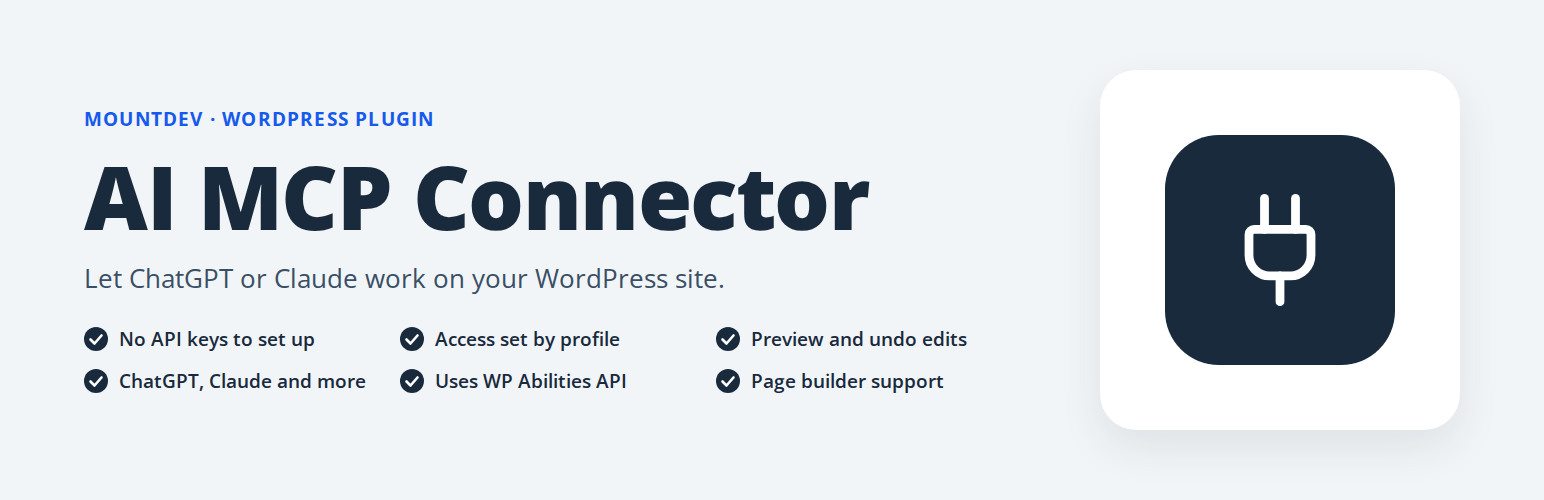
WordPress 外掛 MountDev AI MCP Connector 的封面圖片
10+
安裝啟用
尚無評分
6 天前
最後更新
問題解決
WordPress 5.8+ PHP 7.4+ v1.5.2 上架:2026-03-30

內容簡介

MountDev AI MCP Connector 是一款 WordPress 外掛,讓您能夠將 ChatGPT、Claude 等兼容 MCP 的 AI 客戶端直接連接到您的 WordPress 網站。透過 Model Context Protocol,安全地管理內容、發布工作流程及媒體處理。

【主要功能】
• 支援 OAuth 2.0 認證
• 提供 75+ 管理工具
• 內建 AES-256-CBC 加密
• 預定義的使用者權限配置
• 無需外部依賴

外掛標籤

開發者團隊

⬇ 下載最新版 (v1.5.2) 或搜尋安裝

① 下載 ZIP → 後台「外掛 › 安裝外掛 › 上傳外掛」
② 後台搜尋「MountDev AI MCP Connector」→ 直接安裝(推薦)
📦 歷史版本下載

原文外掛簡介

MountDev AI MCP Connector is a WordPress MCP plugin that lets you connect ChatGPT, Claude, and other MCP-compatible AI clients directly to your WordPress site. Use it to give AI agents secure, controlled access to WordPress posts, pages, media, comments, users, and other site resources through the Model Context Protocol.
If you are searching for a way to connect ChatGPT to WordPress, connect Claude to WordPress, or run AI agents on WordPress with secure authentication and permission controls, this plugin provides a practical WordPress AI connector for content management, publishing workflows, media handling, and site updates.
Built for agencies, developers, publishers, and teams using AI to manage WordPress, MountDev AI MCP Connector supports OAuth 2.0 for ChatGPT, WordPress Application Passwords for Claude Desktop, Cursor, and Windsurf, and profile-based access controls to help keep WordPress automation secure.
WooCommerce Support: Manage your online store with 74 WooCommerce-specific tools for products, orders, coupons, shipping, tax rates, webhooks, payment gateways, and reports. Control inventory, process refunds, manage product variations, and automate store operations through AI agents.
Yoast SEO Support: Optimize your content with 29 Yoast SEO tools for meta data management, content analysis, readability scoring, keyword optimization, schema markup, sitemap status, and robot directives. Premium features include redirect management and multiple keyword analysis.
Rank Math SEO Support: Manage search engine optimization with 78 Rank Math SEO tools for post meta, schema markup, redirects, 404 monitoring, analytics, and Search Console data. Pro features include Schema Templates, Keyword Tracking, Link Genius, and News/Video Sitemaps.
Contact Form 7 Support: Manage your contact forms with 20 Contact Form 7 tools for creating, editing, and duplicating forms, updating mail templates and response messages, configuring additional settings, and managing global plugin options and integrations.
Elementor Support: Build and manage pages with 36 Elementor FREE tools covering page and document management, full elements-tree read and write, global colors and typography, site settings, local template library, plugin configuration, feature experiments, and CSS cache management. Elementor Pro extends this with 35 additional tools for form submissions, theme builder templates, popups, global widgets, dynamic tags, loop templates, notes, custom fonts and icons, WooCommerce settings, element permissions, and role manager.
Features

MCP Server Implementation – Full JSON-RPC 2.0 endpoint for MCP protocol
OAuth 2.0 Support – Native OAuth authentication for ChatGPT with secure credential generation
WordPress Application Passwords – Secure Basic Auth for Claude Desktop, Cursor, Windsurf
Profile-Based Access Control – Predefined profiles for flexible tool management
347 Tools Across 6 Plugins – 75 WordPress core + 74 WooCommerce + 29 Yoast SEO + 78 Rank Math SEO + 20 Contact Form 7 + 71 Elementor (36 FREE + 35 Pro)
74 WooCommerce Tools – Products, orders, coupons, shipping, tax, and more (requires WooCommerce plugin)
29 Yoast SEO Tools – Meta data, analysis, schema, redirects, and more (requires Yoast SEO plugin)
78 Rank Math SEO Tools – Post SEO, schema, redirects, analytics, and more (requires Rank Math SEO plugin)
20 Contact Form 7 Tools – Form management, mail templates, messages, and more (requires Contact Form 7 plugin)
71 Elementor Tools – 36 FREE tools for page editing, elements tree, global design system, template library, and maintenance; 35 additional Pro tools for form submissions, theme builder, popups, global widgets, dynamic tags, loop templates, notes, custom fonts/icons, WooCommerce settings, element permissions, and role manager (36 require Elementor; all 71 require Elementor + Elementor Pro)
Zero External Dependencies – Pure WordPress implementation
AES-256-CBC Encryption – Client secrets stored securely

Supported Clients

ChatGPT – OAuth 2.0 authentication with Client ID/Secret
Claude Desktop – Basic Auth with Application Passwords
Cursor – Basic Auth with Application Passwords
Windsurf – Basic Auth with Application Passwords
Any MCP-compatible client supporting OAuth 2.0 or Basic Auth

Supported Plugins
WordPress Core (75 tools) – Complete WordPress management including posts, pages, media, comments, users, taxonomies, site settings, menus, plugins, and themes.
Yoast SEO (29 tools) – Full integration with Yoast SEO for search engine optimization:
* SEO Meta Data – Get and update SEO titles, meta descriptions, focus keywords, and canonical URLs
* Content Analysis – Readability scores, keyword density, internal linking suggestions
* Social Meta – Open Graph and Twitter Card management
* Schema Markup – View and update schema.org page and article types
* Sitemap Status – Check XML sitemap configuration and URLs
* Premium Features – Redirect management and multiple keyword analysis (requires Yoast SEO Premium)
WooCommerce (74 tools) – Full integration with WooCommerce for managing your online store:
* Products & Inventory – Create, update, manage variations, stock levels, categories, tags, brands, and attributes
* Orders & Fulfillment – Process orders, refunds, order notes, and customer management
* Store Operations – Coupons, shipping zones, tax rates, payment gateways, webhooks, and sales reports
Rank Math SEO (78 tools) – Full integration with Rank Math SEO for search engine optimization:
* Post SEO Meta – Get and update SEO titles, descriptions, focus keywords, canonical URLs, and robots directives
* Schema Markup – View and manage structured data including FAQ, HowTo, and article schemas
* Redirects & 404s – Create and manage redirects, monitor and clear 404 error logs
* Analytics – Site analytics, Search Console data, winning/losing posts, and Content AI scores
* Pro Features – Schema Templates, Keyword Tracking, Link Genius, News/Video Sitemaps, and Image SEO (requires Rank Math Pro)
Contact Form 7 (20 tools) – Full integration with Contact Form 7 for form management:
* Form Management – List, create, update, duplicate, and delete contact forms
* Mail Templates – Get and update primary and auto-responder email templates
* Response Messages – Get and update form submission response message strings
* Advanced Config – Additional settings, mail tag discovery, SWV validation schema, and config validation
* Plugin Settings – Global CF7 options and integration service status (Akismet, reCAPTCHA, Turnstile, etc.)
Elementor FREE (36 tools) – Full integration with Elementor FREE for page builder management:
* Pages & Documents – List, get, create, and delete Elementor pages; check document types and build status
* Page Editor – Read and write the full elements tree; add, update, duplicate, move, and remove elements
* Global Design System – Read and write global colors and typography; update FREE site settings
* Template Library – List, get, create, delete, and export local templates
* Backend Settings & Maintenance – Read/write plugin settings, manage feature experiments, regenerate CSS, clear cache
Elementor Pro (35 tools) – Extended integration with Elementor Pro features (requires Elementor + Elementor Pro):
* Form Submissions – List forms, list/get/update/delete form submissions
* Theme Builder – List and create theme templates; get and save display conditions
* Popups – List, get, create, and delete popup templates
* Custom Code – List, get, create, update, and delete custom code snippets
* Global Widgets – List, get, and create global widgets
* Dynamic Tags – List available dynamic tag categories and tags
* Loop Templates – List and create loop item templates
* Notes – List, create, and delete page/element notes
* Custom Fonts & Icons – List custom font families and custom icon sets
* WooCommerce Settings – Get and update Elementor Pro WooCommerce integration settings
* Element Permissions – Get and update per-role element display permissions
* Role Manager – Get and update Elementor Pro role manager capabilities
All tools respect WordPress user capabilities and permissions. Visit the plugin’s Profiles tab to see the complete tool list and create custom access profiles.
External Services
This plugin includes a Node.js bridge script that connects MCP clients (Claude Desktop, Cursor, Windsurf, etc.) to your WordPress site’s REST API endpoints. The bridge facilitates communication between the MCP client and your WordPress installation.
What the service is and what it is used for:
The wordpress-mcp-bridge is a Node.js script that acts as a communication bridge between MCP-compatible AI clients and your WordPress site’s REST API. It translates MCP protocol requests into WordPress REST API calls and returns the responses to the AI client.
What data is sent and when:
When you use an MCP client (like Claude Desktop) with this plugin, the bridge sends the following data to your WordPress site’s REST API endpoints:
* Your WordPress username and Application Password (for authentication)
* MCP protocol requests (tool calls, resource requests, prompts)
* Content data when creating or updating WordPress posts, pages, media, etc.
* This data is sent every time you interact with WordPress through the MCP client
Where the data is sent:
All data is sent to YOUR OWN WordPress site’s REST API endpoints at:
* https://yoursite.com/wp-json/mountdev-ai-mcp-connector/v1/messages (main MCP endpoint)
* https://yoursite.com/wp-json/mountdev-ai-mcp-connector/v1/oauth/* (OAuth endpoints for ChatGPT)
Important notes:
* No data is sent to any third-party external services
* All communication is between the MCP client and your own WordPress installation
* Your WordPress credentials and data remain on your own server
* The plugin does not transmit any data to external services operated by the plugin author or any third parties
Security

OAuth 2.0 with PKCE – Enhanced authorization flow for ChatGPT
AES-256-CBC Encryption – Client secrets encrypted at rest
Token Expiration – Access tokens expire after 1 hour
Refresh Tokens – Valid for 30 days with automatic renewal
Authorization Codes – Expire after 10 minutes
WordPress Application Passwords – Secure Basic Auth for other clients
Admin-Only OAuth – Only administrators can authorize ChatGPT connections
Profile-Based Restrictions – Control which tools are available
Capability Checks – All operations respect WordPress user permissions
No Privilege Escalation – Users cannot perform actions beyond their role

Tested With
The following plugin versions were active during testing of the current release (1.5.0):

WordPress 7.0
WooCommerce 10.7.0
Yoast SEO 27.6
Rank Math SEO 1.0.270
Rank Math Pro 3.0.111
Contact Form 7 6.1.6
Elementor 4.0.9
Elementor Pro 4.0.4

License
This plugin is licensed under the GPL v3 or later.
See https://www.gnu.org/licenses/gpl-3.0.en.html for details.

延伸相關外掛

文章
Filter
Apply Filters
Mastodon