內容簡介
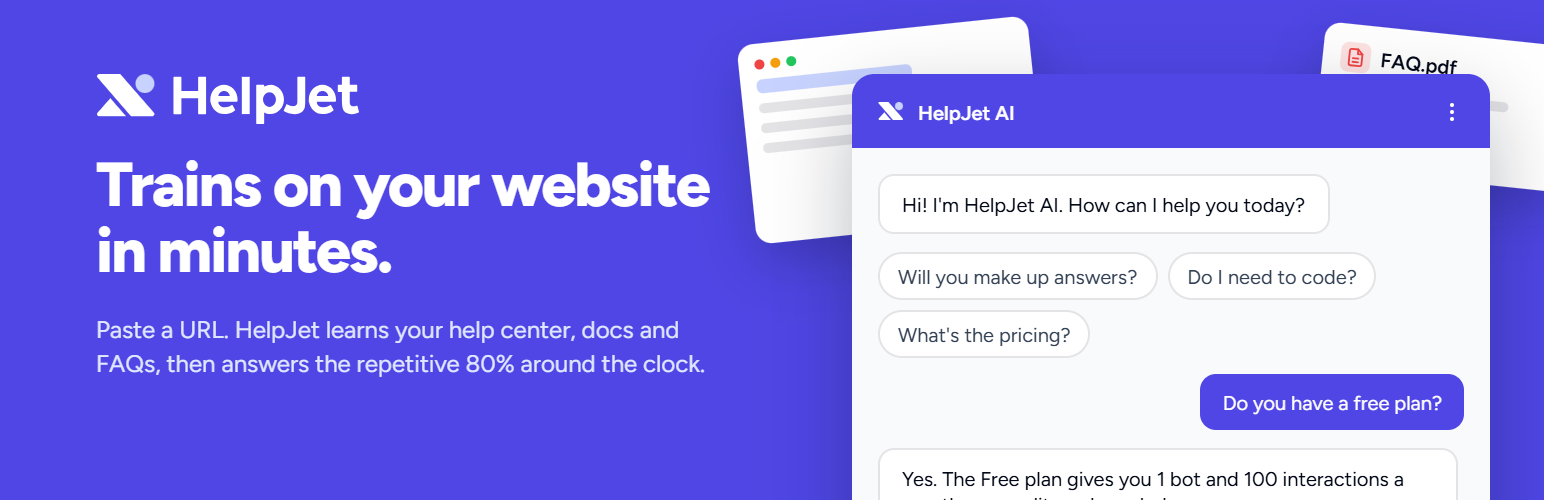
HelpJet 是一款基於您網站內容訓練的 AI 支援聊天機器人,能夠隨時回答訪客的問題。只需一鍵連接網站,聊天機器人即可作為浮動小工具或內嵌聊天區塊運行,無需額外配置。
【主要功能】
• 基於網站內容的即時回答
• 支援多種顯示方式(浮動小工具、內嵌區塊)
• 自動引用來源頁面以提供更多資訊
• 針對重複性問題減少客服工單
• 免費計畫包含 1 個聊天機器人和每月 100 次互動
• Pro 版提供更多機器人和互動次數
外掛標籤
開發者團隊
② 後台搜尋「HelpJet – AI Support Chatbot Trained on Your Website & Docs」→ 直接安裝(推薦)
原文外掛簡介
HelpJet is an AI support chatbot trained on your website, knowledge base, help docs and PDFs. It answers your visitors’ questions around the clock. Connect your site with one click, pick a bot, and the chatbot goes live as a floating chat widget, an inline chat block, or a shortcode. There is nothing else to configure in WordPress. Everything from training to appearance lives in the HelpJet dashboard.
Most support questions have already been answered somewhere on your site. Customers cannot find the answer, so they email you. HelpJet works as a knowledge base chatbot and AI support agent: it reads what you have published and replies in seconds, with a link to the page it took the answer from. Your team keeps the conversations that need a person, and the repetitive ones stop turning into tickets.
HelpJet Pro
The free plan includes 1 chatbot and 100 interactions a month. HelpJet Pro adds 3 bots, 1,000 interactions a month, extra bots and interaction packs as you grow, auto-recharge with a spend cap, and priority support. Start a 14-day HelpJet Pro trial, no card required.
🤖 An AI Customer Support Chatbot That Answers From Your Own Content
Generic AI chatbots make things up. HelpJet is an AI agent that only answers from the training sources you give it, and it cites the page or document it used so visitors can read more. Ask it about your refund policy and it quotes your refund policy. Ask it something you have not covered and it says so, or points the visitor to your support email if you have told it to.
The bot reads between the lines of a question. It understands the intent behind “why was I charged twice” as well as the literal words, explains things a different way when someone is still confused, and helps several visitors at once. It runs on large language models from OpenAI, with HelpJet’s retrieval layer keeping every answer grounded in your content.
📚 Train the Chatbot on Your Website, Knowledge Base, Docs and PDFs
Add a URL or a sitemap and HelpJet crawls your public pages. Connect your WordPress site and it imports posts, pages and any public custom post type through the REST API, so help center articles, documentation and WooCommerce products come in too, where the plugin that owns them exposes them. Private sites work using an Application Password. Content is refreshed automatically, so the chatbot keeps up as you publish.
You can also upload PDF manuals and text files, paste plain text, or teach the bot facts directly in Train & Test mode, where every correction is saved as a Q&A source. Product catalogs, policy documents and past support answers all become part of the knowledge base the chatbot draws on. This is the same approach people search for as a custom ChatGPT for your website, a GPT chatbot, or a RAG chatbot, without any of the setup.
💬 Go Live as a Chat Widget, Inline Chat Block or Shortcode
Once connected, the floating chatbot widget appears as a chat bubble on every page of your site, and you can switch it on or off from Settings → HelpJet. If you would rather have the chatbot inside a page, drop the HelpJet Chat block into the editor or use the [helpjet] shortcode, with an optional height attribute such as [helpjet height="500px"]. A dedicated support page, a docs sidebar, a pricing page FAQ: the inline chat works anywhere a block does.
Every bot also has a hosted chat link you can share in email signatures or on platforms you do not control, and the same bot can be embedded on Shopify, Squarespace, WooCommerce and BigCommerce stores.
🎯 Show the Support Chatbot Only Where You Want It
Display rules in the HelpJet dashboard show or hide the widget by URL path, so the chatbot can appear on /docs and stay off /checkout. Developers can do the same in code with the helpjet_show_widget filter. Domain allow-listing stops anyone loading your bot on a site you do not own.
🗣️ Match Your Brand and Speak Your Customers’ Language
Set the bot’s name, welcome message, colour, corner position and icon, and visitors see an AI assistant that looks like part of your site. Choose English, Spanish, French, German or Japanese as the primary reply language. Add your own instructions on top of HelpJet’s managed system prompt: keep answers short, stay on topic, or send people to [email protected] when it cannot help, which is how human escalation works today. The “Powered by HelpJet” badge can be removed with an add-on.
📈 Chatbot Analytics and Conversation History
The dashboard shows satisfaction, resolution rate and the top questions visitors ask. Every conversation is saved with a transcript, thumbs-up or thumbs-down feedback and an AI summary, so you can spot the questions the bot could not answer and fix the source it should have used. The Open in Test button replays a conversation against the current training to confirm the fix worked. Invite team members as owners, admins, editors or viewers.
🏢 Support Chatbot Use Cases
SaaS and software docs – Documentation chatbot for API docs and onboarding guides, a docs chatbot for developer portals, or a help center chatbot for your support articles.
WordPress plugin and theme companies – Knowledge base chatbot for presales and support answers, straight from your docs and changelogs.
WooCommerce and Shopify stores – Customer service chatbot for shipping, returns and product questions.
Agencies and freelancers – A support chatbot on each client site, managed from one HelpJet account.
Membership sites and online courses – FAQ chatbot for enrolment, billing and lesson questions.
Hosting and IT services – Self service support from the helpdesk documentation you already maintain.
Service businesses – A virtual assistant for opening hours, pricing and booking questions, 24/7.
🔒 Privacy, Security and Site Performance
The chat loads asynchronously after your page has rendered, and nothing loads at all until you connect. Stored credentials are encrypted with AES-256-GCM, incoming messages are screened for prompt injection, and role-based permissions control who on your team can change the bot. The plugin registers suggested privacy-policy text under Settings → Privacy describing the data shared with HelpJet.
🆓 Free AI Chatbot Features
The free plan is enough to run a real customer support chatbot: one bot, 100 interactions a month, training from your website, docs and files, the chat widget, the inline block and shortcode, analytics and conversation history. Usage pauses at the limit and nothing is deleted.
⭐ HelpJet Pro Features
Pro is $29 a month for 3 bots and 1,000 interactions, with extra bots at $20 each and extra interactions at $30 per 1,000. It adds auto-recharge with a spend cap, priority email support and 20% off on annual billing. There are no per-seat fees, model multipliers or per-resolution charges. One interaction is one visitor message and the answer to it.
Full HelpJet Feature List
AI support chatbot – Answer customer questions automatically from your own content, giving 24/7 support without adding staff.
Ticket deflection – Reduce support tickets by answering the repetitive questions before they reach your inbox.
Train on a website or sitemap – Crawl your public pages or a sitemap, or bulk-add URLs from a CSV.
Train on WordPress content – Posts, pages, custom post types and WooCommerce products over the REST API.
PDF and text file training – A PDF chatbot for manuals, policies and product sheets.
Train & Test mode – Teach the bot by chatting; every correction becomes a Q&A source.
Automatic content refresh – New and changed posts are picked up without retraining by hand.
Suggested questions – Prompts visitors can tap to start a conversation.
Floating chat widget – Chat bubble with your colour, corner position, icon and welcome message.
Inline chatbot block – The HelpJet Chat block for the block editor.
Chatbot shortcode – [helpjet] with an optional height attribute.
Page embed – An always-visible chat interface inside any page.
Hosted chat link – A shareable URL for your bot, no embedding required.
Widget display rules – Show or hide the chatbot by URL path.
Domain allow-listing – Only the domains you approve can load your bot.
Brand and voice settings – Bot name, description and custom instructions.
Multilingual chatbot – Primary reply language in English, Spanish, French, German or Japanese.
Source citations – Answers link to the page or document they came from.
Bot dashboard and metrics – Chatbot analytics for satisfaction, resolution rate and top questions.
Conversation history – Transcripts, feedback, AI summaries, filters and search.
Usage tracking – See interactions used against your plan.
Team members and roles – Owner, admin, editor and viewer permissions.
Remove HelpJet branding – White-label add-on that removes the Powered by badge.
WooCommerce chatbot – Product and order questions answered from your store content.
Shopify chatbot – The same bot on your Shopify storefront.
Squarespace chatbot – Embed on Squarespace sites.
BigCommerce chatbot – Embed on BigCommerce stores.
One-click connect – A no code chatbot setup with no embed code or API key to copy; sign in and pick a bot.
OpenAI chatbot models – Answers are generated by large language models from OpenAI and grounded in your content.
Developer filter – helpjet_show_widget controls where the widget loads.
Multisite aware – Detects network-activated installs.
Async loading – The chat script loads after your page renders.
Translation ready – Language packs delivered from translate.wordpress.org.
Free AI support tools – Ticket reply generator, ticket summarizer and email reply generator.
🚀 Used by Founders You Know
HelpJet is used by founders at Formidable, Awesome Motive, Duplicator, FunnelKit and Rymera. It was built so that a non-technical site owner can train a chatbot on their own data and deploy it in an afternoon. Pricing is based on bot interactions, with no per-seat fees.
An Alternative to Chatbase, DocsBot, SiteGPT, Tidio and Intercom
If you have been comparing AI chatbots, live chat tools and help desk software for your site, you have probably looked at Chatbase, DocsBot, SiteGPT, Tidio and Intercom. As a Chatbase alternative or DocsBot alternative, HelpJet is an AI support agent that connects to WordPress in one click without embed codes or API keys, includes a free plan with no card, and charges per interaction rather than per seat or per resolution. Side-by-side comparisons are on helpjet.com.
External Services
This plugin relies on the HelpJet platform (a third-party service) to work:
When connected, your site loads the chat interface from app.helpjet.com, and messages your visitors type into the chat are sent to HelpJet to generate answers. Page URL and browser information may accompany those requests, as with any embedded script.
During setup, your site’s URL and name are sent to HelpJet so the connection can be established. When you disconnect or uninstall, the plugin notifies HelpJet so the connection record is closed.
No data is sent to HelpJet until you connect your site.
HelpJet is operated by HelpJet: terms of service, privacy policy.
AI Chatbot Resources
HelpJet documentation
Plans and pricing
HelpJet blog
Support forum