內容簡介
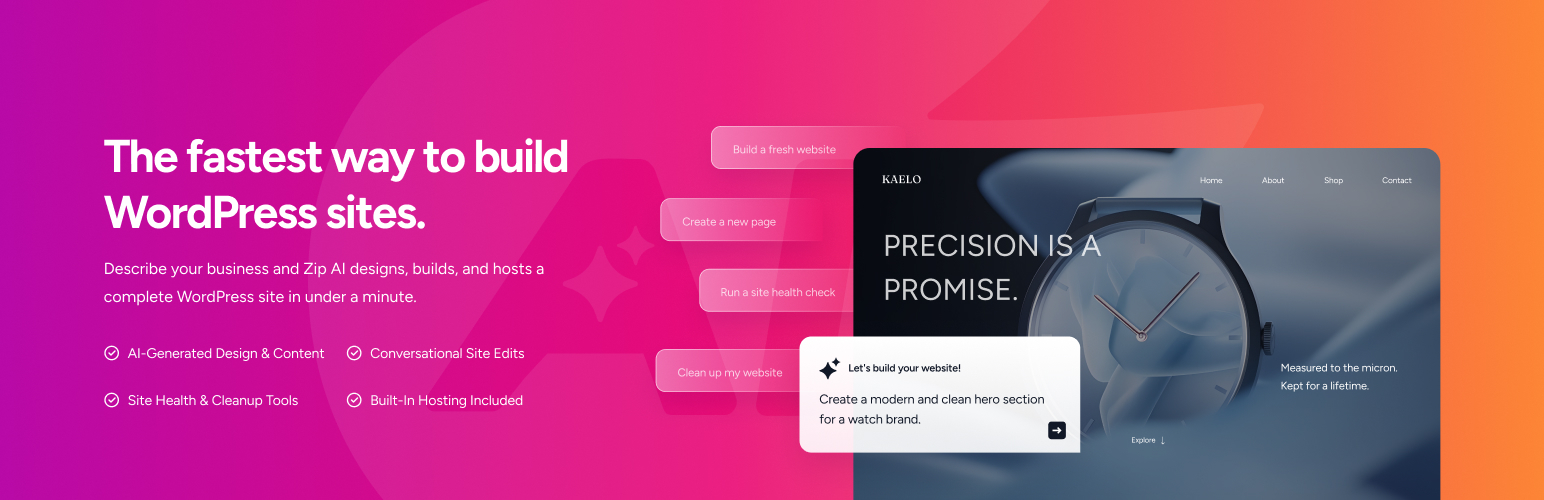
ZIP AI 是一款 WordPress AI 網站建構器與 AI 代理,讓使用者透過控制台對話來創建、編輯及管理基於區塊的 WordPress 網站。只需描述想要的網站或頁面,ZIP AI 即可生成相應的佈局、內容及視覺元素。
【主要功能】
• 使用自然語言建構頁面與區塊
• 生成佈局、標題、內容及行動呼籲
• 創建支援的標頭、頁尾及網站範本
• 添加相關的圖片
• 精細調整生成的頁面
• 提供代碼片段管理功能
外掛標籤
開發者團隊
② 後台搜尋「ZIP AI – AI Website Builder & AI Agent」→ 直接安裝(推薦)
原文外掛簡介
ZIP AI is a WordPress AI website builder and AI agent that lets you create, edit, and manage block-based WordPress websites by chatting inside your dashboard.
Describe the website, page, section, or change you want, and ZIP AI can create layouts, copy, imagery, headers, footers, and pages using Gutenberg and Spectra blocks. The result remains editable in the WordPress Block Editor.
Important: Theme Compatibility
ZIP AI currently supports Astra and WordPress Block / Full Site Editing (FSE) themes for its full website-building functionality.
Astra is currently the only supported classic WordPress theme. Other classic themes such as Divi and traditional or custom classic themes are not currently supported for the full website-building workflow.
ZIP AI can build and edit websites using Astra or a compatible Block / FSE theme.
Please confirm that your site uses Astra or a supported Block / FSE theme before installing and connecting ZIP AI.
Build WordPress Websites With AI
Tell ZIP AI what you want to build in plain language. It can help turn your instructions into WordPress pages, sections, content, and visual elements.
Use ZIP AI to:
Build pages and sections from prompts
Generate layouts, headlines, copy, and calls to action
Create supported headers, footers, and site templates
Add relevant imagery
Create home, about, service, landing, contact, and FAQ pages
Refine generated pages through follow-up instructions
Continue editing with native WordPress blocks
For example, ask ZIP AI to “build a homepage for my bakery,” “add a services section,” “rewrite this headline,” or “create an FAQ section.”
AI Agent for WordPress
ZIP AI also works as a conversational AI agent inside wp-admin. Describe what you want it to do, review the proposed action, and approve it before a supported change is applied.
For supported operations, ZIP AI uses WordPress tools including the REST API, WP-CLI, and the Abilities API.
Edit WordPress With AI
Select a supported block in the WordPress Block Editor and describe the change you want. ZIP AI can help rewrite copy, improve headlines, add sections, update content, refine layouts, and adapt content while preserving the surrounding page structure.
ZIP AI uses Gutenberg and Spectra blocks. It can also use WordPress Global Styles and Spectra design tokens so supported pages can follow your site’s colors and typography.
Site Awareness and Memory
ZIP AI can use site context including posts, pages, options, metadata, and optional site scanning.
Per-site memory and “Your Instructions” let you provide preferences for later conversations. Stored memory can be reviewed and cleared.
You’re Always in Control
ZIP AI shows you proposed supported actions and asks for confirmation before applying them. Failed operations are reported rather than marked as successful.
AI-generated content, edits, and command output can contain mistakes or unexpected results. Review each action before approving it.
Account and SaaS Connection
ZIP AI is a SaaS-connected plugin and requires a ZipWP account.
After you choose to connect, ZipWP returns a short-lived, single-use token that WordPress verifies server-to-server before storing an access token.
Code Snippets
ZIP AI includes a Code Snippets manager for PHP, CSS, JavaScript, and HTML. It is restricted to administrators with the manage_options capability, and new snippets are disabled by default.
PHP snippets execute on your site. Validation is not a security sandbox; only run code you trust.
Snippet code is stored on your own site and run via a PHP include of a plugin-managed file – the plugin never downloads executable code from a remote server to run it. When you test a snippet, it is validated in a separate, short-lived PHP process (PHP’s -l lint with a time limit) so a syntax error cannot take your site down; this requires exec() on your host and is skipped when it is unavailable.
Built by Brainstorm Force
ZIP AI is built by Brainstorm Force, the team behind Astra, Spectra, Starter Templates, and other WordPress products.
External services
This plugin connects to external services to provide its AI features. Data is only sent after you explicitly authenticate and start a conversation.
1. ZIP AI credit server – https://credits.zipwp.com
Used to: route chat messages, manage your account, track AI-usage credits, and run server-side agent logic.
Data sent: chat messages, site structure (page titles, post counts, active plugin names, active theme name, content categories), site identity (title, tagline, language, domain), optional e-commerce summary (product counts, categories, currency), and the results of the WordPress tools the agent runs at your request, which can include post and page content, option values, and command output.
Terms: Terms of Service – Privacy Policy
2. ZipWP authentication middleware – https://app.zipwp.com/auth/
Used to: authenticate your ZipWP account and issue access tokens to the plugin.
Data sent: email address and OAuth state during the login flow.
Terms: Terms of Service – Privacy Policy
3. ZipWP API – https://api.zipwp.com/api/
Used to: fetch ZipWP product data (templates, design tokens, block presets) when assembling AI responses.
Data sent: authenticated product-lookup queries.
Terms: Terms of Service – Privacy Policy
4. Google Gemini (via the credit server)
Used to: generate AI responses to your chat messages.
Data sent: the text of your chat messages and the site context collected above.
Terms: Google Terms of Service – Google Privacy Policy
5. Anthropic Claude (via the credit server)
Used to: generate AI responses to your chat messages.
Data sent: the text of your chat messages and the site context collected above.
Terms: Anthropic Terms of Service – Anthropic Privacy Policy
6. Unsplash CDN – https://images.unsplash.com/
Used to: fetch the binary of an Unsplash stock photo you have explicitly picked from the in-chat image picker, so the image can be uploaded into your WordPress media library. The Unsplash search itself runs through the ZipWP API (see #3 above); only the chosen image’s bytes are downloaded directly from the Unsplash CDN.
Data sent: a standard HTTP GET request for the image URL. No personal data, no chat content.
Terms: Unsplash Terms – Unsplash Privacy Policy
No data leaves your site until you authenticate and send a message. You can clear all stored memory at any time via “Clear Site Memory” in the plugin menu.
Support
Support Forum
Documentation