內容簡介
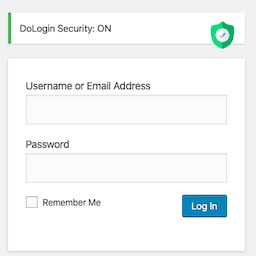
Defentry 是一款專為 WordPress 提供的安全與登入保護外掛,能有效防止帳號被盜用。透過設備驗證機制,當管理員或編輯從未識別的設備登入時,將立即顯示驗證覆蓋層,確保安全性。
【主要功能】
• 新設備驗證覆蓋層
• 暴力破解 IP 保護
• 即時登入警報與警報聲
• 主控管理員控制
• 受信設備管理
• 新設備電子郵件通知
外掛標籤
開發者團隊
② 後台搜尋「Defentry – Smart Security & Login Protection」→ 直接安裝(推薦)
原文外掛簡介
Stop WordPress account takeover before it starts.
Stolen passwords. Hijacked sessions. Brute-force bots hammering login pages around the clock. Most WordPress breaches don’t break the lock — they steal the key. Defentry adds a second door: device-based login verification for WordPress.
When an administrator, editor, or author signs in from a new, unrecognized device, Defentry instantly covers the dashboard with a full-screen verification overlay and siren until a secret stop password is entered. At the same moment, every other logged-in user sees a real-time login alert banner and hears the siren — so a hijacked session can never slip by silently.
Defentry combines three proven layers of WordPress login protection in one lightweight plugin: limit login attempts with automatic IP lockouts to stop brute-force attacks on wp-login.php, trusted-device verification that defeats stolen passwords, and instant login alerts so your team sees every new device the second it appears.
How it works
A privileged user logs in from a device Defentry has never seen.
The dashboard is immediately blocked by the stop-password overlay (with optional siren).
All other logged-in users get an instant alert banner with one-click Trust, Mute, and Master Admin actions.
The correct stop password verifies and permanently trusts the device. Wrong guesses are rate-limited per IP — 3 strikes triggers a temporary IP block. Verification is enforced server-side: an unverified device receives only the verification page — no dashboard screens, AJAX actions, or form submissions run until it passes.
Login security features
New-device verification overlay — unrecognized devices cannot touch wp-admin until the stop password is entered
Brute-force IP protection — 3 wrong password attempts means a temporary IP block. Detection uses REMOTE_ADDR only, so attackers can’t dodge it by spoofing X-Forwarded-For headers
Login attempt limiting — failed wp-login attempts are counted per IP; after 5 failures (configurable) the IP is locked out and even the correct password is rejected until the lockout expires. Optional escalating lockouts, an IP whitelist, and a Master Admin email on every lockout
Login activity by IP — every login attempt, successful or failed, is counted per IP address for the last 30 days: see exactly how many requests each IP made, which usernames it tried, and block or whitelist it in one click
Siren + broadcast login alerts — an audible siren and alert banner notify every logged-in user the second a new device appears; custom MP3 siren supported, one-click mute
Master Admin control — one designated administrator owns the security settings and can instantly block suspicious users (blocked users are logged out on the spot)
Trusted device management — view, trust, rename, renew, and remove devices per user, or reset all devices at once. Devices can optionally expire after 30, 90, or 180 days and are auto-named from the browser (e.g. “Chrome · Windows”)
New-device email alerts — administrators, editors, and authors are emailed once per new device with user, time, IP, and device details
Hardened admin pages — sends X-Frame-Options, X-Content-Type-Options, and Referrer-Policy headers on admin screens
Perfect for
Agencies and freelancers managing client WordPress sites
WooCommerce stores and membership sites with multiple staff accounts
Bloggers and businesses who want to know the instant an unknown device touches their dashboard
Built like a security tool should be
The stop password is hashed with wp_hash_password() and verified server-side only — never stored in plaintext, never shown in settings, never exposed to the browser
Nonce-protected AJAX, capability checks on every action, sanitized inputs and escaped outputs throughout
No tracking, no upsells, no bloat — 100% free under the GPL, forever
Defentry is one strong layer of WordPress login security. Pair it with two-factor authentication and a firewall for defense in depth.
Links: Support forum · Author website
Built by WordPress security specialist Md Jahid Bin Sabit.
Credits
Defentry is designed, built, and maintained by Md Jahid Bin Sabit — WordPress security specialist.
Website: https://jbsabit.com/
WordPress.org profile: https://profiles.wordpress.org/jbsabit/
Contributor: Reflecters — https://profiles.wordpress.org/wearereflecters/