內容簡介
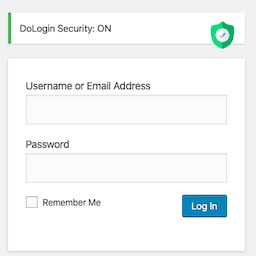
Admin Login Guard & Branding 是一款強化 WordPress 網站安全的外掛,能夠自訂登錄 URL,隱藏預設的 wp-login.php 和 wp-admin 頁面,有效防止暴力破解攻擊及未經授權的登錄嘗試。此外,該外掛還提供全面的安全功能和視覺自訂選項,讓使用者能夠打造符合品牌形象的登錄頁面。
【主要功能】
• 自訂登錄 URL:將 wp-login.php 更改為獨特的自訂字串
• 訪問控制:自動阻擋未登錄用戶訪問 wp-login.php
• 限制登錄嘗試:設定最大失敗登錄次數及鎖定時間
• 登錄歷史:詳細的登錄嘗試審計日誌
• CSV 匯出:下載登錄失敗歷史以供分析
• 視覺自訂:自訂登錄頁面外觀以符合品牌形象
外掛標籤
開發者團隊
② 後台搜尋「Admin Login Guard & Branding」→ 直接安裝(推薦)
原文外掛簡介
Admin Login Guard & Branding is the ultimate solution to secure your WordPress website by allowing you to change your WordPress login URL to a custom slug. By hiding the default wp-login.php and wp-admin pages, you instantly protect your site against brute force attacks, bot networks, and unauthorized login attempts.
Beyond just acting as a “hide login” plugin, it provides a comprehensive suite of security features to limit login attempts, track failed logins in real-time, and enforce strict access control.
Want to white-label your WordPress dashboard? Admin Login Guard & Branding also lets you fully customize the visual appearance of your login page to seamlessly match your brand identity with custom logos, backgrounds, colors, and fonts.
It fully supports WordPress Multisite networks, allowing you to easily control login settings and branding across your entire network from a central location.
Key Features
Custom Login Slug: Change wp-login.php to something unique (e.g., /my-secret-login).
Access Control: Automatically blocks access to wp-login.php and wp-signup.php for non-logged-in users.
Limit Login Attempts: Set maximum failed login attempts and lockout duration to prevent brute-force attacks.
Login History: Segregated and detailed audit logs for both failed and successful login attempts, including IP address, username, time, and user agent.
CSV Export: Download your login failure history for analysis.
Custom Redirection: Choose a custom page or 404 page to redirect unauthorized users to.
Visual Customization:
Upload a custom logo or completely hide the default WordPress logo.
Set custom logo width, height, title, and link.
Set a background image, solid color, or a dynamic MP4 Video background.
Vertically center the login form on the page for a modern layout.
Customize button colors, form borders, and label colors.
Customize “Lost Password” and “Back to Home” link colors.
Option to hide the “Back to Home” link.
Two-Factor Authentication (2FA):
Secure your admin login with email-based OTP (One-Time Password).
Premium, beautifully designed HTML email templates for 2FA codes.
Built-in “Resend Code” functionality with a smart 60-second anti-spam timer.
Email Notifications: Receive alerts for admin lockouts and when users log in from new IP addresses.
IP Blacklisting: Permanently block known malicious IP addresses.
Modern Settings Interface: Enjoy a beautiful, responsive, and easy-to-use admin dashboard for all your configurations.
Advanced Customizations: Inject custom CSS, JavaScript, specify custom fonts, and add a custom footer to the login page.
Privacy & Data Collection
This plugin respects your privacy. Both the diagnostic tracking and deactivation feedback features are 100% optional.
Telemetry & Diagnostics (Opt-in Only)
Upon activation, you will be invited to share anonymous site diagnostics. This is strictly opt-in and can be disabled at any time from the ‘Privacy’ tab in settings. If you agree, we collect:
WordPress, PHP, and Plugin version numbers.
Theme name/version and locale.
Multisite status and a hashed site identifier.
No personal data, user information, or site content is collected.
Deactivation Feedback
If you decide to deactivate the plugin, a feedback modal will appear. Providing feedback is entirely optional—you can click “Skip & Deactivate” to deactivate the plugin immediately without sharing any data. You may optionally share your name and email address if you wish to be contacted for support.
Data Security
All collected data is encrypted using AES-256-CBC before being transmitted to our secure receiver server.
External services
This plugin connects to external APIs operated by Code and Core to support optional telemetry diagnostics and optional deactivation feedback. Both services are entirely opt-in / optional.
1. Telemetry / Diagnostics receiver
This plugin connects to an API to send anonymous site-health data, it’s needed to help prioritize compatibility updates.
It sends the Site URL, plugin name & version, PHP version, WordPress version, active theme name & version, site language, multisite status, and a Unix timestamp every time the plugin is activated, deactivated, or updated, ONLY if the administrator has explicitly opted in.
This service is provided by “Code and Core”: privacy policy.
2. Deactivation feedback receiver
This plugin connects to an API to receive voluntary feedback, it’s needed when a site administrator chooses to share a reason for deactivating the plugin.
It sends Deactivation reason, optional details, Site URL, plugin name & version, PHP version, WordPress version, active theme name & version, site language, multisite status, and a timestamp ONLY when the administrator clicks “Submit Feedback” in the deactivation modal. Name and email are sent only if the contact checkbox is checked.
This service is provided by “Code and Core”: privacy policy.
All data transmitted to endpoints on wordpress-plugins.pro is encrypted with AES-256-CBC before sending.
Credits
This plugin uses DataTables for displaying login history.