內容簡介
MyFast Login Guard 是一款專為 WordPress 提供登入保護及伺服器資訊的外掛,能有效增強網站安全性,並提供詳細的伺服器狀態與錯誤日誌,讓使用者輕鬆管理登入安全。
【主要功能】
• 自訂登入頁面 URL,避免直接訪問 /wp-login.php
• 限制登入嘗試次數,防止暴力破解
• 提供伺服器環境與錯誤日誌詳細資訊
• 支援 IP 白名單,保護自有 IP 不被鎖定
• 可選擇在鎖定時發送電子郵件通知
• 手動解鎖功能,便於管理鎖定紀錄
外掛標籤
開發者團隊
② 後台搜尋「MyFast Login Guard – Login Protection & Server Info」→ 直接安裝(推薦)
原文外掛簡介
MyFast Login Guard provides two things hosting clients actually need:
Login protection
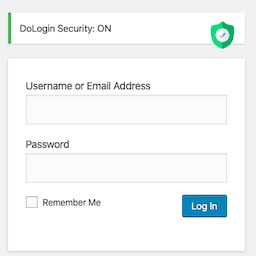
Rename your login page to a custom URL — direct access to /wp-login.php and shortcuts such as /login return a 404
Optional Login Access Code — a second secret (stored as a password hash) required with the WordPress username and password
Limit login attempts — lock out an IP after a configurable number of failures
Configurable lockout duration (default: 5 attempts, 30-minute lockout)
IP whitelist — your own IPs are never locked out
Optional email notification when a lockout is triggered
Manual unlock from the Lockout Log page
Server information and error log
Full PHP environment: version, memory, OPcache, extensions, disabled functions, error log path
WordPress environment: version, debug flags, memory limits, active plugin count
Server details: software, IP, document root, HTTPS status, OS
Database: MySQL/MariaDB version, database size
Scheduled cron events with overdue detection
Error log viewer: reads WordPress debug.log (or PHP error log), filterable by Fatal / Warning / Notice, with one-click clear
Design principles
No external API calls
No cronjobs
No .htaccess rewriting
No front-end database queries
Assets load only on the plugin’s own admin pages