內容簡介
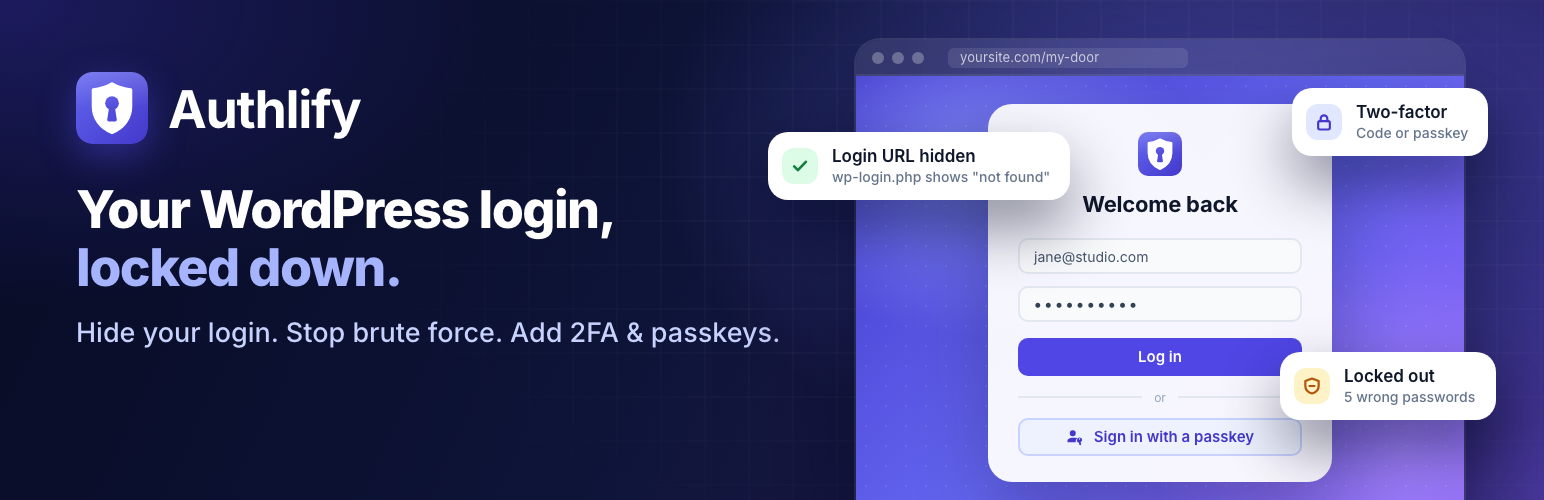
Authlify 是一款全方位的 WordPress 登入安全外掛,提供自訂登入網址、登入安全性、雙重驗證及登入頁面設計功能,幫助用戶有效防範暴力破解攻擊,並提升網站安全性。
【主要功能】
• 自訂登入網址,隱藏 wp-admin
• 限制登入嘗試,防止暴力攻擊
• 支援多種 CAPTCHA 認證
• 雙重驗證功能,增強安全性
• 活動日誌,追蹤登入行為
外掛標籤
開發者團隊
② 後台搜尋「Authlify – Custom Login URL, Login Security, 2FA & Login Page Designer」→ 直接安裝(推薦)
原文外掛簡介
Authlify (formerly Modify Login) is an all-in-one WordPress login security plugin. It hides your login page properly, stops brute-force attacks, adds CAPTCHA, two-factor login and passkeys, and lets you design every login screen. All of that is free, on as many sites as you like.
Website | All features | Free vs Pro | Documentation | Authlify Pro | Support
Why Authlify
One plugin instead of four. A custom login URL (like WPS Hide Login), login lockouts (like Limit Login Attempts Reloaded), two-factor login (like Two Factor or WP 2FA) and a login page designer (like LoginPress), all built to work together.
A hidden login that is actually hidden. Most hide-login setups leak the secret address through /wp-admin/, /login, password-reset links or emails. Authlify closes those routes, and its built-in Leak Check proves it on your own site.
Built so you never lock yourself out. A new login URL must be confirmed before it applies, the address is emailed to you, and there are wp-config.php and WP-CLI recovery options for every setting.
Modern sign-in, free. Passkeys (Face ID, Touch ID, Windows Hello, security keys), authenticator apps and backup codes, with a two-factor step that matches your login design.
Private by design. The activity log stays on your server, the self-hosted ALTCHA CAPTCHA needs no third party, and nothing is sent anywhere unless you switch on a service that needs it.
Calm to use. A clear dashboard checklist, built-in documentation, no nag banners, and no features switched on behind your back by an update.
Custom login URL and hide wp-admin
Change the WordPress login URL to something like yoursite.com/my-door. It works on Apache, Nginx and managed hosts, with no .htaccess edits.
Hide wp-login.php and wp-admin from logged-out visitors: they see your theme’s “page not found” page, an “access denied” message, or a redirect of your choice.
Leak Check requests your own site about 40 times, the way a visitor would, and tells you exactly what, if anything, gives the address away. It can re-check weekly and after every change.
Confirm before it applies. A new login URL works alongside the old one until you open it once, so a typo can’t lock you out.
Safe with page caches: the login page is never cached, and WP Rocket, LiteSpeed, SiteGround and Breeze exclusions are added automatically.
Links to the login page from WooCommerce, membership and LMS plugins are rewritten to your custom address.
Limit login attempts and brute-force protection
Lockouts after too many failed logins, per IP address and optionally per network. Repeat lockouts get longer: 15 minutes, 1 hour, 4 hours, 1 day.
Attackers can’t lock out the real admin. A targeted account is never locked for everyone: it can ask for a CAPTCHA, and if the attack goes on it is paused only for addresses it has never logged in from. Its owner keeps logging in as usual and can always use an email unlock link.
Lockouts also cover XML-RPC, the REST API and application passwords, not just the login form.
Correct visitor IPs behind Cloudflare or your own proxy. Faked forwarding headers are ignored, so lockouts can’t be dodged or pinned on someone else. Authlify detects your setup and suggests the right option.
Allow and block lists (IP addresses and CIDR ranges). Block an address in one click from the activity log or the lockout list, and optionally block repeat offenders automatically after a number of lockouts (off by default; addresses an administrator has logged in from are never blocked).
Hardening: switch off XML-RPC or its multi-password requests, hide usernames from the REST API and ?author= scans, limit application passwords, show generic login errors, and make the site private (force login) with public exceptions.
CAPTCHA on login, registration, comments and WooCommerce
Cloudflare Turnstile, hCaptcha, Google reCAPTCHA v2 and v3, and ALTCHA, a self-hosted, privacy-friendly CAPTCHA with no third party at all. Plus an invisible honeypot.
On login, registration, lost password, comments, WooCommerce login, registration and lost-password forms, and WooCommerce checkout (classic and block checkout).
Also on the login, registration and lost-password forms of Easy Digital Downloads, Ultimate Member, MemberPress and BuddyPress/BuddyBoss when those plugins are active. They follow the same form switches, and are checked before the password, so bots cost your server almost nothing.
Show it always, or only after failed logins.
Key checks before you switch it on, and a test mode that logs instead of blocking.
Two-factor authentication (2FA) and passkeys
Authenticator apps (Google Authenticator, Microsoft Authenticator, 1Password, Authy and others) with one-time backup codes.
Passkeys: sign in with Face ID, Touch ID, Windows Hello or a security key, plus a “Sign in with a passkey” button on the login page (PHP 8.0 or later with OpenSSL).
Each user sets up two-factor login on their own profile. Admins can reset it, and users can recover by email.
Switching from Two Factor or WP 2FA? Import your users’ authenticator apps, with a preview first, so nobody has to set their app up again.
The two-factor step uses your login page design.
Breached-password check: optionally refuse passwords found in known data breaches, using the privacy-preserving Have I Been Pwned range API.
Login page customizer and designer
A visual designer with a live preview of your real login page on desktop, tablet and phone.
12 ready-made templates, including split-screen, glass and dark, all checked for readable contrast.
Match my site builds a design from your theme’s colours, fonts and logo in one click.
Logo, background image, colours, fonts, form and button styles, and custom CSS.
Every login screen is styled: login, lost password, reset, registration, two-factor and lockout.
Import an existing design from LoginPress or Colorlib Login Customizer.
Login activity log
Every login, failed login, lockout and security change, with IP address and country (from Cloudflare’s country header, when the site is set up as behind Cloudflare).
Filter, search and export to CSV.
Stored only on your site, with a retention period, optional IP anonymization, and the WordPress privacy export and erase tools.
Optional email to the admin when an administrator account is locked out.
Optional new sign-in email: tell users (in the roles you choose) when their account signs in from a new device or IP address.
Redirects, recovery and tools
Login and logout redirects for everyone or per role.
Never locked out: the login URL is emailed to the site admin whenever it changes; define( 'AUTHLIFY_DISABLE_HIDE', true ); in wp-config.php brings wp-login.php back; locked-out users get an “email me an unlock link” option.
WP-CLI: wp authlify url get|set|reset, wp authlify unlock, wp authlify lockouts, wp authlify reset_2fa and wp authlify leak-check.
Switch in one click from WPS Hide Login, Limit Login Attempts Reloaded, Admin and Site Enhancements (ASE) and LoginPress: Authlify detects them and imports their settings.
Settings export and import between sites, Site Health checks, and multisite support.
Built-in documentation under Authlify → Docs, with a “Learn more” link on every settings screen.
Our promise
No free feature will ever move into Pro. No nag banners. No emails switched on by an update. Upgraded Modify Login sites keep their login URL and settings, and new protections stay off until you turn them on.
Authlify Pro
Authlify is complete on its own. Authlify Pro is an add-on for sites with staff, customers or clients: rules instead of requests, more ways to sign in, and a warning when something looks wrong. It needs the free plugin, and every plan includes every Pro feature.
Require two-factor login by role: a grace period and setup wizard, email codes, trusted devices, passkey-only roles and a coverage report for each role.
Social login and single sign-on: Google, Microsoft, Apple, GitHub and any OpenID Connect provider (Okta, Auth0, Keycloak, Entra ID), limited to your email domains if you like.
Passwordless and temporary access: magic login links and sign-in codes by role, and temporary logins for support staff and clients that expire on their own.
Login alerts: new-device and new-country emails with a “This wasn’t me” link, and admin alerts by email, Slack, Discord, Telegram, Microsoft Teams or signed webhooks.
Login by country, hours and a honeypot: allow or refuse logins by country (with a local country database), limit roles to set days and hours, and ban IPs that keep trying the old login addresses.
22 premium login designs: animated, video and seasonal backgrounds, branded emails, login and registration blocks, a popup login, a Site Editor login page and a WooCommerce My Account skin.
Session control: maximum session length and devices per role, idle logout with a warning, and “log out everywhere”.
Password policy: length, character rules, no reuse and expiry for chosen roles, plus a breached-password check at login.
Sudo mode: people confirm it is them before plugin, theme, user and security changes.
WooCommerce: the two-factor step inside My Account, and a Security tab where customers manage two-factor login, passkeys and devices.
Insights and scheduled exports: failed attempts by country, top IP addresses and targeted usernames, a weekly digest and scheduled CSV exports of the log.
Agency and multisite: white-label, client handoff, network settings with per-site locks, and design sync between sites.
REST API and WP-CLI: settings, the activity log, lockouts and the design over /wp-json/authlify-pro/v1/, plus bulk WP-CLI commands.
Plans: Personal (1 site), Plus (5 sites) and Agency (25 sites), yearly or lifetime, with a 14-day money-back guarantee. If a licence lapses, Pro keeps working; the licence brings updates and support. Compare Free and Pro · See pricing
External services
Authlify works without any external service. The services below are contacted only when you switch the matching feature on, and only from the forms or screens listed.
Cloudflare Turnstile (when you choose Turnstile as the CAPTCHA provider). The visitor’s browser loads the Turnstile script from challenges.cloudflare.com on the protected forms, and your server sends the visitor’s answer token, your secret key and the visitor’s IP address to challenges.cloudflare.com to verify it when the form is submitted. Terms, privacy policy, Turnstile privacy addendum.
hCaptcha (when you choose hCaptcha). The browser loads the script from js.hcaptcha.com on the protected forms, and your server sends the answer token, your secret key and the visitor’s IP address to api.hcaptcha.com on submit. Terms, privacy policy.
Google reCAPTCHA v2 or v3 (when you choose reCAPTCHA). The browser loads the script from www.google.com on the protected forms, and your server sends the answer token, your secret key and the visitor’s IP address to www.google.com/recaptcha/api/siteverify on submit. Terms, privacy policy.
Have I Been Pwned – Pwned Passwords (when you switch on the breached-password check). When someone sets or resets a password, your server sends the first 5 characters of the password’s SHA-1 hash to api.pwnedpasswords.com. The password and its full hash never leave your site. About Pwned Passwords, privacy policy.
ALTCHA and the honeypot run entirely on your own server. Leak Check only requests your own site. The optional Authlify Pro add-on contacts store.mantrabrain.com for licences and updates; that is described in its own readme.