內容簡介
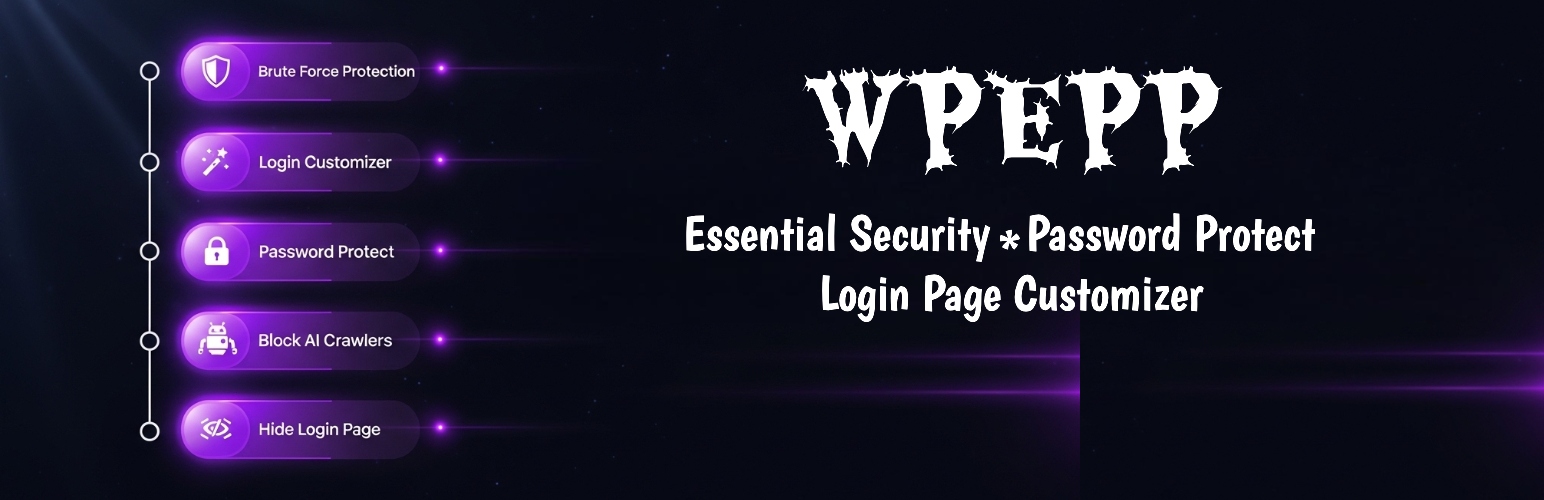
WPEPP 是一款全方位的 WordPress 安全外掛,提供密碼保護內容、限制登入嘗試、隱藏登入頁面等功能,確保網站安全並提升使用者體驗。
【主要功能】
• 限制登入嘗試,防止暴力破解攻擊
• 隱藏登入頁面,增強安全性
• 密碼保護內容,防止未授權訪問
• 自訂登入頁面,提升品牌形象
• 國家限制,控制訪問來源
• CPU 監控,優化網站效能
外掛標籤
開發者團隊
② 後台搜尋「WPEPP – Essential Security, Password Protect & Login Page Customizer」→ 直接安裝(推薦)
原文外掛簡介
WPEPP best for Best Essential security, password protected content, block AI crawlers, limit login attempts, country restriction, CPU monitor & login customizer with live preview. Total site protection! WPEPP is the all-in-one WordPress essential security and login page customizer plugin. It combines everything you need to limit login attempts, block brute force attacks, hide the login page, password protect content, restrict by country, and customize the WordPress login page — all from a single, modern dashboard with real-time live preview.
Stop installing five separate plugins. WPEPP replaces your login limiter, login page customizer, password form styler, content restriction plugin, country blocker, and AI crawler blocker with one lightweight solution that loads zero external scripts on the front end.
View Details | View Pricing
🔐 Limit Login Attempts & Brute Force Protection
Protect your WordPress login form from brute force attacks with built-in login attempt limiting and IP-based lockouts.
Login Attempt Limiter — automatically block IP addresses after repeated failed login attempts
Configurable lockout — set the maximum number of failed attempts and lockout duration in minutes
Login Honeypot — invisible bot trap field catches automated brute force login attacks instantly
Registration Honeypot — hidden spam trap on the WordPress registration form blocks fake signups
Registration Rate Limiter — prevent mass registration spam with per-IP rate limiting
IP-based tracking — every failed login is tracked by IP address for accurate blocking
🛡️ Hide Login Page & Custom Login URL (Pro)
Move your default WordPress login page to a secret URL so bots and attackers can never find it.
Custom Login URL — change wp-login.php to any URL you choose (e.g., /my-secret-login)
Hide Default Login — the original wp-login.php returns a 404, invisible to attackers
After-Login Redirect — send users to a specific page after successful login
Auto-Login Links — generate secure one-time login tokens for specific users
🔑 Two-Factor Authentication – 2FA (Pro)
Add an extra layer of security to every WordPress login with TOTP-based two-factor authentication.
Authenticator App Support — works with Google Authenticator, Authy, Microsoft Authenticator, and any TOTP app
QR Code Setup — users scan a QR code to set up 2FA in seconds
Recovery Codes — 8 one-time backup codes in case a user loses their authenticator device
Role-Based Enforcement — enable 2FA for specific user roles (administrators, editors, etc.)
RFC 6238 Compliant — industry-standard time-based one-time password implementation
🤖 Google reCAPTCHA Integration (Pro)
Add Google reCAPTCHA to your login and registration forms to stop bots before they even try.
Login Form reCAPTCHA — prevent automated login attempts with CAPTCHA verification
Registration Form reCAPTCHA — block bot signups on the WordPress registration page
Easy Setup — just enter your Site Key and Secret Key to activate
📊 Login Activity Log (Pro)
Monitor every login attempt on your WordPress site with a detailed activity log.
Complete Logging — records every successful, failed, and locked-out login attempt
IP Address Tracking — see which IPs are attempting to access your site
User-Agent Detection — identify the browser or bot behind each login attempt
Status Filtering — filter the log by success, failure, or lockout status
Timestamp Records — exact date and time of every login event
🛑 Block AI Crawlers & Bots
Prevent AI companies from crawling and training on your website content. Block GPTBot, CCBot, Google-Extended, and more.
One-Click AI Blocker — toggle known AI crawlers on or off from a simple checklist
robots.txt Rules — automatically generates and injects bot-blocking rules into your robots.txt
User-Agent Blocking — returns 403 Forbidden to blocked AI crawlers at the server level
Rule Preview — see exactly what rules will be added before saving
🔒 Lock Entire Site — Site Access Control
Need to lock your entire WordPress site? WPEPP gives you two powerful ways to do it — no plugins or code required.
Admin Only Mode — restricts the entire site to logged-in users only. Anyone who is not signed in is automatically redirected to the login page or shown a login popup. Perfect for intranet sites, staging environments, or member communities.
Site Password Protection — lock the whole site behind a single shared password. Visitors must enter the password before they can view any page. Logged-in administrators always bypass it automatically. Set a cookie duration so returning visitors are not asked again.
Admin-Only Mode — lock the entire front end so only logged-in users can view it
Site Password — require a single password for all visitors to access the site
Configurable Cookie Duration — set how many days the access cookie lasts before asking again
Bypass for Admins — logged-in administrators always skip the password gate automatically
Custom Access Message — show a branded message above the password form
Login Popup Option — show a blurred login overlay instead of a redirect (Pro)
Page Whitelist — keep login, register, and selected pages accessible while the rest is locked
🔐 Password Protect Pages & Content Lock (Pro)
Lock any WordPress post, page, or custom post type so only authorized users can see the content.
Per-Post Toggle — lock individual posts from the Gutenberg editor sidebar or Classic Editor meta box
Multiple Lock Actions — choose from login link, inline password form, full-page popup with blur, or redirect
Role-Based Locking — restrict content to specific user roles (subscribers, members, etc.)
Auto-Expiry Unlock — automatically unlock content at a scheduled date and time
Excerpt on Archives — optionally show a teaser excerpt on blog listing pages
Works Everywhere — compatible with posts, pages, and all registered custom post types
📋 Conditional Content Display
Show or hide any post or page based on smart conditions — without shortcodes.
User Status — show content only to logged-in or logged-out users (Free)
User Role — target administrators, editors, subscribers, or any custom role (Pro)
Device Type — show different content on desktop, tablet, or mobile (Pro)
Time & Date — schedule visibility by time range, date range, day of week, or recurring schedule (Pro)
Browser Detection — target Chrome, Firefox, Safari, Edge, or Opera users (Pro)
URL Parameters — show content based on query string values like ?ref=email (Pro)
Referrer Source — display content based on where the visitor came from (Pro)
REST API Compatible — hidden content is stripped from API responses for headless WordPress setups
12 Conditions Total — the most flexible conditional visibility system available
👥 Member-Only Pages
Create pages visible only to logged-in members — no membership plugin required.
Dedicated Page Template — assign the “Member Only” template to any WordPress page
Built-In Login Form — visitors see a login form; authenticated users see the real content
Zero Configuration — works out of the box, no setup needed
🎨 Login Page Customizer with Live Preview
Customize the default WordPress login page (wp-login.php) with a visual editor and real-time preview.
Background Options — solid color, CSS gradient, background image, or background video with overlay
Custom Logo — upload your own logo image, set its size, or use a text-based logo with custom font
Form Styling — customize background, border, width, padding, and box shadow of the login form
Field Styling — change input background, text color, border, padding, height, and focus state
Button Styling — customize background, text color, font size, border radius, and hover state
Heading & Links — style the form heading text and “Lost your password?” link
Error Messages — customize the color, font, background, and padding of login error messages
Register & Lost Password Pages (Pro) — same visual editor for wp-login.php?action=register and ?action=lostpassword
Live Preview — every change is visible in real time before you save
🎯 Password-Protected Form Styling
Replace the plain WordPress password form with beautiful, branded designs using a real-time visual editor.
4 Unique Form Styles — 2 free styles, 2 additional styles with Pro
Custom Text — add header and description text above or below the password form
Button & Label Text — change the submit button label, input placeholder, and error messages
Social Media Icons — add links to Facebook, X (Twitter), YouTube, Instagram, LinkedIn, Pinterest, and Tumblr
Icon Controls — set position (top, middle, bottom), alignment, and visual style
10+ One-Click Templates — import pre-built designs like Minimal, Modern Dark, Corporate, Nature, Gradient Wave, and more
🛡️ Security Hardening
Reduce your WordPress attack surface with built-in hardening tools.
Disable XML-RPC — shut down the xmlrpc.php endpoint used by bots for brute force and DDoS attacks
Hide WordPress Version — remove the generator meta tag and version query strings from your source code
Disable REST API User Enumeration — block the /wp/v2/users endpoint to prevent username discovery
IP Blocklist & Allowlist (Pro) — manually block or allow specific IP addresses
Disposable Email Blocker (Pro) — prevent registrations with temporary email addresses
Email Domain Whitelist/Blacklist (Pro) — restrict or allow signups by email domain
Admin Approval for Registrations (Pro) — require manual admin approval before new users can log in
📈 CPU Monitor & Site Health Dashboard
Keep your WordPress site fast and healthy with a built-in performance monitoring dashboard.
Real-Time CPU Usage — see current CPU percentage, core count, and 1/5/15-minute load averages
Memory Overview — monitor PHP memory usage, peak usage, and configured limits
System Health Score — instant green/yellow/red health badge based on CPU, memory, and cron status
Slow Query Logger — automatically log database queries that exceed a configurable time threshold
SAVEQUERIES Toggle — enable or disable WordPress query logging directly from the dashboard
Cron Jobs Manager — view all scheduled WordPress cron events, run them manually, or delete stale entries
Overdue Cron Detection — identify cron jobs that are past due and may be stuck
Plugin Performance — see which plugins consume the most resources and deactivate sluggish ones
Options Bloat Analyzer — inspect database options table size, autoloaded data, and top autoloaded options
Transient Cleanup — clean expired transients with one click to reduce database bloat
Error Log Viewer (Pro) — parse and display PHP and WordPress error log entries by type
WP Config Manager — toggle WP_DEBUG, WP_DEBUG_LOG, and SAVEQUERIES without editing files
✅ Free vs Pro Comparison
Login Security
Limit Login Attempts & IP Lockout — Free & Pro
Login Honeypot (Bot Trap) — Free & Pro
Registration Honeypot — Free & Pro
Registration Rate Limiter — Free & Pro
Hide Login Page (Custom Login URL) — Pro
Two-Factor Authentication (2FA) — Pro
Google reCAPTCHA (Login + Register) — Pro
Login Activity Log — Pro
IP Blocklist / Allowlist — Pro
Disposable Email Blocker — Pro
Email Domain Whitelist/Blacklist — Pro
Admin Registration Approval — Pro
Security Hardening
Disable XML-RPC — Free & Pro
Hide WordPress Version — Free & Pro
Disable REST API User Enumeration — Free & Pro
AI Crawler & Bot Blocker — Free & Pro
Content Protection
Site-Wide Access Control — Free & Pro
Admin-Only Mode — Free & Pro
Site-Wide Password — Free & Pro
Country Restriction (block or allow by country) — Free (2 countries) / Pro (unlimited)
Content Lock (Per-Post) — Pro
Auto-Expiry Unlock — Pro
Role-Based Content Lock — Pro
Conditional Display (Login Status) — Free & Pro
Conditional Display (12 Conditions) — Pro
Member-Only Page Template — Free & Pro
Login Page Customizer
Login Page Styling (Background, Logo, Form) — Free & Pro
Login Page Advanced Styling + Custom CSS — Pro
Register Page Styling — Pro
Lost Password Page Styling — Pro
Password Form Styling
Password Form – Styles 1 & 2 — Free & Pro
Password Form – Styles 3 & 4 — Pro
Custom Text, Labels & Social Icons — Free & Pro
Templates Gallery (3 Free / 10+ Pro) — Free & Pro
Preview & Admin
Real-Time Live Preview — Free & Pro
Desktop Responsive Preview — Free & Pro
Tablet & Mobile Responsive Preview — Pro
React-Powered Admin Dashboard — Free & Pro
CPU Monitor & Site Health
CPU Usage & Memory Stats — Free & Pro
Slow Query Logger — Free & Pro
Cron Jobs Manager — Free & Pro
Plugin Performance Monitor — Free & Pro
Options Bloat Analyzer — Free & Pro
Transient Cleanup — Free & Pro
Error Log Viewer — Pro
WP Config Manager — Free & Pro
🌐 Live Demos
See WPEPP in action:
Password-protected page demo
🏗️ Built for Performance
WPEPP is designed to be fast and lightweight:
No external scripts on the front end — zero impact on page load speed
Conditional asset loading — CSS and JS load only on pages that need them
Modern React admin — the settings panel is fast and responsive without slowing your site
REST API powered — all settings are saved via the WordPress REST API, no page reloads
🌍 Translations
English (default)
Translation-ready — .pot file included for translators
Privacy Policy
WPEPP uses the Appsero SDK to collect telemetry data only after the user opts in via an admin notice. No data is collected by default.
The SDK gathers basic diagnostic information (PHP version, WordPress version, plugin version, site URL) to help us troubleshoot issues and improve the product. It does not collect personal user data, passwords, or content.
Learn more: Appsero Privacy Policy.