
內容簡介
WordPress 即時聊天外掛程式
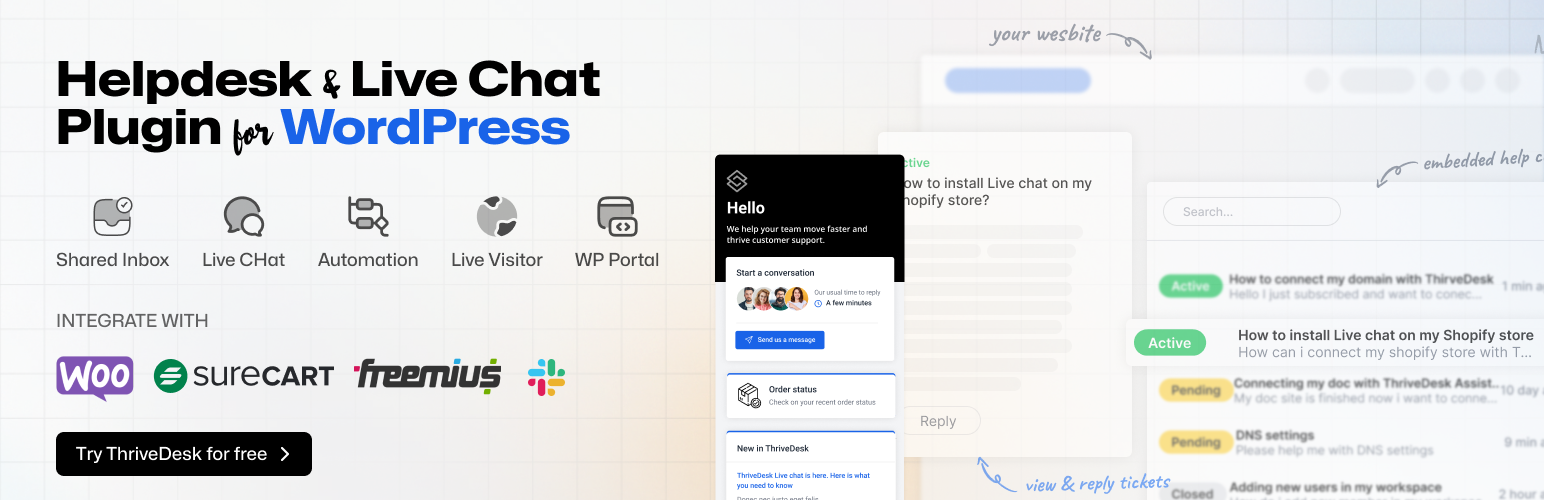
ThriveDesk 可能是最適合 WordPress 的最佳即時聊天軟件。它簡單直接,易於使用,是最輕巧、最快速的即時聊天助手,能夠吸引客戶而不會減緩您的網站速度。
我們設計 ThriveDesk 即時聊天以保護使用者的隱私,符合 GDPR 規定。
💬 即時聊天功能
聊天機器人
主動傳訊
離線傳訊
引導收集
自動回復知識庫
聯絡表單
連結
檔案共享
Zoom 和 Google Meet 整合
分析及見解
與其他 CRM 的無縫整合
等等...
WordPress 幫助中心及支援票證外掛程式
透過 Thrivedesk 共用收件匣(即票證系統)來管理所有客戶對話,共用收件匣是裝置所有票證、即時聊天和查詢的地方,團隊可以共同合作,提供更好的客戶支援體驗。
ThriveDesk 讓您的團隊可以輕鬆透過單一共用收件匣管理電子郵件。
🤔 為什麼要使用共用收件匣?
✅ 更好的組織
✅ 常規任務的自動化
✅ 更好的工作流程管理
✅ 更容易進行績效追蹤
✅ 更佳的協作
✅ 可信報告
✅ 更好的整合
✅ 無縫客戶體驗
🌟 幫助中心功能
指派任務
衝突偵測
常用回覆
垃圾郵件篩選
自動回覆
自動 BCC
預設狀態更新
私人備註
回覆撤銷
強大的搜尋
通知
聯絡歷史記錄
先前的對話紀錄
滿意度調查
報告
與 WooCommerce、Easy Digital Downloads、Envato 等更多整合
等等...
建立驚人的知識庫,以擴展客戶支援(即將推出)
利用文章庫幫助客戶找到解決問題的答案,減少票證變化,避免重複事件記錄,促進自助式存取,並改善解決時間。
知識庫是一個自助式系統,與即時聊天和票證系統完美搭配。
WooCommerce 整合
如果您透過 WooCommerce 銷售您的產品,沒有比 Thrivedesk 更好的方法來無縫處理所有客戶票證。
您可以在 ThriveDesk 對話頁面中檢查訂單總數、訂單詳情及運送信息。
🎁 更多整合
WooCommerce
Easy Digital Downloads
Gravity Form
Fluent CRM
Fluent Form
WPForms
Contact Form 7
Appsero
Slack
Stripe(即將推出)
Paddle(即將推出)
自定應用程式
高級報告
Thrivedesk 的報告工具可幫助您做出數據驅動的決策來支援和取悅您的客戶。
📈 報告功能
對話報告
公司報告
滿意度分數
排行榜
代理商表現
等等...
外掛標籤
開發者團隊
② 後台搜尋「ThriveDesk – Live Chat, AI Chatbot, Helpdesk & Knowledge Base」→ 直接安裝(推薦)
📦 歷史版本下載
原文外掛簡介
🛟 ThriveDesk – Live Chat and Helpdesk for WordPress with AI Chatbot, Ticketing, Knowledge Base, Customers Support & Sales Tools.
Your search for AI chatbot for WordPress ends here.
ThriveDesk is complete support ticketing, live chat, chatbot and knowledge base solution for WordPress powered website.
Help Desk Plugin For WordPress
ThriveDesk is the ultimate helpdesk and ticketing software for WordPress, offering a lightweight and fast assistant that attracts customers without slowing down your site. With personalized interactions, automated messages, and detailed analytics, it’s the perfect solution for enhancing customer support.
We designed ThriveDesk helpdesk to protect users’ privacy and align with the GDPR rules.
WHY USE THRIVEDESK – THE BEST LIVE CHAT PLUGIN?
Win your customers over by using this incredibly fast and lightweight customer support tool.
Avoid slow page loading times and lag in message delivery and reception.
Check customer information, page browsing history, previous purchase history right from the agent dashboard. Manage refunds and serve customers on the go.
Now, ThriveDesk allows customers to communicate with support staff in their native language, making it an ideal multilingual customer service solution.
HelpDesk for WooCommerce
Your customers will love you for using ThriveDesk live chat with WooCommerce. Engage customers at the right time, prevent cart abandonment & manage WooCommerce store right inside ThriveDesk — No more switching between multiple tabs.
Introducing ChatGPT Integration within Helpdesk System
Now ThriveDesk is more powerful with ChatGPT integration directly with our helpdesk system. Now you can provide faster and more accurate responses to customer inquiries.
ChatGPT can assist support agents by providing suggested responses or templates for common inquiries. It can enhance the quality of support ticket responses to identify areas for improvement.
How can live chat increase your sales and conversion?
Live chat is a great tool for businesses to use because it can increase the conversion rate and search ranking. It doesn’t matter how big or small you are, live chat is an inexpensive customer service tool that can make you feel more like a trusted provider of goods to the customer.
With ThriveDesk live chat plugin provides one-on-one conversations with your customers, which means that you can address their concerns efficiently and start closing more sales.
This will in turn increase your conversion rate and search ranking by reducing the number of people who are unhappy with their experience on your website.
💬 Live Chat Features
Real Time visitor tracking
Chatbots
Proactive messaging
Offline messaging
Lead collection
Automated replies from the knowledge base
Contact forms
Links
File sharing
Zoom and Google Meet integration
Analytics & Insight
Seamless integration with other CRM
And much more…
Available on:
IOS App
Android App
Helpdesk & Support Ticket Plugin for WordPress
Manage all customer conversations through ThriveDesk’s Shared Inbox (aka Ticket System). Shared Inbox is where all your tickets, live chat, and queries are directed, and the team collaborates to provide a better customer support experience.
ThriveDesk makes it easy for your team to manage emails through a single shared inbox.
🌟 Helpdesk Features
Shared Inbox
Workflow automation
Team collaboration
Merge conversation
Assignments
Collision Detection
Tagging
Canned replies
Spam filtering
Auto-responders
Auto BCC
Default Status Update
Private notes
Reply Undo
Powerful Search
Notifications
Contact history
Previous conversations
Satisfaction survey
Reporting
And much more…
🤔 Why Shared Inbox?
A shared inbox enables you to manage customer support requests with a smaller team, providing a more efficient use of resources and reducing the cost of maintaining a larger support team.
Which means all customer interactions are in one place, making it easier for agents to manage, prioritize, and respond to requests. This helps reduce the risk of missing requests or duplicating efforts.
✅ Better conversation organization
✅ Automation of redundant tasks
✅ Better workflow management
✅ Easier performance-tracking
✅ Better collaboration
✅ Credible reporting
✅ Better integration
✅ Seamless customer experience
CREATE STUNNING KNOWLEDGE BASE TO SCALE CUSTOMER SUPPORT
Reduce ticket inflow, avoid repetitive incident logs, facilitate self-service on the portal, and improve resolution times with a repository of articles that can help the customers find answers to their problems.
Knowledge Base is a self-service system that works perfectly with the Live Chat and Ticket system.
WooCommerce Integration
If you sell your products through WooCommerce, there is no better way to handle all your customer tickets seamlessly than with a ThriveDesk.
You can check the total number of orders, order details, shipping information right inside the ThriveDesk conversation page.
SureCart
SureCart is an e-commerce platform that allows businesses to easily sell their products online. By integrating SureCart with ThriveDesk we give SureCart business owners the ability to streamline their customer service and support processes by managing their orders and customer information all in one place.
Now, As a SureCart business owner can access important customer information such as order history, shipping information, and payment details right within the ThriveDesk platform. By leveraging the power of both platforms, you can access important customer information, manage orders, and provide personalized support all in one place.
Freemius
Freemius is a powerful platform that provides developers and businesses with a comprehensive set of tools for selling premium and freemium software, plugins, themes, templates, and SaaS. By Integrating Freemius with ThriveDesk, businesses can provide a better customer experience.
Now, you have all the necessary customer information readily available without switching between different systems or applications. Your support representatives can quickly respond to inquiries and provide personalized support. This saves time and reduces the likelihood of errors.
🎁 More Integrations
WooCommerce
Easy Digital Downloads
Gravity Form
Fluent CRM
Fluent Form
WPForms
Contact Form 7
Appsero
Slack
SureCart
Freemius
Custom Apps
📊 Advanced reporting
ThriveDesk is designed to be a simple-to-use, powerful reporting tool. Thrivedesk’s Reporting tool offers a variety of metrics and reports that can help you make data-driven decisions to make sure you are serving your customers to the best of your abilities. It is a great tool for those who want to understand their progress and make changes accordingly.
📈 Reporting Features
Conversations reporting
Company reporting
Happiness score
Leaderboard
Agent performance
Much more…
External services
This plugin connects to ThriveDesk’s external services to provide live chat, helpdesk, and knowledge base functionality. Here are the details of the external services used:
ThriveDesk API Service:
– Service: ThriveDesk API (https://api.thrivedesk.com)
– Vendor: ThriveDesk Inc.
– Purpose: Used for managing conversations, tickets, knowledge base content, and live chat functionality
– Required/Optional: Required for core plugin functionality
– Data sent:
– PII: Customer names, email addresses, conversation content, support ticket details
– Telemetry: Plugin settings, API usage statistics, response times
– When: Data is sent when users interact with the live chat widget, create support tickets, or when administrators manage helpdesk settings
– Terms of Service: https://www.thrivedesk.com/terms/
– Privacy Policy: https://www.thrivedesk.com/privacy/
ThriveDesk Application Service:
– Service: ThriveDesk App (https://app.thrivedesk.com)
– Vendor: ThriveDesk Inc.
– Purpose: Used for plugin configuration, assistant management, and accessing the main ThriveDesk dashboard
– Required/Optional: Required for plugin setup and configuration
– Data sent:
– PII: Administrator email addresses, organization details
– Telemetry: Plugin authentication tokens, configuration settings, usage analytics
– When: Data is sent during plugin setup and when accessing ThriveDesk dashboard features
– Terms of Service: https://www.thrivedesk.com/terms/
– Privacy Policy: https://www.thrivedesk.com/privacy/
ThriveDesk Documentation Service:
– Service: ThriveDesk Knowledge Base (https://thrivedeskdocs.com)
– Vendor: ThriveDesk Inc.
– Purpose: Used to fetch and display knowledge base articles and documentation
– Required/Optional: Optional – used only when knowledge base features are enabled
– Data sent:
– PII: None
– Telemetry: Search queries, article requests, page views
– When: Data is sent when users search for help articles or access the knowledge base
– Disable: Can be disabled by turning off knowledge base integration in plugin settings
– Terms of Service: https://www.thrivedesk.com/terms/
– Privacy Policy: https://www.thrivedesk.com/privacy/
Bunny Stream Video Service:
– Service: Bunny Stream (https://iframe.mediadelivery.net)
– Vendor: BunnyWay d.o.o.
– Purpose: Used to embed promotional and tutorial videos in the plugin interface
– Required/Optional: Optional – used only for displaying help videos in admin interface
– Data sent:
– PII: None
– Telemetry: IP address, User-Agent, Referrer URL, Video viewing timestamps, Playback analytics
– When: Data is sent when the plugin admin interface loads embedded videos
– Disable: Videos can be disabled by administrators and do not affect core functionality
– Terms of Service: https://bunny.net/tos/
– Privacy Policy: https://bunny.net/privacy/
– Verified: January 2025














