內容簡介
Telkari 是一款可添加浮動社交圖示和行動呼籲按鈕的外掛,支援 WhatsApp、電話、電子郵件及自訂連結。使用者可選擇不同的佈局,獨立控制每組圖示,並確保所有資源本地化,無需依賴外部服務或 CDN。
【主要功能】
• 獨立顯示或隱藏社交圖示和行動呼籲按鈕
• 提供三種佈局選擇:Orbit、Ribbon、Pillar
• 支援多種社交平台的 SVG 圖示
• 行動呼籲按鈕可自訂連結和顏色
• 具備拖放排序功能
• 不追蹤用戶資料,無外部 API 呼叫
外掛標籤
開發者團隊
② 後台搜尋「Telkari – Floating Social Icons & CTAs」→ 直接安裝(推薦)
原文外掛簡介
Telkari adds floating social icons and CTA buttons for WhatsApp, phone, email, and custom links. Choose Orbit, Ribbon, or Pillar layouts, control each group independently, and keep assets local with no external service or CDN.
Key Features
Social Icons and CTA Buttons can be shown or hidden independently.
Social Icons and CTA Buttons have separate placement controls.
Ribbon and Pillar layouts prevent social and CTA groups from overlapping when both are visible.
CTA buttons support WhatsApp, phone, email, and custom URL destinations.
Mobile layouts are compact and keep CTA labels on one line with controlled truncation.
All icons, CSS, and JavaScript assets are bundled with the plugin.
Design Layouts
Orbit – Corner trigger button with social icons opening in a quarter-circle arc. CTA buttons can be displayed with the same design without changing the Orbit toggle behavior.
Ribbon – Bottom horizontal layout. Social icons stay in one row, and only one display group can use the center placement at a time.
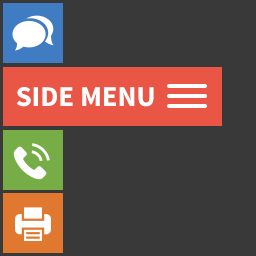
Pillar – Side layout. When both groups are visible, Social Icons and CTA Buttons are kept on opposite sides.
Social Icons
Telkari includes bundled SVG icons for 13 platforms:
Instagram, YouTube, Facebook, X (Twitter), LinkedIn, TikTok, GitHub, Pinterest, Telegram, WhatsApp, Discord, Twitch, Spotify
Social accounts can be added, deleted, enabled, disabled, reordered by drag and drop, and styled with per-platform colors.
CTA Buttons
CTA buttons support:
WhatsApp number and optional message
Phone number
Email address
Custom URL
Custom label
Per-button color
Drag-and-drop ordering
Enable/disable toggle
Appearance
The Appearance tab includes separate settings for:
Social icon size and spacing
CTA button size, spacing, and width
Icon style: Rounded or Square
Link target: Same Tab or New Tab
Tooltips
Platform colors, wrapper background, and Orbit trigger color
Performance
Telkari only loads frontend assets when at least one visible, enabled Social Icon or CTA Button exists. Design-specific CSS is loaded for the active layout, and the Orbit toggle script is loaded only when the Orbit social trigger is rendered.
Privacy and External Resources
Telkari does not track users and does not call external APIs. No frontend assets are loaded from a CDN.
Site owners may configure social and CTA links that point to external destinations, but Telkari does not transmit site data to those destinations.
Documentation and Source
Documentation and demo: https://tercan.github.io/telkari/
Source code: https://github.com/tercan/telkari
The bundled admin sorting helper uses SortableJS under the MIT license. SortableJS source: https://github.com/SortableJS/Sortable