外掛標籤
開發者團隊
② 後台搜尋「Bolt CTA Button – Floating Call Button for WordPress」→ 直接安裝(推薦)
原文外掛簡介
Bolt CTA Button is a lightweight WordPress plugin for adding WhatsApp click-to-chat, click-to-call, and floating contact buttons to your site in seconds. Boost conversions with a sticky bar on mobile and a floating action button (FAB) on desktop — or pick either layout for both. Built-in click analytics let you see which contact channel actually drives leads.
Perfect for restaurants, service businesses, e-commerce stores, and anyone who wants to make it effortless for visitors to reach out by WhatsApp, phone, Telegram, Messenger, email, or any custom link.
Why Bolt CTA Button?
Two layouts in one plugin — Sticky call now bar + Floating Action Button (FAB). No need to choose; use both, one per device.
Mobile-first conversion — Always-visible call button on mobile dramatically improves call/chat conversion rates.
WhatsApp + Click-to-Call built in — Pre-configured WhatsApp chat button and tel: click-to-call link, no setup needed.
Click analytics included — Track which contact button gets clicked, daily and over time. No third-party plugin required.
Lightweight & fast — Vanilla JS frontend (no jQuery), conditionally loaded assets, no impact on Core Web Vitals.
Works with any theme — Defensive CSS isolation keeps the button consistent across Astra, OceanWP, Divi, GeneratePress, Hello Elementor, Twenty Twenty-Four, and more.
No premium upsell wall — Every feature is free. Forever.
Two Templates
Sticky Bar — Full-width bar at the top or bottom of the screen. 1-2 buttons: icon + text side by side. 3-5 buttons: icon on top, text below.
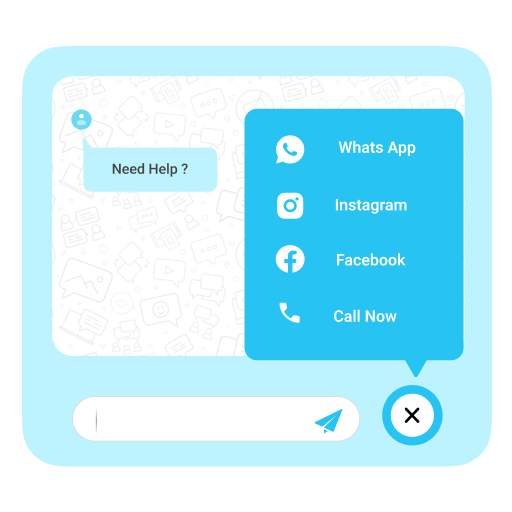
Floating Action Button (FAB) — Round button at any corner of the screen. Click to reveal stacked sub-buttons with smooth animations.
Key Features
Up to 5 buttons — WhatsApp, Phone, Telegram, Instagram, Email, Messenger, SMS, Location, Viber, or any custom link
Template selector — Bar or FAB, with live preview in an iPhone mockup
Device-specific templates — Use Bar on mobile and FAB on desktop, or vice versa
Drag & drop sorting — Reorder buttons easily
Mobile & Desktop toggle — Show/hide independently
Scroll behavior — Always visible or hide when scrolling down
Timing triggers — Show after X seconds delay and/or after scrolling X% of the page
6 bar animations — Pulse, Glow, Bounce, Shake, Slide Up, or None
4 FAB animations — Fan, Slide, Scale, Stagger
FAB customization — Corner position, button size (48/56/64px), open direction (up/left/right), badge dot, tooltips
Full color control — Background, text color, opacity, border radius, padding per button
Margin controls — Custom margin/offset for both templates (top/right/bottom/left px)
Built-in SVG icons — No external dependencies, lightweight
Click analytics — Track total clicks, last 7 days, last 30 days per button with CSS bar chart
Page visibility rules — All pages, only specific pages, or exclude specific pages
WooCommerce support — Show different buttons on Shop, Product, Cart, and Checkout pages
Live preview — Real-time iPhone 16 Pro mockup in admin panel
Lightweight — Minimal CSS/JS, no jQuery on the frontend
Accessible — ARIA labels, keyboard navigation, focus indicators, Escape to close FAB
Safe area support — Works on notched devices (iPhone, etc.)
Translation ready — Multiple languages included, admin language switcher
Use Cases
Restaurant: WhatsApp ordering + phone reservations
Service business: Click-to-call + Google Maps directions
E-commerce: Customer support + WooCommerce-specific buttons
Any business wanting easy mobile contact options
How It Works
Install and activate the plugin
Go to Settings > Bolt CTA Button
Choose your template (Bar or FAB)
Configure your buttons
Customize design, timing, and visibility
Save — done!