
內容簡介
OX·IA AI Chatbot 是一款為網站提供即時 AI 助手的外掛,能夠自動學習網站內容並回答訪客問題,提升用戶互動與滿意度。無需額外設計流程,助理會隨著網站更新而自動更新知識。
【主要功能】
• 自動學習網站內容
• 實時回答訪客問題
• 支援預約功能(與多個服務整合)
• 捕捉潛在客戶聯絡資訊
• 自訂品牌外觀與語調
• 提供網站缺失的問題回饋
外掛標籤
開發者團隊
原文外掛簡介
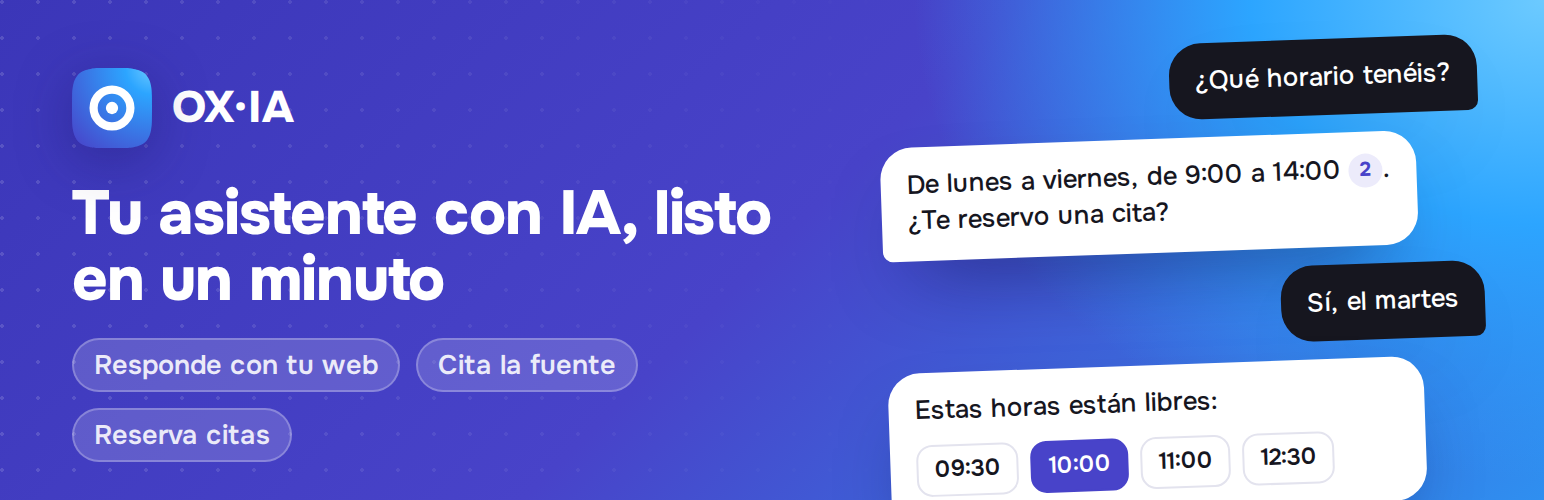
OX·IA is an AI assistant for your website that is ready in a minute. Click “Start free”, and it learns your pages, posts and WooCommerce products by itself. From then on it answers your visitors’ questions day and night, with your own information, and links the exact paragraph each answer comes from.
No prompts to write, no knowledge base to build, no flows to design. It stays up to date on its own: every time you publish or update something, your assistant learns it.
Why OX·IA
Answers with your content, never made up. Prices, opening hours, services, policies… straight from your site. If the answer is not there, it says so kindly and offers your contact details.
Every answer cites its source. Visitors can check it: the link opens your page with the sentence highlighted.
Books appointments from the chat. Works with LatePoint, Amelia, Bookly and Simply Schedule Appointments, using their own services, staff, working hours and existing bookings. Or with the OX·IA agenda and Google Calendar.
Captures leads. When someone wants a quote or a call, it offers a short contact form with GDPR consent and emails you right away.
Learns in real time. Pages, posts and products are sent as you publish, not crawled days later.
Looks like your brand. Your colours and icon, your assistant’s name and personality, the tone you want (formal or informal), in the visitor’s language.
Shows up where you want. Pick where it shows and where it never does: the home page, whole content types (pages, posts, products…) or single items, found with a search box. Hidden on the cart, checkout and account pages by default.
Tells you what your site is missing. See the questions your site could not answer, and teach your assistant the answer in one click.
Built for SMEs. Clinics, law firms, agencies, shops, schools, restaurants… any business that answers the same questions every day.
How it works
Install and activate the plugin.
Go to OX·IA in your WordPress menu and click Start free (7-day free trial, no card).
Create your OX·IA account or sign in, and you are back in WordPress: your content is sent and your assistant learns it in about a minute.
Try it in the live preview and switch on Show the assistant on my site.
Works with
WooCommerce (products, prices and stock)
LatePoint, Amelia, Bookly and Simply Schedule Appointments (appointment booking)
Yoast SEO and Rank Math (pages marked “noindex” are never sent)
Any theme and page builder
Plans
The plugin is free. OX·IA is a hosted service with a 7-day free trial; paid plans start at 29 €/month + VAT and are managed from your OX·IA account. See oxiabot.com.
External services
This plugin connects to OX·IA, a service by Oxypage (https://oxiabot.com), to provide the AI assistant. Nothing is sent before you click “Start free” or “I already have an account” and connect your site.
When you connect: your site address, name, icon/logo and main colour, and the address of your site’s REST API are sent to create your assistant and verify that you control the domain.
While connected: the public content you choose (pages, posts, products; never password-protected or “noindex” content) is sent when you sync and whenever you publish, update or remove it, so the assistant can answer with it.
On your public pages (only if you switch the chat on): the chat widget is loaded from oxiabot.com. Your visitors’ messages are sent to OX·IA to be answered, together with the page they are on.
Appointments: OX·IA calls your site’s own REST API (secured with a secret key created by this plugin) to read your services and free times, create a booking as a visitor would through your booking plugin’s public booking form, and cancel a booking that OX·IA itself created when the visitor asks to. It never signs in or acts as a WordPress user, and it cannot change settings, users, plugins or any other booking.
OX·IA Terms of service · Privacy policy · Data processing agreement














