
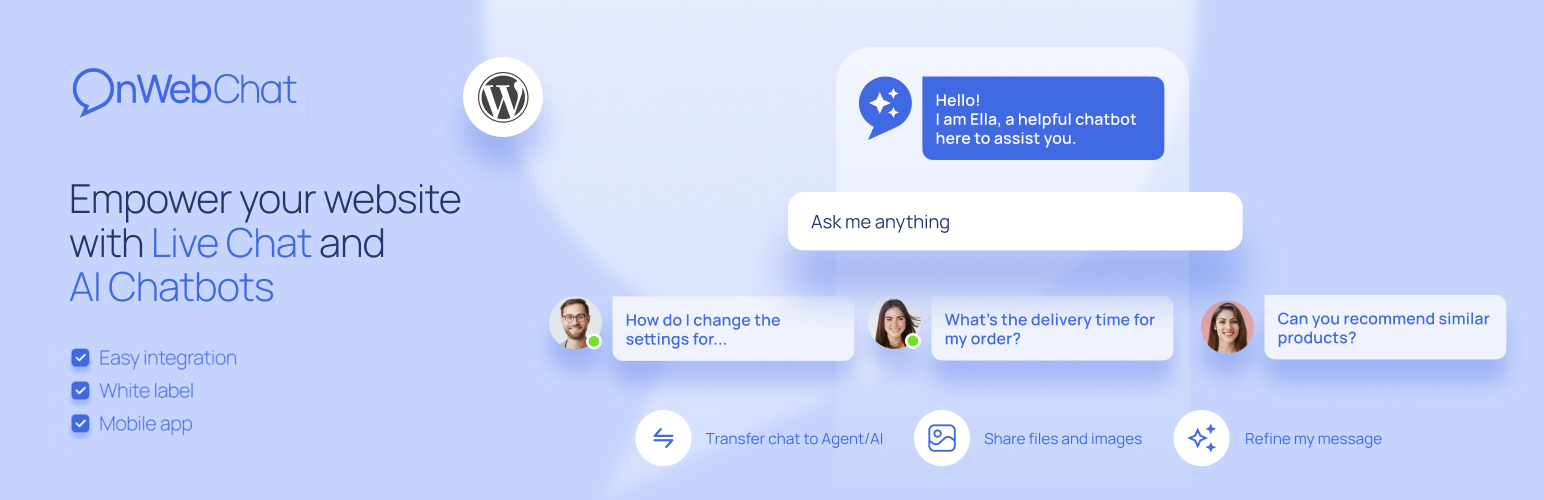
內容簡介
AI Chatbot for WooCommerce & Live Chat – onWebChat 是一款智慧聊天機器人,能夠24/7提供產品資訊及訂單狀態查詢,並自動學習您的WooCommerce產品目錄,提升顧客購物體驗。
【主要功能】
• 24/7 智慧客服,隨時回答顧客問題
• 自動學習 WooCommerce 產品目錄
• 產品卡片顯示,提升購物互動性
• 實時更新庫存與價格資訊
• 支援即時人員聊天功能
外掛標籤
開發者團隊
② 後台搜尋「AI Chatbot for WooCommerce & Live Chat – onWebChat」→ 直接安裝(推薦)
📦 歷史版本下載
原文外掛簡介
An AI chatbot that knows your products, shows them with photos and answers “where is my order?” 24/7
onWebChat adds an AI chatbot to your WordPress site that sells and supports while you sleep. Connect WooCommerce and the chatbot learns your whole catalog on its own. When a shopper asks “do you have wireless headphones under 150?”, it answers with the right products, their prices and stock, and shows them as product cards with photos right in the chat, each one a click away from the product page. Ask about an order and it replies with the live status and tracking notes from WooCommerce.
No store? The same chatbot learns from your website pages, files and your own questions and answers, so agencies, service businesses, hotels and SaaS sites get instant answers too. And when a visitor wants a person, a human live chat with mobile apps is one click away.
🎁 Start free: every new account gets a 14-day free trial of the AI agent with 50 AI credits, no credit card required. The live chat stays free forever. See plans →
🖼️ Product Cards with Photos in the Chat (New)
Recommendations that look like a shop, not a wall of text. When the AI chatbot suggests products from your catalog, the chat shows them as a strip of cards with the product photo, name, short description and price. Shoppers tap a card and land on the product page. Out of stock items are shown greyed out, so nobody is sent to a product they cannot buy.
Photos come from your WooCommerce product images, no extra upload
Cards update on their own when you change a photo, a price or the stock
Works on desktop and mobile, in the same chat widget
🛒 Your WooCommerce Catalog, Learned Automatically
Press Sync once and the AI chatbot learns every product: names, descriptions, prices, sale prices, stock, brands, categories, tags and attributes such as size or color.
Zero maintenance: every product you add, edit or delete syncs on its own
Real-time stock and prices: the chatbot never recommends what is sold out, and quotes the price the shopper sees, tax included
Built for big stores: pick which categories to sync, up to 15,000 products
Real answers with real links: “Do you have this in blue?” gets the matching products and their links, not a generic reply
Browse the whole catalog: the chatbot can list products by category, price range and availability, with a “see all matching products” link to your shop
No manual training. No copy-paste. No CSV uploads.
📦 “Where Is My Order?” Answered Instantly
The question that fills every support inbox, answered in seconds. When a shopper asks about their order, the AI chatbot replies with live WooCommerce data: current status, shipping method and the order notes with tracking updates.
Signed-in customers do not even type an order number. The plugin confirms who they are and the chatbot lists their recent orders. Guests give the order number and the email of the order, nothing else.
Fewer repetitive “where is my package?” tickets
Correct answers at 3 PM or 3 AM, in the shopper’s language
Identity or order ownership is verified before any order detail is shown
🤖 An AI Chatbot That Sets Itself Up
Give it your website address and the chatbot reads your pages and prepares its own training data in about two minutes. Add files, product feeds or your own questions and answers whenever you like.
Any language, typos included: answers in the visitor’s language whatever language your content is in
Answers only from your data: no made-up prices, policies or promises
Lead capture: asks for the visitor’s name and email when it makes sense and saves the lead
Handover to a human: when the chatbot is unsure, it offers a live agent and alerts you
AI Analytics: a weekly report of what visitors asked, what the chatbot could not answer, and what to fix
💬 Live Chat for the Moments That Need a Person
The chatbot handles the routine questions. You close the sales.
Real-time visitor monitoring: see who is on your site, which page they read and where they are from
Chat triggers: invite hesitating visitors to chat at the right moment, including when they are about to leave
Typing preview: see what visitors type before they hit send
Chat translation: talk to visitors in any language, messages are translated both ways
Mobile apps: answer from anywhere with the iOS and Android apps
Key Features
AI Chatbot 24/7: instant answers from your website, files and product catalog, in any language
Product Cards with Photos: recommended products shown as cards with image, name and price, linked to your shop
Automatic WooCommerce Product Sync: names, descriptions, prices, stock, brands, categories and attributes, kept current on every change
Category Sync for Large Catalogs: choose which categories to sync, up to 15,000 products
Real-Time Stock and Price Sync: sale prices and stock changes reach the chatbot at once
AI Order Status Lookup: live order status, shipping method and tracking notes in the chat; signed-in shoppers need no order number
Two-Minute Setup: the chatbot trains itself from your website
AI Lead Capture: collects name and email in the conversation
Handover to Agents: the chatbot passes the chat to a person when needed
AI Analytics: weekly report on questions, gaps and fixes
Live Chat with Visitor Monitoring: real-time activity with geolocation
Chat Triggers: timed, page-based and exit-intent invitations
Chat Translation: both directions, in real time
AI Assist for Agents: fix grammar, refine a reply or draft one from the chatbot’s knowledge
Customizable Chat Widget: your colors, texts, avatar and position; show it on selected pages or to signed-in users only
Department Routing and Agent Transfers
Offline Email Form for when nobody is online
File Sharing, Chat Ratings, Typing Preview
Mobile Apps: iOS and Android
Webhooks and JavaScript API for your own integrations
GDPR Compliant: SSL-secured, EU AI Act transparency badge on the widget
What Your Shoppers Get
Product suggestions with photos and prices, ready to click
Live order tracking inside the chat, day or night
Answers in their own language, typos and all
A human agent one click away when they want one
Live in Under 60 Seconds
Install the onWebChat plugin
Create your free account
Connect your account in the plugin settings
Your chat widget is live, no coding required
Run WooCommerce? Open the “Products & Orders” tab, press Sync, and your AI chatbot knows your store within minutes, product photos included.
Note: If you have trouble connecting via email/password (e.g. due to a firewall), you can use your Chat ID from the onWebChat Dashboard instead.
Questions? Chat with our AI or our team on onwebchat.com, we use onWebChat ourselves, of course.














