內容簡介
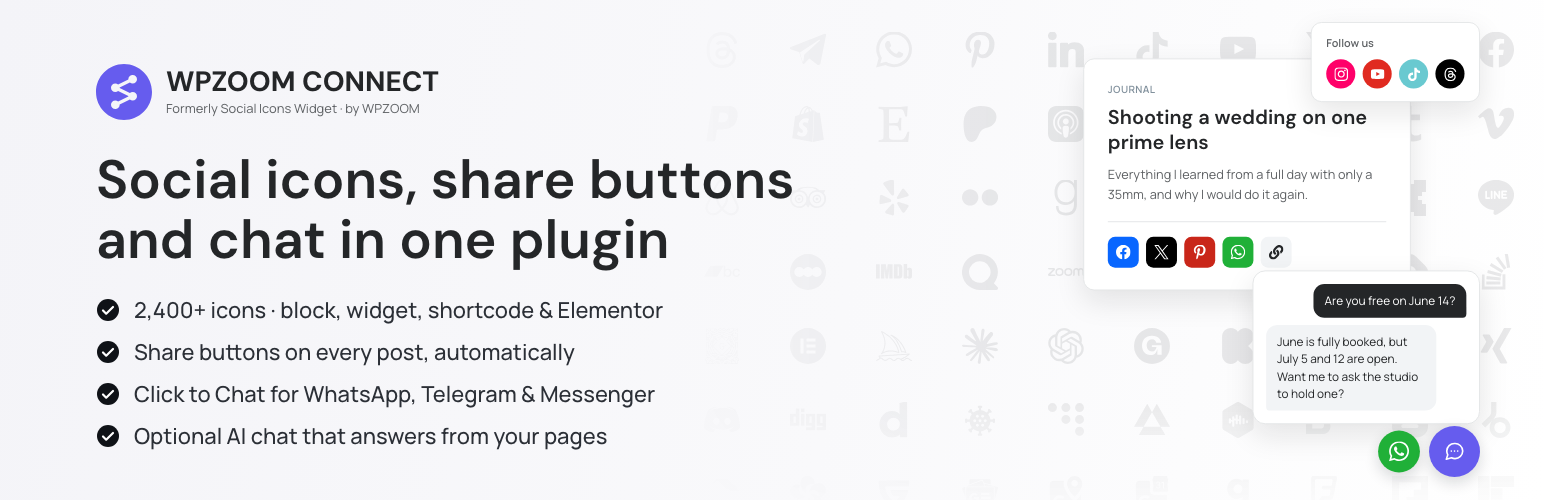
WPZOOM Connect 是一款為 WordPress 提供聯絡功能的外掛,結合 AI 聊天、即時聊天按鈕、社群圖示及分享按鈕,能快速回應訪客問題並提供即時支援,提升網站互動性與使用者體驗。
【主要功能】
• AI 聊天:自動回答訪客問題
• 即時聊天:支援 WhatsApp、Telegram 等
• 社群圖示:連結至社群媒體帳號
• 分享按鈕:方便分享內容
• 支援 Gutenberg 和 Elementor:簡易整合
• 支援多語言:24/7 回應訪客
外掛標籤
開發者團隊
② 後台搜尋「WPZOOM Connect: Social Icons Widget & Block, Share Buttons & Click to Chat」→ 直接安裝(推薦)
📦 歷史版本下載
原文外掛簡介
Social icons, share buttons and a chat button, in one plugin
WPZOOM Connect (formerly Social Icons Widget & Block) adds social media icons linking to your profiles, share buttons for your content, and a floating Click to Chat button for WhatsApp, Telegram, Messenger and Viber. Everything works as a Gutenberg block, a classic widget, a shortcode or an Elementor widget, so it fits block themes and classic themes alike.
2,400+ icons from WPZOOM Icons, Font Awesome, Academicons, Dashicons and Genericons — every network, plus general icons for phone, email, location and more. Browse them all in Settings → Icon library.
Paste a link, get the icon. The icon, its brand color and label are picked from the URL.
Inline SVG, no icon fonts. Pages load only the icons they show: no 130 KB of font CSS, no clash with your theme’s Font Awesome.
Icons with or without links. Leave the link empty for a plain icon, or use the Icon by WPZOOM block for a single icon: a feature, a decoration, a phone number.
Social Profiles block — your profiles as a tidy list with handles (@yourname) and follower counts. Pick your networks, paste each link, and the icon, name and handle come from it.
Share buttons for Facebook, X, Threads, LinkedIn, Pinterest, Reddit, Telegram, WhatsApp, Bluesky, Email, Copy Link and Print, placed with a block or added to your posts automatically.
Google Preferred Sources button — readers who add your site see more of it in Google’s Top Stories and AI results.
Click to Chat — one floating button that opens WhatsApp, Telegram, Messenger or Viber in a tap.
Social Icons Block Demo
Sharing Buttons Demo
With the help of WPZOOM’s excellent Social Icons Widget plugin, you can link to all your social network profiles and add sharing buttons in no time, letting your visitors easily get in touch with you on all social media channels and share your content.
⭐️⭐️⭐️⭐️⭐️
WPKlik
Did you find this plugin helpful? Please consider leaving a 5-star review.
Optional: AI Chat
The Click to Chat button can also answer visitors itself. AI Chat reads your pages and docs and replies to questions — pricing, how-to, shipping — in your visitors’ language, and hands the conversation to you (or to WhatsApp) when a person is needed. It is off until you connect it, and it is powered by Yamidoo, a WPZOOM product with a free plan.
See it before you switch it on. The Support Readiness Scan reads a few of your pages from wp-admin and shows the questions your visitors are likely to ask, answered from your content. Nothing is sent until you click.
One-click connect. No API keys: create a free account (or sign in) and the chat is live.
Human handoff. Visitors can ask for a person; you reply from the Yamidoo dashboard, by email, or point them to WhatsApp.
Knows your customers. With Easy Digital Downloads or WooCommerce, your team sees a customer’s orders, licenses and subscriptions next to the conversation. Optionally the AI answers logged-in customers’ account questions — a separate switch, off by default.
What’s new in 5.0
New dashboard under Social Icons: one Overview for icons, share buttons and chat
Icons as SVG instead of icon fonts — faster pages, no font conflicts
2,400+ icons and an icon library to browse them; 41 new networks and 148 Font Awesome 7 brands
Icons without links and the new Icon by WPZOOM block
Social Profiles block: your profiles as a list with handles and follower counts
Google Preferred Sources button
What’s new in 4.7
AI Chat — the floating button can answer visitors from your own pages (optional, powered by Yamidoo)
What’s new in 4.6
Click to Chat floating button for WhatsApp, Telegram, Messenger & Viber
What’s new in 4.5
Social Sharing Buttons block
Where I can view a Demo?
You can view the plugin live in all our themes at WPZOOM.
View Demo & Examples
Foodica Theme – header bar and sidebar
Inspiro Theme – sidebar panel and footer
Features:
Social Icons Block:
* Icons with or without links; a single-icon Icon by WPZOOM block
* 2,400+ icons from 5 icon sets, drawn as SVG
* Gutenberg Block with Live Preview
* Drag & Drop Icons with Sortable Arrows
* Color Picker for Each Icon
* Search by Keywords
* Adjust Icon Size & Padding
* Multiple Styles: Icon Shape and Icon with Background
* 3 Background Styles: Rounded Corners, Round, Square
* Icon Sets + Shortcodes
* Icon library in Settings to browse every icon
* Elementor Widget Integration
Social Profiles Block:
* Your social profiles as a list: each with its icon, its handle (@yourname) or short link, and an optional follower count
* Start by picking from 10 popular networks, then paste each link; any other network works too
* Handles come from the link: x.com/yourname shows @yourname, reddit.com/r/WordPress shows r/WordPress
* Follower counts typed by you (12.4K), labelled per network: followers, subscribers, members
* Brand colors or one color for all; corner radius, border, padding, spacing and icon size in the Styles tab
* Drawn on the server, so it never shows “unexpected or invalid content”
* Cards and Buttons layouts in PRO
Social Sharing Buttons Block:
* 12+ Sharing Platforms: Facebook, X, Threads, LinkedIn, Pinterest, Reddit, Telegram, WhatsApp, Bluesky, Email, Copy Link, and Print
* Multiple Button Styles: Circle, Square, Rounded, Outlined, Minimal, One-tone
* Customizable Colors, Sizes, Padding & Margins
* Show/Hide Labels
* Print Button to Trigger Browser Print Dialog
* Copy Link Button with Visual Feedback
* X/Twitter Username Integration (via parameter)
* Automatic display above or below your posts
Google Preferred Sources button:
* A one-click button that adds your site to a reader’s Google Preferred Sources, on posts, pages or any post type
Click to Chat Floating Buttons:
* Floating contact launcher that connects visitors to WhatsApp, Telegram, Messenger & Viber
* Customizable launcher position, color, open/close icons and button size
* Show or hide the button on mobile devices
PRO Features
Upgrade to WPZOOM Connect Pro to unlock powerful features:
Floating Buttons – Display social sharing icons as a fixed floating bar on the side of your website (NEW!)
Social Profiles: Cards and Buttons layouts – Brand-colored cards with follower counts, or “Follow on Instagram” buttons (NEW!)
Share Analytics Dashboard – Track how visitors share your content with detailed analytics
Like Button – Add a like button to let visitors engage with your posts
AI Share Buttons – Share to ChatGPT, Claude, and Perplexity AI platforms
Share Counts – Display total and individual share counts on buttons
Facebook Share Counts – Fetch real Facebook share counts with your own SharedCount API key
Custom SVG Icon Uploads – Upload your own custom SVG icons
Nav Menu Integration – Add social icons directly to WordPress navigation menus
Dashboard Widget – Quick stats overview right on your WordPress dashboard
Priority Support – Get help faster with priority email support
Learn more about PRO →
General Features:
* 2,400+ icons: 250+ networks in WPZOOM Icons, Font Awesome 5 and 7 brands, 118 Academicons for academics, Dashicons, Genericons
* Supports Email Addresses (mailto:[email protected])
* Supports Telephone Numbers (tel:12345)
* Supports Viber (viber://add?number=123456)
* Supports WhatsApp (https://api.whatsapp.com/send?phone=15551234567)
Icons
Twitter, X, Facebook, Instagram, Pinterest, Snapchat, Threads, Yelp, LinkedIn, Bloglovin’, Lookbook, Feedly, SoundCloud, Spotify, Last.fm, YouTube, Vimeo, Flickr, 500px, Tumblr, Blogger, Reddit, Dribbble, Envato, Behance, DeviantArt, GitHub, RSS, Disqus, Stackoverflow, Komoot, Tiktok, Mailchimp, Podcasts, Telegram, TripAdvisor, AirBnb, Baidu, ebay, Medium, Bandcamp, Eyem, Viber, Quora, Etsy, Meetup, Linode, IMDB, Overwatch, Strava, Tidal, Deezer, Unsplash, Codered, Udemy, CrunchBase, App Store, Nextdoor, WhatsApp, ResearchGate, Slack, Songkick, ReverbNation, Bluesky
Third-party resources
The icons are bundled with the plugin as SVG. Each set keeps the license of its source; the full notices are in includes/icon-library/LICENSES.md.
WPZOOM Icons: based on the Socicon icon font, extended and maintained by WPZOOM. License: SIL Open Font License 1.1. Newer networks are added from Simple Icons (CC0 1.0, public domain).
Font Awesome Free 5 and 7 by Fonticons, Inc. (fontawesome.com). Icons: CC BY 4.0; fonts: SIL OFL 1.1; code: MIT.
Font Awesome 4.7 by Dave Gandy. Font: SIL OFL 1.1; CSS: MIT.
Academicons by James Walsh and Katja Bercic. Font: SIL OFL 1.1; CSS: MIT.
Genericons by Joen Asmussen. License: GPLv2 or later.
Dashicons, the WordPress icon font. License: GPLv2 or later.
All brand names and logos are trademarks of their respective owners and are shown only to link to the matching profiles.
External services (AI Chat)
The optional AI Chat feature connects your site to Yamidoo (https://yamidoo.ai/), a hosted service operated by WPZOOM BV. Nothing is sent to Yamidoo until you click Scan my site or Turn on AI Chat in the plugin settings.
Scan my site sends your site’s public URL to https://app.yamidoo.ai/api/scan, which reads up to 14 of your public pages and returns a report shown in wp-admin.
Turn on AI Chat opens https://app.yamidoo.ai to create or sign in to your Yamidoo account and connect this site; your site URL is shared so Yamidoo can index your public pages, and your WordPress email and name are passed along to prefill the sign-up form.
Once connected, the front end loads the chat widget (widget.js) from https://app.yamidoo.ai. When a visitor uses the chat, their messages, an anonymous session id, the page URL and basic browser data are sent to Yamidoo. If “identify logged-in users” is on, the logged-in user’s name, email, username and user id are sent too.
If customer lookup is on (offered only when Easy Digital Downloads or WooCommerce is active): when your team opens a conversation, or the AI answers a logged-in customer, your Yamidoo workspace requests that one email’s record from this site (/wp-json/yamidoo/v1/customer) — customer, orders, licenses and subscriptions. Each request is signed with a per-site secret; the record is shown to your team and used for that answer, then discarded.
Terms of Service · Privacy Policy
GDPR COMPLIANCE
Social icons, share buttons and Click to Chat collect no information from your visitors and load nothing from other sites until a visitor clicks. Only the optional AI Chat sends data to Yamidoo, as described above.
Get Involved
Looking to contribute code to this plugin? Go ahead and fork the repository over at GitHub.