外掛標籤
開發者團隊
② 後台搜尋「Gridxflex Announcement Bars with CTA」→ 直接安裝(推薦)
原文外掛簡介
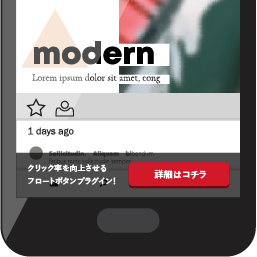
Transform your WordPress website with a stunning, fully responsive Gridxflex Announcement Bars with CTA — a lightweight, easy-to-use plugin that allows you to display customizable announcement bars on your website. Perfect for announcements, promotions, or important notifications without slowing down your site.
Features
Multiple Announcement Bars — Create and manage unlimited announcement bars with individual settings
Priority Ordering — Control which announcement bars appear first using priority values
Enable / Disable Toggle — Instantly activate or deactivate any announcement bar from the list
Duplicate Notice — Clone any existing announcement bar as a starting point for a new one
Flexible Announcement Bar — Display notice at top or bottom of website
Sticky or Static — Choose between fixed (sticky) or inline (non-sticky) display
Fully Customizable Text — Edit notice text directly from admin panel with HTML support
CTA Button — Add a custom button with URL and open-in-new-tab option
Design Controls — Customize colors, padding, and font size
Scheduling — Set start and end dates to automatically show or hide a announcement bar
Trigger: Time Delay — Show notice after a configurable number of seconds
Trigger: Scroll Percentage — Show notice when the user scrolls a set percentage down the page
Trigger: Exit Intent — Show notice when the user moves their cursor toward closing the tab (desktop only)
Visibility Controls — Show on entire site, homepage only, specific pages, specific categories, specific tags, or selected post types
User Role Targeting — Show notice only to selected user roles
Hide from Logged-in Users — Option to show notice only to visitors
Dismissible Option — Allow users to close the bar with cookie-based memory (30 days)
Lightweight — No external libraries, minimal CSS and JavaScript
Fully Responsive — Works perfectly on mobile, tablet, and desktop devices
Analytics — Smart analytics with total views and clicks count and auto CTR calculation
Design Controls
Background color picker
Text color picker
Button color customization
Adjustable padding & font size
Entrance animation style picker (slide, fade, reveal, pop, bounce, flip)
Animation duration control (milliseconds)
Visibility Settings
Show on entire site
Show only on homepage
Show on specific pages
Show on specific categories
Show on specific tags
Show on specific post types
Show to specific user roles only
Option to hide for logged-in users
Schedule Settings
Set a start date and time for a notice to automatically appear
Set an end date and time for a notice to automatically disappear
Leave either field empty for open-ended scheduling
Trigger Settings
Show after a configurable time delay (seconds)
Show after the user scrolls a set percentage down the page
Show on exit intent — when user moves cursor toward closing the tab (desktop only)
Dismissible Feature
Allow users to close the bar with a close button
Cookie-based memory for dismissed notices (30 days)
Support
For support, please visit the plugin documentation or contact our support team.
License
Gridxflex Announcement Bars with CTA is licensed under the GPL v2 or later. See LICENSE file for details.
Additional Info
Requirements
WordPress 5.0 or higher
PHP 7.2 or higher
Browser Support
Chrome (latest)
Firefox (latest)
Safari (latest)
Microsoft Edge (latest)
Mobile browsers — iOS Safari, Chrome for Android
Privacy
This plugin does not collect, store, or transmit any user data. It only stores announcement bar settings in your WordPress database.
Support or Feature Requests
GitHub Repository
WordPress Support Forum
Contributing
Contributions are welcome! Please feel free to submit a Pull Request on GitHub.
Credits
Built with ❤️ for WordPress using best practices and WordPress coding standards.