內容簡介
NoticePulse 是一款功能完整的免費 WordPress 通知條外掛,能夠顯示公告條、GDPR 相關的 cookie 通知、倒數計時器等多種功能,幫助網站擁有者有效傳遞重要訊息並增強用戶互動。
【主要功能】
• 顯示公告條,推廣促銷活動
• GDPR 合規的 cookie 同意條
• 實時倒數計時器,增加緊迫感
• 多條訊息的文字輪播條
• 電子郵件收集條,增長郵件列表
• 完全免費,無功能限制
外掛標籤
開發者團隊
② 後台搜尋「NoticePulse — Notification Bar, Announcement Bar & Cookie Notice」→ 直接安裝(推薦)
原文外掛簡介
NoticePulse is the most complete free notification bar plugin for WordPress. Display stunning announcement bars, GDPR cookie notices, countdown timers, rotating text carousels, email capture bars, click-to-copy coupon bars, and click-to-call bars — all from one clean, professional dashboard.
Whether you need a sticky top header bar for a flash sale, a GDPR cookie consent notice at the bottom of your site, a live countdown for a limited-time offer, or an inline email capture bar to grow your list — NoticePulse delivers everything out of the box.
NoticePulse is 100% free. Unlimited bars, all bar types, full analytics, A/B testing, geo-targeting, email integrations — no premium tier, no feature gates, no upgrade prompts. Ever.
🔔 7 Bar Types — One Plugin
1. Announcement Bar
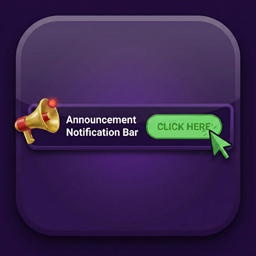
The essential notification bar. Display promotions, shipping offers, product launches, or any message at the top or bottom of your site. Full color control, optional CTA button, and a real-time live preview that updates as you type.
2. Cookie / GDPR Consent Bar
A fully compliant cookie consent bar with Accept, Decline, and Privacy Policy link buttons. Choice stored in visitor’s browser — configurable expiry from 1 to 3,650 days. Ready for GDPR, CCPA, and ePrivacy compliance.
3. Countdown Timer Bar
Build urgency with a live ticking countdown. Set an end date and time — the bar auto-hides when the timer hits zero. Fully customizable day, hour, minute, and second labels. Perfect for flash sales, limited offers, and product launches.
4. Text Carousel Bar
Rotate multiple messages in a single bar with smooth fade or slide transitions. Each slide can have its own CTA button and URL. Navigation arrows, dot indicators, and pause-on-hover included. Announce multiple promotions without stacking bars.
5. Email Capture Bar
Grow your mailing list directly from your notification bar. Inline email input, customizable submit button, and a success message when visitors subscribe. Leads saved to your WordPress database. Optional one-click sync to Mailchimp, Klaviyo, Kit, MailerLite, or Brevo.
6. Click-to-Copy Coupon Bar
Display a promo code with a copy-to-clipboard button. One click copies the code instantly — a “✓ Copied!” confirmation appears. Uses the Clipboard API with a graceful fallback for older browsers.
7. Click-to-Call Bar
Show a phone number with a tap-to-call button for mobile visitors. Works with tel: links for instant dialing. Can be set to appear on mobile only so desktop visitors see a different bar.
🎨 25 Pre-Built Templates — Launch in Seconds
NoticePulse includes 25 professionally designed templates organized by bar type, including gradient, light, and dark designs. One click applies the full design — colors, message, CTA, and settings pre-filled. A WYSIWYG preview shows exactly what you will get. Customize to your brand and publish.
Announcement: Free Shipping, Black Friday, Summer Sale, New Arrival, Flash Sale
GDPR: GDPR Minimal, GDPR Friendly
Countdown: Sale Ends Soon, Limited Offer
Email Capture: Newsletter Signup, Lead Magnet
Coupon: 20% Off, Welcome 10%
Click-to-Call: Call Us Now
Text Carousel: Promo Carousel, Feature Highlights, Announcements
⚙️ Complete Feature List
Display & Position
* Sticky top header bar — stays fixed as visitors scroll
* Sticky bottom footer bar — ideal for cookie notices and CTAs
* Static mode — bar scrolls with the page content
* Slide-in, fade, bounce, and pulse entrance animations
* Show or hide independently on desktop, tablet, and mobile
Design & Customization
* Full hex color picker for background, message text, button background, button text, and close button
* Gradient backgrounds — linear and radial, with angle control and live preview
* Google Fonts integration — choose any font from the Google Fonts library
* Button shape: Sharp, Rounded, or Pill
* Font size: Small, Medium, or Large
* Bar height: Compact, Normal, or Tall
* Text alignment: Left, Center, or Right
Content
* Message supports , , ,
, and emoji
* Optional CTA button with label, URL, and new-tab toggle
* Close/dismiss button with configurable cookie duration (0–3,650 days)
Targeting & Scheduling
* Show on all pages or restrict to specific page/post IDs
* Target all visitors, logged-in users only, or logged-out visitors only
* Start and end date/time scheduling — bars appear and disappear automatically
Trigger Options
* On page load (default)
* After visitor scrolls a configurable percentage
* After a time delay in seconds
* Exit intent — fires when the cursor moves toward the browser chrome
Analytics
* Impression counter per bar
* CTA click counter per bar
* Click-through rate (CTR) calculated automatically
* Full analytics dashboard with Chart.js line graph
* Filter by date range: 7, 30, 90 days, or all time
* Filter by individual bar
* Per-bar performance table with colour-coded CTR badges
* Export analytics as CSV
* Export captured email leads as CSV
* Reset analytics per bar individually
A/B Testing
* Split traffic between two bar variants
* Track impressions and clicks per variant independently
* Identify the winning variant from the analytics dashboard
Geo-Targeting
* Restrict bars to visitors from specific countries
* Country detected from visitor IP address via ipapi.co (see External Services below)
* Results cached server-side — no repeat API calls for the same IP within one hour
Admin & Tools
* Dark-themed, distraction-free admin interface
* WYSIWYG live preview dock — renders the real bar with a desktop/mobile toggle, updating in real time as you design
* Per-element show/hide controls — toggle the icon, message, CTA, and decline button per bar
* No-reload editing — bars save over AJAX with no page refresh
* Template library with 25 pre-built designs and instant one-click apply
* Export all bars as a JSON backup
* Import bars from a JSON file — existing bars are always preserved
* Danger Zone — delete all data with a single confirmed click
* Plugin info card — version, WordPress version, PHP version, total bars, database status
Performance
* Vanilla JavaScript on the frontend — no jQuery dependency
* Assets enqueued only on pages where active bars exist
* No meta boxes, no custom post types, no admin bloat
Developer Hooks
* noticepulse_active_bars — filter which bars are eligible per page and visitor
* noticepulse_bar_data_attributes — add custom HTML data attributes to any bar
* noticepulse_bar_inline_styles — extend or override bar inline CSS properties
* noticepulse_save_bar_data — hook into the bar save process for custom fields
🛡️ Privacy & Security
Visitor dismissal state stored in a browser cookie on the visitor’s own device only
Email leads stored in your own WordPress database — never transmitted without your configuration
All database queries use $wpdb->prepare() with correct placeholders
All inputs sanitized on save and escaped on output per WordPress coding standards
Nonce verification on all form submissions and AJAX requests
Capability checks (manage_options) on all admin actions
🌐 Who Uses NoticePulse?
eCommerce stores — free shipping announcements, flash sale countdowns, coupon codes
Agencies — GDPR cookie consent bars for client sites
SaaS companies — product launch announcements, feature update banners
Bloggers & media — newsletter signups, breaking news carousels
Restaurants & local businesses — click-to-call bars for mobile visitors
Event organizers — ticket sale countdowns, registration deadline timers
Email marketers — inline capture bars synced to Mailchimp, Klaviyo, and more
External Services
NoticePulse optionally connects to external services for specific features. Each connection is documented below. No data is transmitted until you explicitly configure and activate the relevant feature.
ipapi.co — Geo-Targeting Country Detection
Used when a bar has Geo-Targeting enabled. The visitor’s IP address is sent to ipapi.co to determine their two-letter country code (e.g. “US”, “DE”). The result is cached server-side for one hour — no repeat API calls are made for the same IP within that window. If no active bar has geo-targeting enabled, no request is ever made.
Data sent: visitor IP address.
Sent when: a page loads containing an active bar with geo-targeting configured.
Service URL: https://ipapi.co
Terms of Service: https://ipapi.co/terms/
Privacy Policy: https://ipapi.co/privacy/
Google Fonts — Custom Typography
Used when a bar is configured with a Google Font. The visitor’s browser requests the font stylesheet directly from Google’s servers. No request is made if no active bar uses a custom font.
Data sent: the font family name as a URL parameter in the request to fonts.googleapis.com. No personal data is transmitted — this is a standard browser font request.
Sent when: a page loads containing an active bar with a Google Font selected.
Service URL: https://fonts.google.com
Terms of Service: https://developers.google.com/terms
Privacy Policy: https://policies.google.com/privacy
Email Integrations (Email Capture Bar)
The following services are used only when you have configured an email integration in the Email Capture bar settings, and a visitor submits the email capture form. If you choose “Store locally only”, no external request is ever made.
Mailchimp — adds subscriber to your Mailchimp audience.
Data sent: email address.
Terms of Service: https://mailchimp.com/legal/terms/
Privacy Policy: https://www.intuit.com/privacy/statement/
Klaviyo — adds subscriber to your Klaviyo list.
Data sent: email address.
Terms of Service: https://www.klaviyo.com/legal/terms-of-service
Privacy Policy: https://www.klaviyo.com/legal/privacy
Kit (formerly ConvertKit) — adds subscriber to your Kit form.
Data sent: email address, first name (if provided).
Terms of Service: https://kit.com/terms
Privacy Policy: https://kit.com/privacy
MailerLite — adds subscriber to your MailerLite group.
Data sent: email address.
Terms of Service: https://www.mailerlite.com/legal/terms-of-service
Privacy Policy: https://www.mailerlite.com/legal/privacy-policy
Brevo (formerly Sendinblue) — adds contact to your Brevo list.
Data sent: email address.
Terms of Service: https://www.brevo.com/legal/termsofuse/
Privacy Policy: https://www.brevo.com/legal/privacypolicy/
🤝 Support
Post in the WordPress.org support forum. We aim to respond within 3 business days.
If Urgent You can contact me here:
Email: [email protected]
Author
Md Rayhan Uddin