內容簡介
Flinkform 是一款免費的聯絡表單建構器,專為 WordPress 區塊編輯器設計。使用者可以輕鬆建立聯絡表單、報價請求及多步驟表單,並確保符合 GDPR 規範,無需擔心訪客資料外洩。
【主要功能】
• 建立多種表單類型,包括聯絡表單和報價請求
• 支援多步驟表單及條件邏輯
• 內建垃圾郵件防護,無需 CAPTCHA
• 表單提交資料儲存在 WordPress 中
• 自訂樣式,與佈景主題無縫整合
外掛標籤
開發者團隊
② 後台搜尋「Flinkform – GDPR Contact Form Builder for the Block Editor」→ 直接安裝(推薦)
📦 歷史版本下載
原文外掛簡介
Flinkform is a free contact form builder for the WordPress Block Editor. You build contact forms, quote requests and multi-step forms right where you edit your pages: every field is a native block, and the form takes its colours, fonts and spacing from your theme.
Multi-step forms, conditional logic, a submissions dashboard and spam protection without CAPTCHA are all included in the free plugin. There is no reCAPTCHA and no other third-party service, so no visitor data leaves your server. That makes a GDPR-compliant contact form a lot easier to run.
Try it before you install it: live demo forms, including a multi-step form and conditional logic, at https://demo.flinkform.de/
Contact form in two minutes
Insert the Form block, pick one of five templates (contact, callback, three-step project inquiry, appointment, newsletter, each with a GDPR consent field) and publish. Name, email and message are there in a few clicks, and the form looks like part of your site from the start, without extra CSS.
14 field types, including email, phone, date, dropdown, address and a dedicated consent checkbox
Email notification to you, plus an optional confirmation email to the visitor
Submissions are stored in WordPress, with search, filters, read state, an unread count in the menu and a trash
Every submission shows whether its notification email went out, and Site Health warns when notifications fail
Success message or redirect to your own thank-you page
Multi-step forms and conditional logic, free
Split a long form into steps with the Page Break block. Visitors see a progress bar and every step is validated before they move on.
Conditional logic shows or hides fields, skips whole steps and can hold back the submit button until the right answers are given. Rules can be grouped, so “(A or B) and C” is possible.
Spam protection without CAPTCHA
No puzzle, no image grid, no checkbox to tick. Flinkform stops spam bots with a hidden honeypot field, a signed timing check and a small proof-of-work task that the browser solves in the background. Visitors without JavaScript get a simple maths question instead. It works out of the box, needs no API key and contacts no outside service.
GDPR-friendly by design
No IP logging, no user-agent logging, no tracking cookies and no external services in the free plugin. It includes a consent field with a link to your privacy policy, retention periods with automatic deletion, and support for the WordPress tools to export and erase personal data.
Accessible
Real labels, grouped choices, errors that screen readers announce and focus that moves to the first problem. The form works without JavaScript, and its markup passes axe-core checks against WCAG 2.1 A/AA with zero violations, including the error state.
Flinkform Pro
The optional Pro add-on adds Stripe payments (card, SEPA direct debit, Apple Pay, Google Pay, whichever methods you enable in Stripe), calculation fields, multi-file upload, SMTP delivery, webhooks, newsletter integrations, CSV export and custom CSS. Details and pricing: https://flinkform.de/pro
Features (free plugin)
Form building
14 field types: Text, Email, Textarea, Number, Date, URL, Phone, Select, Radio, Checkbox, Toggle, Hidden, Consent, Address
Address field with street, postal code and city in a compact grid, with optional address line 2 and country
Consent field for the privacy policy agreement
Notice block for highlighted notes between fields (info, success, warning, important), which can appear only when a condition applies
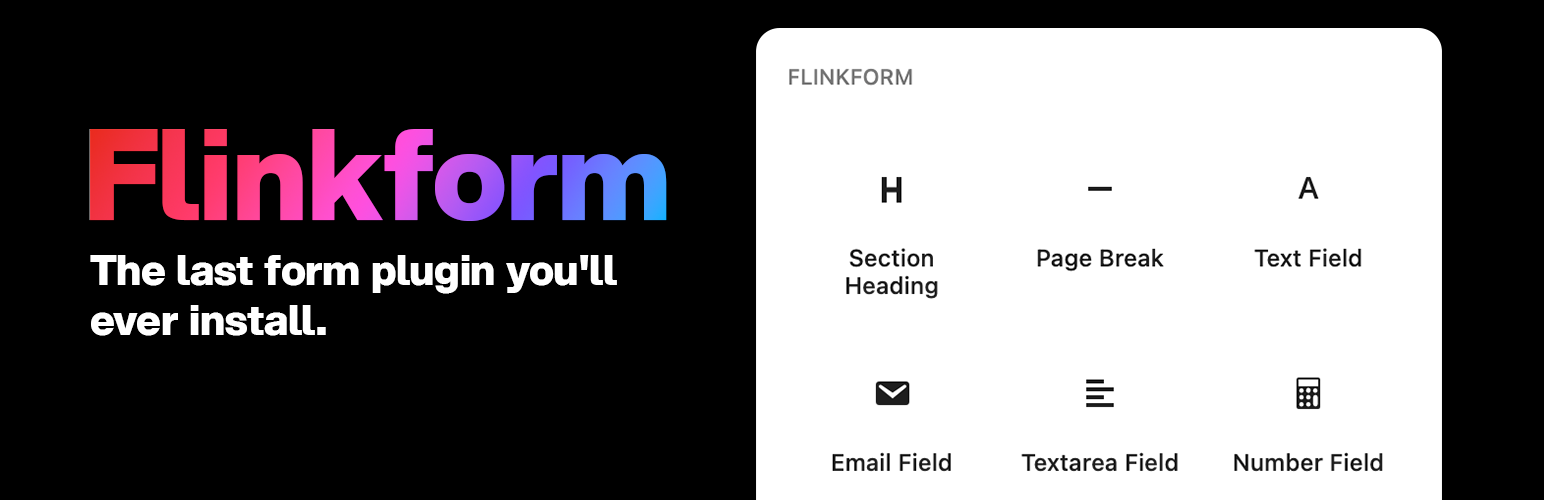
Section Heading and Page Break blocks for structuring longer forms
Multi-step forms with per-step validation and a progress indicator (bar, dots or numbers)
Conditional logic: show or hide fields, skip steps, gate the submit button, with nestable rule groups
Two-column layout with a full-width option per field
Radio, checkbox group and dropdown can be switched into each other without losing options or rules
Styling
Colours, typography, spacing and border radius come from your theme’s theme.json
Style panel: primary colour, field style (bordered, soft, underline, minimal), label position (above, beside, floating, placeholder), submit button style (fill, outline, ghost) and colours for labels and help texts
Notifications
Notification email on every submission, with configurable recipient and merge tags
Optional confirmation email to the visitor
Sender name and address per form, and a Reply-To for each email, without an SMTP plugin
Sent through your site’s standard WordPress mail (wp_mail)
Spam protection
Honeypot and signed time check, always on, no configuration
Proof-of-work challenge with an accessible maths fallback for visitors without JavaScript
No CAPTCHA, no external service, no API key, no tracking cookies
After submission
Success message or redirect to a thank-you page on your site (protected against open redirects)
Optional submission ID and form ID as URL parameters for conversion tracking (GA4, Meta Pixel, Plausible and others)
Admin
Submissions list with search, filter by form, sorting and bulk actions
Detail view with all field labels and values
Mark as read or unread
Retention period per form with automatic daily deletion
Under the hood
Forms are made of native blocks (block.json v3) and run on the WordPress Interactivity API. No separate form builder screen, no shortcodes, no jQuery, and under 15 KB of frontend JavaScript (gzipped). Requires WordPress 6.5 or newer and PHP 8.1 or newer.
Privacy
Flinkform is built with privacy by default. Here is what the free plugin does and does not do:
What the free plugin stores:
Form submissions (the field values visitors enter) in a dedicated database table ({prefix}flinkform_submissions)
What the free plugin does NOT do:
It stores no IP addresses and no browser user-agent strings
It sets no tracking, analytics or marketing cookies. Flinkform sets exactly one strictly-necessary cookie, flinkform_flash (lifetime about 60 seconds, httpOnly), and only when a form submission fails validation, to carry the error message and the visitor’s input across the page reload. Successful submissions set no cookie at all
It contacts no external service
Data retention:
By default, submissions are retained until you delete them. To comply with the storage-limitation principle (GDPR Art. 5), set a per-form retention period (Form block → Data Retention) and Flinkform deletes older submissions automatically each day
Individual submissions can be deleted from the admin submissions screen at any time
Data deletion:
All data of the free plugin (the submissions table) is permanently removed when the plugin is uninstalled through the WordPress admin
Flinkform integrates with WordPress’s privacy tools (Tools > Export Personal Data / Erase Personal Data) to support data-subject access and erasure requests
Source Code
The complete, uncompiled source code (including the src/ directory with the
unminified JavaScript/CSS that compiles into build/) is publicly available at:
https://github.com/dennisbuchwald/Flinkform
Build instructions (Node.js 18+ and npm required):
Clone the repository: git clone https://github.com/dennisbuchwald/Flinkform.git
Install dependencies: npm install
Build the compiled assets into build/: npm run build
The build is powered by @wordpress/scripts (webpack). The src/ sources are
excluded from the distributed plugin zip to keep it small; this repository is
the canonical, reviewable source.