
內容簡介
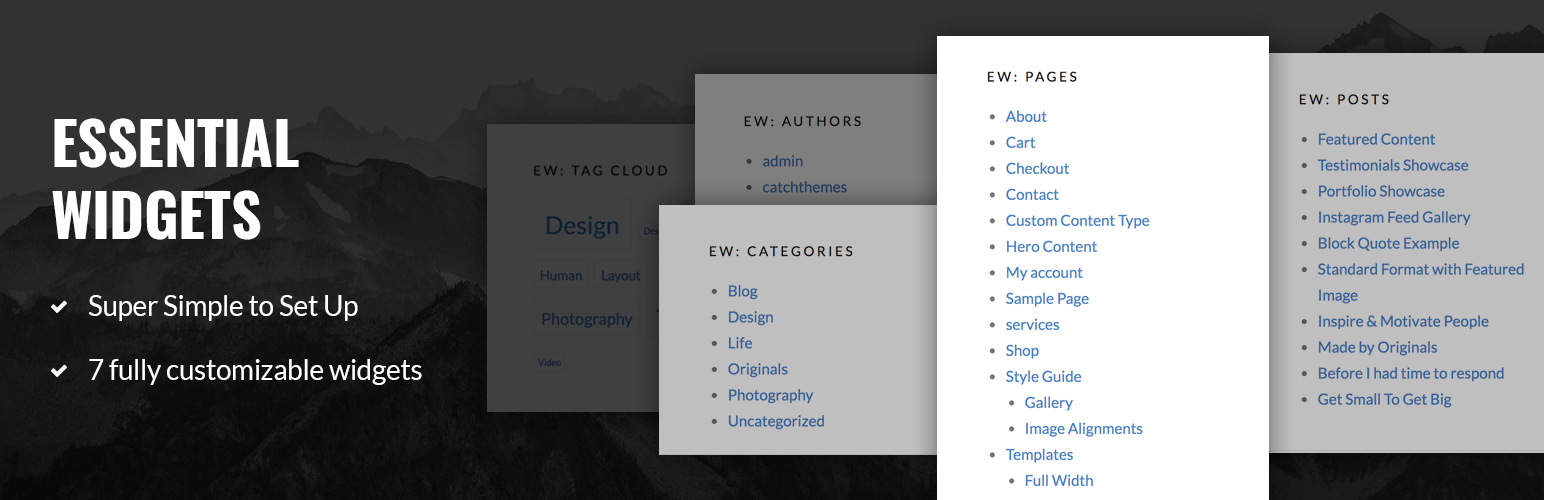
Essential Widgets 是一款免費的 WordPress 插件,專門用於小工具,可以讓您在網站上創建和添加有趣的小工具,使其更具吸引力和親和力。Essential Widgets 忠實於其名字的本質,提供網站所需的所有“基本”小工具。此插件精美地設計,可使重要部分的網站更加引人注目。 Essential Widgets 提供多種自定義選項,讓您對小工具擁有更多控制權。這款免費的 WordPress 小工具插件可讓您在網站上創建 7 種不同的有趣小工具。7 种小工具提供给您许多自定义选项,非常易于使用。因此,使用 Essential Widgets 插件以您的方式自定义有趣的小工具,并在您希望它们出現的任何地方顯示它們,以使網站更加動態。
EW:檔案庫
檔案庫小工具具有各種自定義選項。使用檔案庫小工具,可選擇標題,限制文章數量,選擇存檔類型、文章類型、順序等等。
EW:作者
如果您的網站有多個作者,顯示作者信息是必備功能。我們的新 WordPress 小工具插件允許您添加作者小工具。使用此小工具,您可以顯示網站上作者列表、文章數量,選擇提要類型等等。
EW:分類
Essential Widgets Pro 支持分類小工具。小工具為您提供各種自定義選項,例如小工具標題、分類選項、順序選項、要展示的分類數量、列表或無、要顯示的文章數量、排序選項、選擇 feed 類型傳遞和顯示文本或圖像。
EW:菜單
厭倦了相同的默認菜單?我們的新 WordPress 小工具插件 Essential Widgets Pro 支持菜單小工具。使用菜單小工具,您可以在網站上優雅地顯示菜單并提供各種自定義選項。
EW:頁面
使用頁面小工具顯示頁面列表。提供多種自定義選項,讓您可以在 Essential Widgets Pro 上展示網站上更重要的頁面。
EW:文章
Essential Widgets Pro 支持文章小工具。使用該小工具及其自定義選項,您可以輕鬆地在網站上顯示文章列表。您可以添加標題,選擇文章類型,要顯示的項目數量,順序,排序方式等。
EW:標籤
最後但並非最不重要的是,標籤小工具。您可以顯示標籤列表作為雲端或列表,選擇標籤順序,排序選項和要顯示的項目數量。該小工具還為您提供了更多自定義選項,包括單位、分隔符、搜索、文本類型等。
翻譯
欲翻譯此插件,請使用 translate.wordpress.org (GlotPress)。您只需要 WordPress.org 帳戶即可加入協作翻譯項目。
您可以在 translate.wordpress.org 上翻譯 Essential Widgets。
外掛標籤
開發者團隊
📦 歷史版本下載
原文外掛簡介
Essential Widgets – a free WordPress plugin for widgets allows you to create and add interesting widgets on your website to make it more attractive and welcoming. Essential Widgets stays true to the essence of its name and offers exactly what you expect from a widgets plugin—all the “essential” widgets for your website. The plugin has been crafted beautifully to draw the extra attention to the important parts of your website. Essential Widgets provides you with the ability to have more control over the widgets with the various customization options. This free WordPress plugin for widgets allows you to create 7 different interesting widgets on your website. All the 7 widgets provided to you comes with so many customization options and are very easy to use. So, with Essential Widgets plugin, customize the interesting widgets your way and display them anywhere you want on your website to make it more dynamic.
EW: Archives
The Archives widget comes with various customization options. Choose a title, limit the number of posts, select the archive type, post type, order and more with the Archives widget.
EW: Authors
Displaying the author’s information is kind of a must-have feature if your website has multiple authors. Our new WordPress widgets plugin allows you to add Authors widget. With this widget, you can show the list of the authors on your website, the number of posts, select feed type, and more.
EW: Categories
Essential Widgets Pro supports Categories widget. The widget provides you with various customizable options such as the title of the widget, taxonomy option, order option, number of categories to show, display as a list or none, number of posts to display, sort by option, select feed type ton display and display as text or image.
EW: Menus
Bored with the same default menu? Our new WordPress plugin for widgets, Essential Widgets Pro supports Menus widget. With the Menus widget filled with various customization options, you can display your menus elegantly anywhere you want on your website.
EW: Pages
Display a list of pages with the Pages widget. With various customization options being provided to you, you can showcase the pages that are more important on your website wherever you want with Essential Widgets Pro.
EW: Posts
Essential Widgets Pro supports Posts widget. With the widget and its customizable options, you can easily display a list of posts on your website. You can add a title, select the post type, number of items to display, order, sort by, and more.
EW: Tags
And last, but definitely not the least, the Tags widget. You can display a list of tags as cloud or list, select the order of the tags, sort by option and the number of items to be displayed. The widget also provides you with more customization options including the unit, separator, search, text type, and more.
Translations
To translate the plugin, use translate.wordpress.org (GlotPress). You only need your WordPress.org account to join the collaborative translation project.
You can translate Essential Widgets on translate.wordpress.org.









