內容簡介
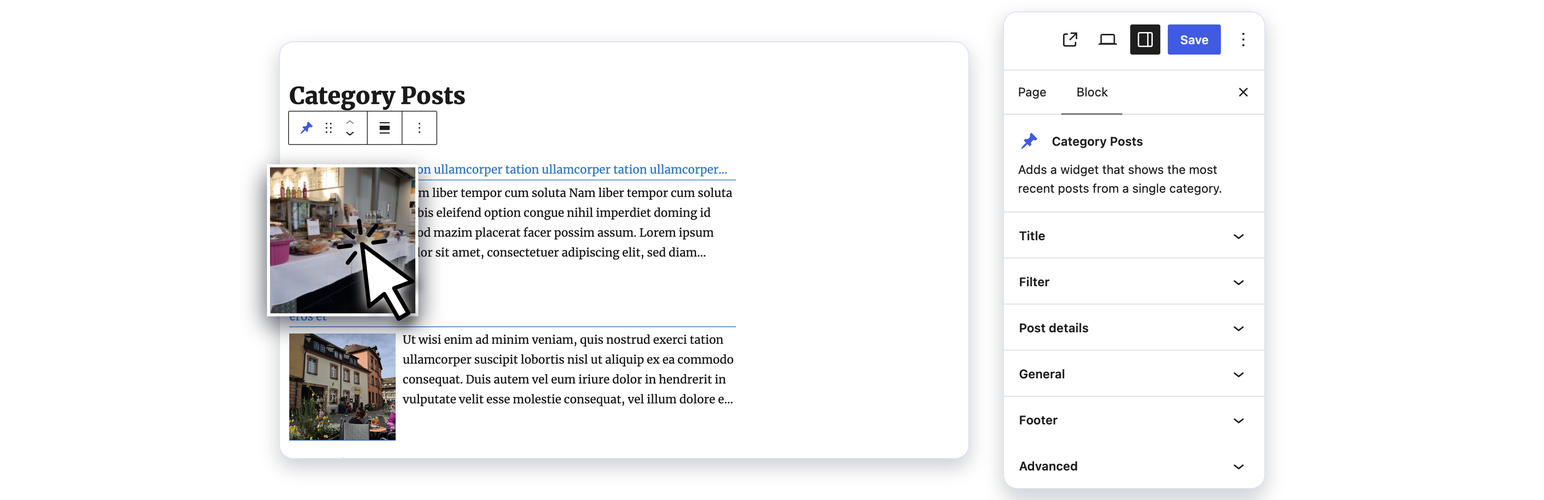
Category Posts Block 是一款輕量級的區塊外掛,專門用來顯示特定分類的最新文章。使用者可以在 Gutenberg 編輯器中靈活地將文章列表放置於內容的任何位置,並能自訂多種顯示選項。
【主要功能】
• 支援 Gutenberg 編輯器的區塊
• 自訂範本以排列文章細節
• 支援短碼功能
• 提供「載入更多」按鈕 / Ajax API
• 日期範圍過濾器
• 可自訂縮圖尺寸與樣式
外掛標籤
開發者團隊
📦 歷史版本下載
原文外掛簡介
Category Posts Block is a light block designed to do one thing and do it well: display the most recent posts from a certain category.
Category Posts Block
Use the “Category Posts” block in the Gutenberg editor to place the post list anywhere in your content. All options are available in the block sidebar panels: Title, Filter, Details, Thumbnail, Excerpt, Footer, Load more and General. Several blocks can be used on the same page, each with its own settings.
Term and Category based Posts Block
A premium version of that free block available at tiptoppress.com created for big WordPress sites.
Premium features
Auto-sizing Grid layout
Custom field support in the Template
Shortcode support in the Template
Image-Slider (or News-Ticker)
Asymmetrical list layouts
Full background images
Masonry responsive grid layout
More complex filter (ANY, NOT, AND, …)
Custom Post Types, Events, Products support
All free features
E-Mail support
More examples on the demo pages
Features
Block for the block editor and Site Editor.
Template to arrange the post details.
The Template text can be a post details placeholder, plain text, HTML or a font-icons.
Font-icon support
‘Load more’ button / Ajax API
Item Title heading level buttons
Excerpt length and item title in lines (line-clamp)
Date range filter
New date format: Time since plublished
Filter by post status: Published, scheduled, private
Add option for post offset (use two or more blocks after another)
Admin UI: Buttons in the editor toolbar to insert shortcode
Option to touch device friendly “everything is a link”
Set thumbnail width & height / image crop with CSS (object-fit)
Fluid images (max-width in %)
One thumb dimension can be left empty
Option to set mouse hover effects for post thumbnail
Set a default thumbnail
Hide the block text, if there is no post
Option to hide posts which have no thumbnail
Option exclude current post
Option show post author, comment’s count, post date
Documentation
Full documentation
Formatting date and time: See Formatting Date and Time
Contribute
While using this plugin if you find any bug or any conflict, please submit an issue at
Github (If possible with a pull request).