內容簡介
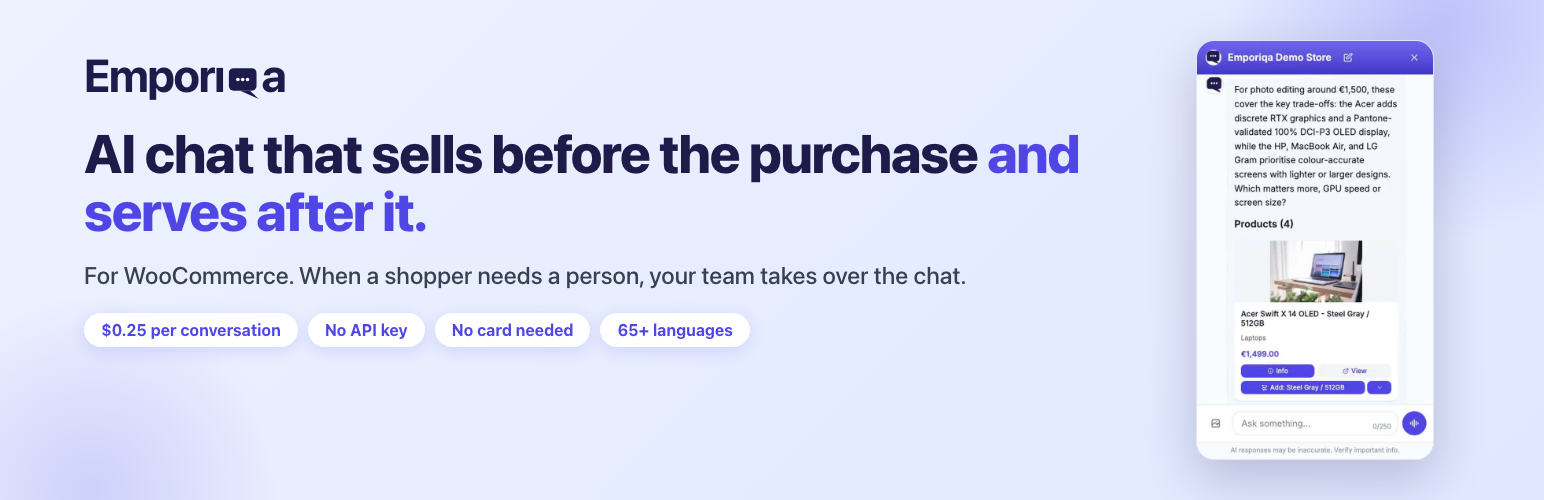
Emporiqa 是一款專為 WooCommerce 設計的 AI 聊天機器人,無需每月付費或 API 金鑰。每次與顧客對話僅需支付 $0.25,並提供多語言支持,能有效提升顧客服務與銷售轉換率。
【主要功能】
• 無需月費,按次計費
• 支持 65 種語言
• 提供視覺搜尋功能
• 自訂回答與語調選擇
• 團隊成員可接管對話
• 整合 Slack、Teams 等通知
外掛標籤
開發者團隊
② 後台搜尋「AI Chatbot & Live Chat for WooCommerce: Emporiqa」→ 直接安裝(推薦)
原文外掛簡介
Emporiqa is an AI chatbot for WooCommerce with no monthly fee and no API key to paste. You pay $0.25 when it talks to a shopper, and nothing in the months it doesn’t. The model cost is inside that rate, so no second bill arrives. You start with $25 of signup credit, about 100 conversations, and no card is required.
It sells and it answers support questions, in 65+ languages, from your own synced catalog.
Open the live demo store and ask for a product it does not sell: it says so instead of inventing one. That demo sells electronics; the behavior is the same on any catalog.
What it does
Recommends by meaning, not keyword: “waterproof winter boots under 80, size 9” returns only what matches all four conditions
Answers “too expensive” with alternatives you already sell, and asks which size or colour rather than guessing
Visual search: finds the closest thing you stock from a photo a shopper uploads
Voice mode, if you switch it on: the shopper taps the microphone, speaks, and hears the answer read aloud while the product cards stay on screen
Adds the item to the WooCommerce cart, with your own stock and variation checks
Answers shipping, returns and policy questions from your synced pages, and looks up an order from a number and email (a shopper signed in to your store gives only the number)
Shows a signed-in customer the price WooCommerce calculates for them, role and wholesale prices included, greets them by first name, and passes their name and email to your team instead of asking
Ready-made rules under Settings > Rules in Emporiqa also pass returns, cancellations, order changes, quotes and invoice requests to your team
Lets anyone on your team take over a live conversation, reading it from the first message with your saved replies to hand
Alerts your team in Slack, Microsoft Teams, Discord, Google Chat or email; outside your business hours it takes an email or phone number
Reports which chats ended in a purchase, with the revenue attributed to chat
Answers and wording you control
Write your own answers as pages in the Emporiqa dashboard, up to 25 per store and 10 languages each, and a sync from your shop never touches them.
Under Settings and How the chat writes, pick one of four tones, Standard, Friendly, Professional or Concise, and leave short wording notes, in general and per situation. That changes wording only: stock, prices and orders come from your store, and “never say something is out of stock” is ignored on purpose.
Under Settings and Widget appearance, add up to four starter questions per language, shown as buttons under the welcome message until the conversation starts, and put your store’s own picture in the chat header and next to the chat’s answers. Team members can answer under their own name and photo.
The chat tells shoppers it is an AI
The default greeting tells the shopper they are talking to your store’s AI assistant, in every language the chat speaks, which is the disclosure the EU AI Act asks for. If you rewrite the greeting, keep that disclosure in it: one that drops it is refused when you save, and the Emporiqa terms (section 8.6) treat removing it, including through custom CSS or code, as a breach.
Built for WooCommerce
Simple, variable, grouped and external products. HPOS. WPML and Polylang. Multi-currency via WOOCS, WPML Multi-Currency, WooCommerce Payments and Aelia.
Price, stock and status changes reach Emporiqa as you make them; a few edits need one Sync All afterwards, which the documentation covers. The same chatbot also runs on Drupal Commerce, Magento, PrestaShop, Shopware and Sylius.
Privacy and security notes
The signed-in shopper’s token is fetched from admin-ajax.php?action=emporiqa_customer_token. It is read-only and returns only the current session’s own identity token. It cannot be nonce-protected, because the page that would carry the nonce is full-page cached; cross-site use is blocked instead by a required custom header (which forces a CORS preflight) and a Sec-Fetch-Site / Origin check, and the answer is never cached.
Third-Party Service
This plugin requires an Emporiqa account and sends data there. Your catalog and synced pages go to https://emporiqa.com/webhooks/sync/, signed with HMAC-SHA256; the widget script loads from https://emporiqa.com/chat/embed/; connecting uses a PKCE handshake via https://emporiqa.com/connect/start. What a shopper types, and any photo uploaded for visual search, is processed by Emporiqa’s AI provider and never trains AI models. If you switch on voice mode, a shopper’s spoken message goes to that provider to be turned into text and the reply is read aloud by an AI voice; Emporiqa does not keep the recording. Sync requests carry the plugin version (X-Emporiqa-Plugin-Version). If you add the Order status rule, Emporiqa calls this site’s /wp-json/emporiqa/v1/actions/order-status with a signed request to look up the order a shopper asks about; once the shopper has proved the order is theirs, the answer carries that order’s status, tracking, items, totals, payment and shipping method, and the names and addresses on it (never the email). When a shopper is signed in to your store, the chat sends Emporiqa their WordPress user ID (signed, never their name or email), so Order status can find their own orders without an email, /wp-json/emporiqa/v1/actions/customer-prices can answer with the prices your shop gives that customer, and /wp-json/emporiqa/v1/actions/customer-info can answer with that customer’s account name and email and their 10 newest orders (number, date, status, total; never addresses, phone or anyone else’s orders). Emporiqa also calls /wp-json/emporiqa/v1/actions/verify to check the address is yours. Each of these answers only a request signed with your store’s connection secret (HMAC-SHA256, within 5 minutes), checked by the route’s permission callback; the one unsigned call is the connect check, answered only during a connection you started in the last 2 minutes. Terms of Service, Privacy Policy.