內容簡介
MsgBox 是一款 AI 銷售代理外掛,能夠在您忙碌時自動與訪客互動。它不僅能回答問題、推薦產品,還能收集潛在客戶的資訊,並通過 MsgBox 應用程式直接將線索發送到您的手機。
【主要功能】
• 自動回答訪客問題
• 推薦產品並顯示價格
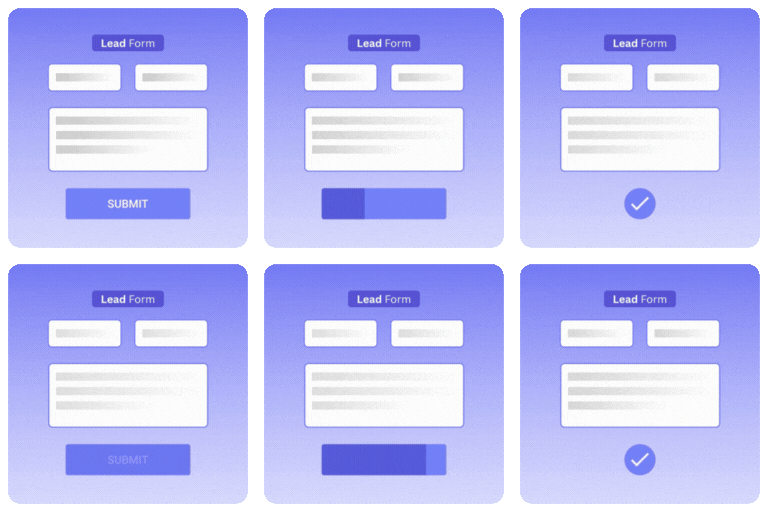
• 收集潛在客戶資訊並即時通知
• 支援 28 種語言自動回覆
• 可在聊天中嵌入 YouTube 或 Vimeo 影片
• 無需額外的 AI 帳戶或 API 金鑰
外掛標籤
開發者團隊
② 後台搜尋「MsgBox – AI Sales Agent & Lead Capture」→ 直接安裝(推薦)
原文外掛簡介
Your new AI sales agent — on the job while you’re busy.
MsgBox puts an AI sales agent on your WordPress site. It greets your visitors, answers their questions from your own business information, recommends products from your store, and collects the details of people who are ready to buy — then sends the lead straight to your phone through the MsgBox app.
No sitting in a chat window. You get a notification, call the customer back when it suits you, and close the sale.
Why businesses use MsgBox
It sells, not just chats – it understands what the visitor is looking for and shows matching products with photo, price and a “View product” button.
Leads straight to your phone – the MsgBox app for iPhone and Android alerts you as soon as someone leaves their details (paid plans). Get the app: App Store · Google Play
Knows your business – describe your business once, the way you would brief a new employee. No scripts, no flow builder.
Speaks your customers’ language – replies automatically in the visitor’s language, in 28 languages.
Shows, not only tells – add a YouTube or Vimeo link to an answer and the video plays right inside the chat.
Looks like your brand – your colours, your icon, your greeting.
AI included – no OpenAI account, no API keys, no extra AI bill.
For WooCommerce stores (Commerce plan and up)
Product recommendations – “Do you have dresses?” gets product cards with photo and price.
“Where is my order?” – shoppers check their order status themselves, with their order number and email or phone.
Ask the AI on product pages – an optional box on the product page for questions about that product.
One-click store connection – no WooCommerce keys to create or paste; disconnect any time.
Start in minutes
Install the plugin and create your free account from its settings page.
Tell the bot about your business in your MsgBox dashboard.
Turn the chat on for your visitors.
Every account starts with a 7-day trial of the paid features and then continues on the free plan. No credit card.
Good to know
MsgBox is an automated assistant, not a live-chat console. When a visitor wants a person, the bot collects their details and you follow up by phone, WhatsApp or email.
Everything is set up in your MsgBox dashboard. The plugin only connects your site and decides where the chat appears: which pages, which visitors, which corner, and whether to wait for your cookie banner.
Requirements
WordPress 5.9 or higher
PHP 7.4 or higher
A MsgBox account (free to create from the plugin)
External Service
This plugin relies on a 3rd party service, MsgBox AI Chat (https://msgbox.nbplugins.com), to function.
The plugin sends the following data to MsgBox servers:
Chat messages between visitors and the AI chatbot
Visitor information (if collected via lead forms)
Site ID for account identification
On WooCommerce product pages with the “Ask the AI” box enabled: the Site ID and the numeric product ID, sent from the visitor’s browser to msgbox.nbplugins.com/api/product-chips.php (no cookies, no personal data) to fetch suggested questions; product details are read by MsgBox server-side over the signed store connection
Only after you explicitly connect WooCommerce in the plugin settings: the plugin answers signed, read-only requests from MsgBox with catalogue data (published, non-hidden products — name, price, image, link, short description, categories) and, when a visitor supplies an order number together with the email or phone used on that order, that order’s status, dates and shipping method. Customer names, addresses, order items and payment data are never sent. You can disconnect at any time from the same screen.
An account at MsgBox AI Chat is required to use this plugin.
Privacy:
Chat messages and contact-form details are encrypted at rest with AES-256-CBC, under an encryption key unique to your site.
Your content and your visitors’ messages are never used to train AI models, and our AI routing forbids providers from retaining data for training.
Conversations and visitor data are kept up to 90 days on paid plans and 30 days on the free plan, then permanently deleted by an automated daily process. Logs containing visitor data are kept 30 days on every plan.
You can ask us to delete your data sooner at any time, by emailing [email protected].
Service Terms:
Terms of Service
Privacy Policy
Data Processing Agreement
Cookie Policy