內容簡介
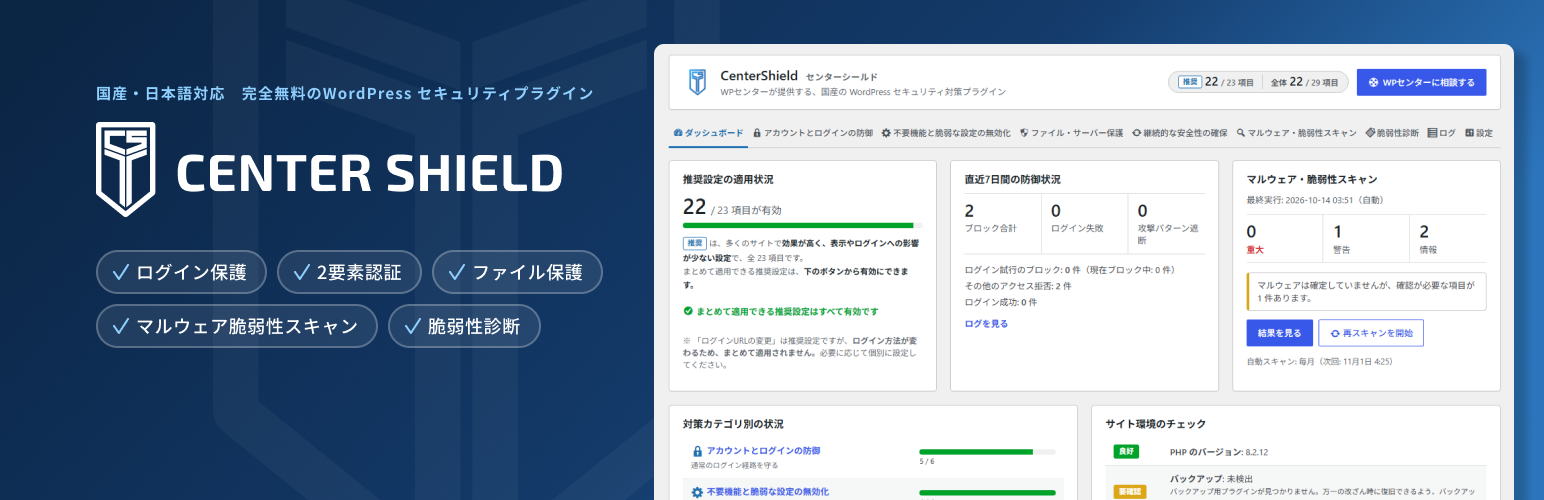
CenterShield 是一款專為日本網站擁有者及其維護機構設計的 WordPress 安全外掛,提供登入保護、雙重身份驗證、檔案保護及惡意程式掃描等功能,讓使用者無需安全專業知識即可選擇所需的安全措施。
【主要功能】
• 登入嘗試限制(防止暴力破解)
• 雙重身份驗證(支援應用程式及電子郵件)
• 檔案及伺服器保護(阻擋直接訪問)
• 恶意程式掃描(與官方檢查碼比對)
• 禁用未使用的功能及弱設定
• 持續保護(輸入過濾及評論垃圾郵件阻擋)
外掛標籤
開發者團隊
② 後台搜尋「CenterShield – Site Security: Login Protection, 2FA, File Protection & Malware Scan」→ 直接安裝(推薦)
原文外掛簡介
CenterShield is a WordPress security plugin built for Japanese site owners and the
agencies that maintain their sites.
It brings login protection, two-factor authentication, hardening, file protection,
malware scanning and a vulnerability assessment report together in one place. Every setting explains what it protects and
what changes when you turn it on, so you can choose the measures your site needs
without security expertise.
The admin interface and all messages are in Japanese only.
Activating the plugin changes nothing on your site. Press “apply recommended settings”
to enable the recommended set in one step, or turn on each feature yourself.
Account and login protection
Login attempt limiting (brute force protection)
Username disclosure prevention
Custom login URL
HTTP Basic authentication on the login screen (written to .htaccess on Apache)
reCAPTCHA v2 / v3
Two-factor authentication (authenticator app, email, backup codes), with an optional grace period and an option to skip the code for 30 days on trusted devices
XML-RPC disabling (signed Jetpack requests are still allowed)
IP address restriction for the admin area
Disabling unused features and weak settings
Pingback
REST API restriction (well known plugins such as Contact Form 7, Jetpack and WooCommerce stay allowed)
Author archive pages
Theme and plugin file editor, application passwords
Unneeded tags in wp_head, such as the WordPress version, the RSD link and emoji scripts
File and server protection
Blocking direct access to wp-includes, wp-config.php, configuration and backup files
Blocking PHP execution in the uploads folder
Disabling directory listing
Security headers such as X-Frame-Options
Removing publicly readable files such as readme.html
Permission review and correction
Ongoing protection
Input filtering (lightweight WAF)
Comment spam blocking (honeypot, rate limit, previous spam history)
Detection of plugins and themes that have gone two years without an update or are not tested with your version of WordPress
Malware scanning
Comparison against official checksums for WordPress core and plugins hosted on WordPress.org. Differences limited to comments or line endings are reported as informational
Matching against a known vulnerability database
Pattern matching against malware signatures bundled with the plugin and updated from the author’s server
Change detection against the previous scan, for themes and plugins that are not on WordPress.org
Database inspection of posts, widgets and administrator accounts
Quarantine, restore from the official original, and difference display
Vulnerability assessment
Checks how your site looks from outside and puts the result into a report you can hand to your client or your team. The checks only send harmless requests to your own site and look up its public DNS records; they never change site data or send attack values to forms.
About 50 checks in nine areas: exposed files and information, login and accounts, XML-RPC and REST API, HTTPS and certificates, HTTP headers and cookies, software updates, signs of tampering, email sender authentication (SPF, DMARC, DKIM), and server and WordPress settings
Known vulnerabilities in WordPress, plugins, themes and JavaScript libraries, and PHP versions that no longer receive security fixes
Each finding is rated on five severity levels, with a CVSS v3.1 score where one applies, a target response time, the expected impact and how to fix it
An overall rating in four levels, and a table of what was checked in each area, including the areas with no problems
For findings that a CenterShield setting can fix, a link to that setting
A printable A4 report with a report number, which you can save as PDF from your browser
The last ten results are kept for comparison
External services
This plugin connects to the following external services. No site content, post data
or user data is transmitted to any of them, and every request identifies itself with a
fixed user agent rather than the WordPress default, which would carry your site address.
api.wpcenter.jp (WP Center, the plugin author)
Used to download malware signature definitions and known vulnerability data. The
request is sent when the plugin checks for definition updates and when a scan needs
vulnerability data. What is sent: the plugin version, and the metadata that any web
request carries, namely your server IP address and a fixed user agent string
(“WPCenterSecurity/” followed by the plugin version) that does not contain your site address. What is
received: signature definitions, their digital signature, and vulnerability records.
Your site address and the list of plugins and themes installed on your site are never
sent; matching is performed locally on your site.
Terms of service: https://wpcenter.jp/plugin-terms/
Privacy policy: https://wpcenter.jp/privacy/
The vulnerability records served from this endpoint originate from Wordfence
Intelligence, provided by Defiant, Inc., and include CVE records from the MITRE
Corporation. Copyright designations for both are shown with every record in the
scan results, and the Wordfence Intelligence terms are reproduced in
licenses/wordfence-intelligence-terms.txt inside this plugin. WP Center is not
affiliated with, endorsed by or sponsored by Wordfence or Defiant, Inc.
Wordfence Intelligence: https://www.wordfence.com/threat-intel/
Wordfence Intelligence terms: https://www.wordfence.com/wordfence-intelligence-terms-and-conditions/
Wordfence privacy policy: https://www.wordfence.com/privacy-policy/
CVE terms of use: https://www.cve.org/Legal/TermsOfUse
api.wordpress.org and downloads.wordpress.org
Used to obtain official checksums during a scan. What is sent: the WordPress version
and locale, and the slug and version of each plugin being verified. What is received:
file checksums.
WordPress.org privacy policy: https://wordpress.org/about/privacy/
core.svn.wordpress.org and plugins.svn.wordpress.org
Used only when you press “compare with the original” or “restore the original” on a
scan result. What is sent: the version and file path of the file being retrieved.
What is received: that single original file, from the official WordPress.org
repository.
WordPress.org privacy policy: https://wordpress.org/about/privacy/
www.google.com (reCAPTCHA)
Used only if you enable reCAPTCHA and enter your own keys. The reCAPTCHA script is
then loaded on the forms you select, and the token is verified against Google. What
is sent: the reCAPTCHA token, your secret key and the visitor IP address.
Google terms: https://policies.google.com/terms
Google privacy policy: https://policies.google.com/privacy
Third-party resources
Vulnerability data: Wordfence Intelligence Vulnerability Database (https://www.wordfence.com/threat-intel/). Copyright Defiant, Inc. CVE records copyright The MITRE Corporation. Redistributed under the Wordfence Intelligence Terms and Conditions, a copy of which is included in licenses/wordfence-intelligence-terms.txt. Each record displays its copyright designation in the scan results.
Original file comparison: the public WordPress.org checksum API and SVN repositories.
Part of the malware definitions: Linux Malware Detect (LMD) signatures, Copyright R-fx Networks, GNU GPL v2, https://github.com/rfxn/linux-malware-detect, incorporated under the terms of the GPL. Known malicious domains: URLhaus (abuse.ch, CC0, https://urlhaus.abuse.ch/).
QR code generation: qrcode-generator v1.4.4, Copyright (c) 2009 Kazuhiko Arase, MIT License (assets/js/qrcode.min.js).