內容簡介
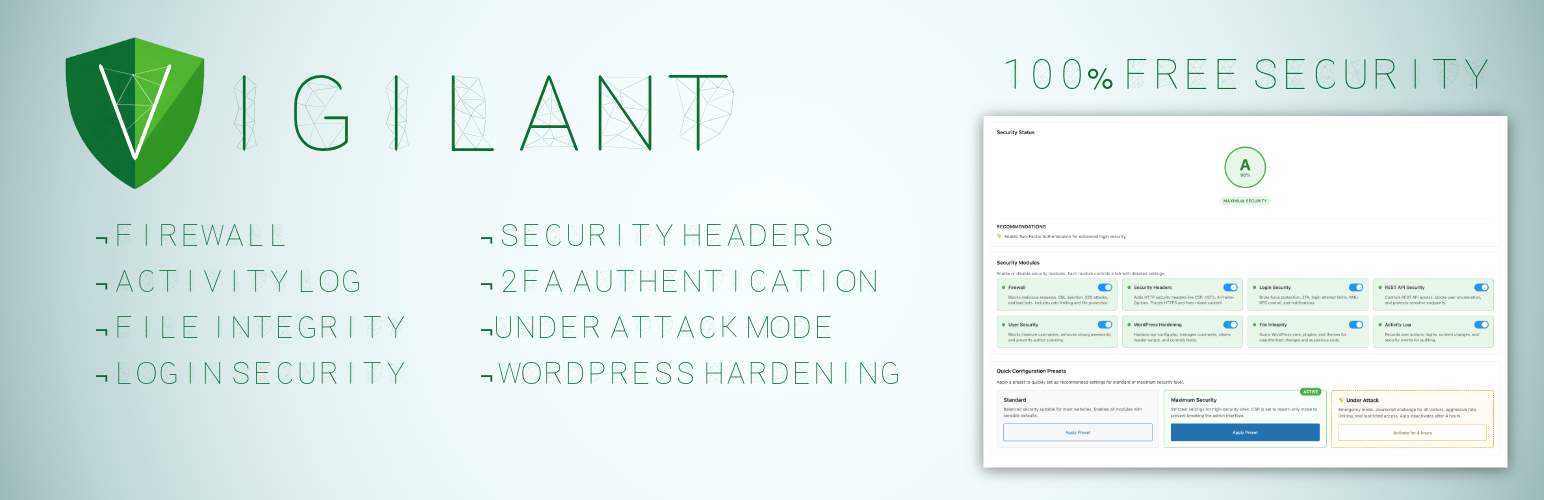
Vigilant 是一款完全免費的 WordPress 安全套件,提供企業級的安全功能,包括防火牆、雙重身份驗證、登錄監控等,無需付費版本或隱藏功能,確保網站安全無虞。
【主要功能】
• 完整的安全套件:防火牆、雙重身份驗證等
• 一鍵安全預設:標準和最高安全模式
• 攻擊模式:自動阻擋惡意流量
• 兩步驟驗證:支援多種驗證方式
• 防火牆保護:阻擋 SQL 注入和 XSS 攻擊
• 使用者管理:角色基礎的 2FA 強制執行
外掛標籤
開發者團隊
② 後台搜尋「Vigilant – 100% Free Security Suite: Firewall, 2FA, Login, Headers, Scanner…」→ 直接安裝(推薦)
📦 歷史版本下載
原文外掛簡介
Premium Security. Zero Cost.
Vigilant provides enterprise-level WordPress security features completely free. No premium version, no upsells, no hidden features behind paywalls.
Protect your site with a complete security suite: firewall, two-factor authentication, brute force protection, security headers, file integrity monitoring, closed plugin detection, malware detection, user management, security audit logging, under attack mode, verification of its own files and much more.
Once activated, Vigilant immediately applies firewall rules against common attacks (SQL injection, XSS, file inclusion), security headers, login attempt monitoring, XML-RPC blocking, WordPress version hiding and sensitive file protection (.htaccess, wp-config.php).
One-Click Security Presets
Choose a preset and get protected instantly:
Standard – Balanced security suitable for most websites. Enables all modules with sensible defaults that won’t interfere with normal site operation.
Maximum Security – Strictest settings for high-security sites. Tighter rate limits, stronger CSP rules, mandatory admin notifications. May require fine-tuning for some setups.
You can always customize individual settings after applying a preset.
Under Attack Mode
Is your site under active attack? Activate Under Attack mode with one click and stop malicious traffic instantly:
JavaScript challenge – Every visitor must pass an automatic browser verification before accessing your site. Real browsers solve it in seconds, bots get blocked completely
Aggressive rate limiting – Requests limited to 30 per minute with 15-minute blocks for offenders
HTTP method restriction – Only GET, POST and HEAD allowed; PUT, DELETE, PATCH, OPTIONS and TRACE are blocked
Empty user agent blocking – Requests without a user agent header are rejected
Full XML-RPC lockdown during the attack
REST API restriction – Only authenticated users can access the REST API
Auto-deactivation – Mode turns off after 4 hours so you never forget it’s on
Email notifications when the mode activates and deactivates
HMAC-signed cookies – Verified visitors get a signed cookie so they only see the challenge once
Under Attack mode works independently from your preset configuration. Your regular settings are preserved and restored when the mode deactivates.
Two-Factor Authentication (2FA)
Add a second verification step to your WordPress login:
Authenticator app (TOTP) – Google Authenticator, Authy, Microsoft Authenticator or any TOTP-compatible app
Email codes – One-time 6-digit verification codes sent via email
QR code setup directly in user profiles
10 backup codes for emergency access if you lose your device
Configurable grace period for users to set up their authenticator app
Trusted devices – optionally let users skip 2FA on recognized devices for 30 days
Role-based enforcement – require 2FA for administrators, editors or any role
Exclude specific users from 2FA requirements
Admin tool to reset TOTP for users who lost their authenticator
Configurable code expiry, attempt limits and email sender name
User notification emails when 2FA is enabled or the method changes
Firewall Protection
Block malicious requests before they reach WordPress:
SQL injection blocking
XSS (Cross-Site Scripting) attack prevention
File inclusion protection (LFI/RFI)
Directory traversal blocking
Bad query string filtering (catches generic suspicious patterns the specific blockers miss)
Bad bot detection and blocking
Block requests with empty user agent
Rate limiting against DDoS and brute force, with optional progressive lockouts
IP whitelist and blacklist management (IPv4 and IPv6, with CIDR ranges and wildcards)
User-Agent whitelist and blacklist with partial matching
Visitor IP detection control – read the real IP directly from the connection (a spoof-proof default) or from a proxy header when behind Cloudflare, a reverse proxy or a load balancer, with an admin notice if a proxy is detected but not configured
HTTP method restriction
Server-level file protection via .htaccess: block direct access to wp-config.php, .htaccess, wp-includes/ and sensitive files (.log, .sql, .bak, .ini, debug.log, readme.html, etc.)
Block PHP execution in /uploads (one of the most common post-exploit vectors)
Disable directory browsing
Login Security
Stop unauthorized access attempts:
Limit login attempts with configurable thresholds
Progressive lockouts – longer blocks for repeat offenders
Custom login URL – hide wp-login.php from bots
Login URL change notifications to all admin-area users
Hide login error messages – don’t reveal valid usernames
XML-RPC control: leave it on, block only the pingback methods (recommended, it closes the amplification vector while the mobile app and Jetpack keep working), or disable it completely
Application passwords control
Email notification when an IP is blocked for exceeding login attempts
Admin login notifications via email
IP whitelist for trusted locations
User Security
Comprehensive user account protection:
Block insecure usernames (admin, test, root, etc.) on new registrations
Warn about existing users with insecure usernames so you can rename or remove them
Block author scanning – intercept ?author=N URLs so WordPress doesn’t redirect them to /author/USERNAME/ and leak the login slug
Force strong passwords with minimum length
Password expiration with configurable intervals
Password history – prevent reusing old passwords
Force password reset – by specific users, by role, or all users (post-hack recovery)
Session limits – control concurrent logins per user
Session management – view and revoke active sessions
Email verification for new registrations
Registration approval workflow – manually approve new users
Admin account monitoring – alerts for new admins, email changes, password changes, privilege escalation
Display name protection – prevent exposing login username publicly
Security Headers
Achieve Grade A security ratings:
Content Security Policy (CSP) with a WordPress-compatible default policy and Report-Only mode for safe testing before enforcing
HSTS (HTTP Strict Transport Security) with includeSubdomains and preload options
X-Frame-Options – prevent clickjacking
X-Content-Type-Options – prevent MIME sniffing
Referrer Policy control
Permissions Policy (camera, microphone, geolocation, payment, USB)
Cross-Origin policies (COEP, COOP, CORP)
HTTPS enforcer with automatic mixed content fix
Server fingerprint hiding – the Server: header is neutralized and X-Powered-By and other fingerprinting headers are stripped from responses
File Integrity Monitoring
Detect unauthorized changes to your files and compromised plugins:
WordPress core against official checksums, plus files added to wp-admin and wp-includes
Plugins against WordPress.org checksums, themes against their WordPress.org package
Whatever has no official copy (other plugins and themes, must-use plugins, drop-ins, the rest of wp-content) searched for hidden code
Critical config files (wp-config.php, .htaccess) monitored against baseline, detecting code injection even in files with no official checksum
Closed and removed plugins detection: a daily check against WordPress.org flags any installed plugin that was closed or silently removed, with per-plugin Ignore
Line-level diff view of changes, with per-file approval workflow
Extra file detection in plugins and themes (files not in original distribution)
Uploads scanning for PHP, double extensions and .htaccess files
What each finding usually is and what to do about it
Root directory scanning for non-core PHP files (common attack vector)
String concatenation obfuscation detection
Configurable notification levels and an ignore list to dismiss known files
Excluded paths and file extensions
Scheduled automatic scans (daily, weekly)
HTML formatted email alerts with severity sections, including a dedicated section for closed plugins
Self-Protection
A tampered security plugin is worse than none, because it keeps reporting that everything is fine. Vigilant verifies its own files against the checksums WordPress.org publishes, a SHA-256 manifest shipped with the plugin and a fingerprint of that manifest stored in the database:
At the start of every integrity scan, right after every update, and when the version on disk changes outside the WordPress updater
Modified, missing and added files, symbolic links and a replaced or deleted manifest are reported, by email with the default settings
Its own scheduled tasks are watched and scheduled again if something removes them
Its own block in File Integrity and a check in Security Check, with what each finding means and how to fix it, and no way to switch it off
One click repair that reinstalls Vigilant from WordPress.org, keeping your settings, tables and log
It detects tampering, not vulnerabilities in Vigilant itself. SECURITY.md explains what it covers, what it does not, and how to verify your installation from outside the server.
Security Audit
Track everything happening on your site:
Successful and failed login attempts
Two-factor authentication events
User account changes (creation, deletion, role changes)
Content modifications (posts, pages)
Plugin and theme activations/deactivations
Security events and blocked threats
HTTP request method tracking and filtering (GET, POST, PUT, DELETE)
Enhanced log detail popup with grouped sections and quick actions
One-click add IP or User-Agent to firewall whitelist/blacklist from log entries
Direct IP lookup links to AbuseIPDB
Configurable retention period, CSV export, and filtering by event type, severity, request method or date
Audit Alerts – get an email when the audit log points to something worth your attention, off by default and configured under Security Audit:
Immediate alerts the moment a serious event is logged, by minimum severity (a new administrator, a closed plugin or a privilege escalation are all logged as Critical)
Threshold alerts when a category spikes – firewall blocks, login failures, user, plugin, file integrity, security, system and content events – over a 30-minute, 1, 6 or 24 hour window, counting only warning and critical events so routine activity never trips them
A single anti-repeat cooldown keeps a storm of events down to one notice instead of flooding your inbox
Active alerts surface in Settings & Tools, the Dashboard, the configuration level and the Security Check
“Send test email” button to confirm delivery
Security Check
On-demand security audit built into the Dashboard. No external services, no accounts, no API keys – everything runs on your server:
More than 50 checks across 6 categories: SSL/TLS, HTTP Headers, WP Exposure, Access & Auth, Sensitive Files and Internal Checks
Single 0-100 score with A-E grade, plus per-category breakdown and explanatory details for every check
16 exclusive internal checks impossible from the outside: PHP end-of-life status, pending updates, inactive plugins, closed or removed plugins, Vigilant self-protection, file permissions, default salts detection, wp_ table prefix, admin username, administrators without 2FA enrolled, module status, recent audit errors, last File Integrity scan result and whether audit alerts are configured
DNS-only reputation lookup against Spamhaus ZEN, Barracuda BRBL and SpamCop SCBL (informational – listings are flagged but don’t deduct from the score)
Two-phase scan: fast local checks appear in under a second, remote checks stream in as they complete
Weekly automatic scan with opt-in email alert if the score drops by 10+ points or a new critical check starts failing
30-scan history with sparkline trend and delta chip
“Go to setting” fix link on every failing check, jumping straight to the exact Vigilant field that resolves it
Smart header diagnostics that report “configured but not being served” when a cache/CDN overrides your headers
WordPress Hardening
Layered protection at the WordPress level – admin, content, head, feeds and database:
Lock down the admin: disable the built-in plugin and theme file editor, block installations and updates from the admin area, and force HTTPS for the admin area. Compatible with any hosting layout, respecting values already in place and never overriding them
Disable WordPress’s internal page-view cron when you already have a real server-side cron job configured
Dashboard warning when debug mode is left enabled in production, so error output never leaks to visitors
Hide your WordPress version everywhere it can leak: from the HTML head, from RSS and Atom feeds, and optionally from every script and style URL on the front-end (stripping only the WordPress version itself, leaving plugin and theme cache busting intact)
Automatic daily removal of readme.html, license.txt and licencia.txt from the WordPress root, which otherwise expose your version
HTML head cleanup – remove the RSD link, Windows Live Writer manifest, shortlink header and REST API discovery link
Database hardening – check for the default wp_ table prefix and one-click rename tool with full backup before the change
Comment security – honeypot field against spam bots, force moderation on every new comment, close comments on old posts, disable pingbacks and trackbacks
Feed management – completely disable RSS and Atom feeds, or only disable them when the site has no published content
REST API Security
Control API access to your site:
Three access modes: public (default WordPress behavior), authenticated only (closes the API to anonymous visitors), or selective (custom allow/block lists)
Block user enumeration via /wp-json/wp/v2/users
Protect any list of sensitive endpoints from anonymous access
Per-plugin compatibility toggles so authenticated mode doesn’t break the front-end: WooCommerce, Contact Form 7, Gravity Forms, WPForms, Elementor, Jetpack. oEmbed and Site Health endpoints stay accessible by default
Security Tools
Utilities included:
Database Backup – Download a full or partial database backup as ZIP with table selection
Database Prefix Change – Change the default wp_ prefix to a random secure prefix
Export/Import Settings – Transfer your configuration between sites
Configuration Backup – Download wp-config.php, .htaccess and robots.txt as a ZIP
Reset to Defaults – Start fresh with one click
Safe by Design
Vigilant validates .htaccess and wp-config.php before writing to them, and keeps no copy of them, because they hold your database password: download a backup from Settings & Tools first.
Deactivating removes its blocks from both files and brings back the lines it had commented out. Switch Under Attack mode off before deactivating.
Vigilant checks its own files too, and tells you how to check them yourself: every release ships a MANIFEST.sha256 that sha256sum can verify, and WordPress.org publishes the same checksums for comparison.
Why Vigilant?
Most WordPress security plugins reserve their best features for paid plans. Vigilant gives you everything upfront – no premium tier, no feature locks, no upsells. Firewall, 2FA with authenticator app, security headers, file integrity scanner, security audit, on-demand Security Check with weekly regression alerts, and more. All free, all maintained, all following WordPress coding standards.
We maintain a detailed feature comparison between Vigilant and other popular security plugins (Wordfence, Solid Security, AIOS, Sucuri, SG Security). See what each offers in its free version and where Vigilant fills the gaps.
→ View the full comparison
Support
Need private support or custom development?
Do you need one-on-one help, priority troubleshooting, or a custom feature, integration, or tweak built specifically for your site? I offer private support and custom development. Just contact me and tell me what you need.
Need help or have suggestions?
Official website
WordPress support forum
YouTube channel
Documentation and tutorials
Love the plugin? Please leave us a 5-star review and help spread the word!
About AyudaWP
We are specialists in WordPress security, SEO, AI and performance optimization plugins. We create tools that solve real problems for WordPress site owners while maintaining the highest coding standards and accessibility requirements.