內容簡介
miniOrange 2FA 外掛為 WordPress 提供雙重身份驗證功能,增強網站安全性。透過要求使用者提供第二個身份驗證因素,即使密碼洩露,未經授權的使用者也無法登入,從而有效保護管理員帳戶及敏感資料。
【主要功能】
• 支援多種二次驗證方式,如 Google Authenticator、SMS OTP
• 免費方案無使用者數量限制,支援多達無限使用者
• 提供推播通知驗證(Premium),一鍵批准登入
• 支援備用碼及安全問題作為驗證方式
• 兼容 WooCommerce、會員網站及教育平台等多種環境
外掛標籤
開發者團隊
② 後台搜尋「miniOrange 2FA – Two Factor Authentication for WordPress (OTP, SMS, Email, Google Authenticator)」→ 直接安裝(推薦)
📦 歷史版本下載
原文外掛簡介
WordPress Two-Factor Authentication (2FA)
WordPress websites are frequently targeted by brute force attacks, credential stuffing attacks, phishing attempts, and unauthorized login attempts. Passwords alone are no longer sufficient to protect administrator accounts, customer accounts, and sensitive website data. Which is exactly why 2FA has become essential.
The miniOrange 2-Factor Authentication plugin adds an additional layer of security to WordPress logins by requiring users to verify their identity using a second authentication factor. Even if a password is compromised, unauthorized users cannot access accounts without completing the 2FA verification process.
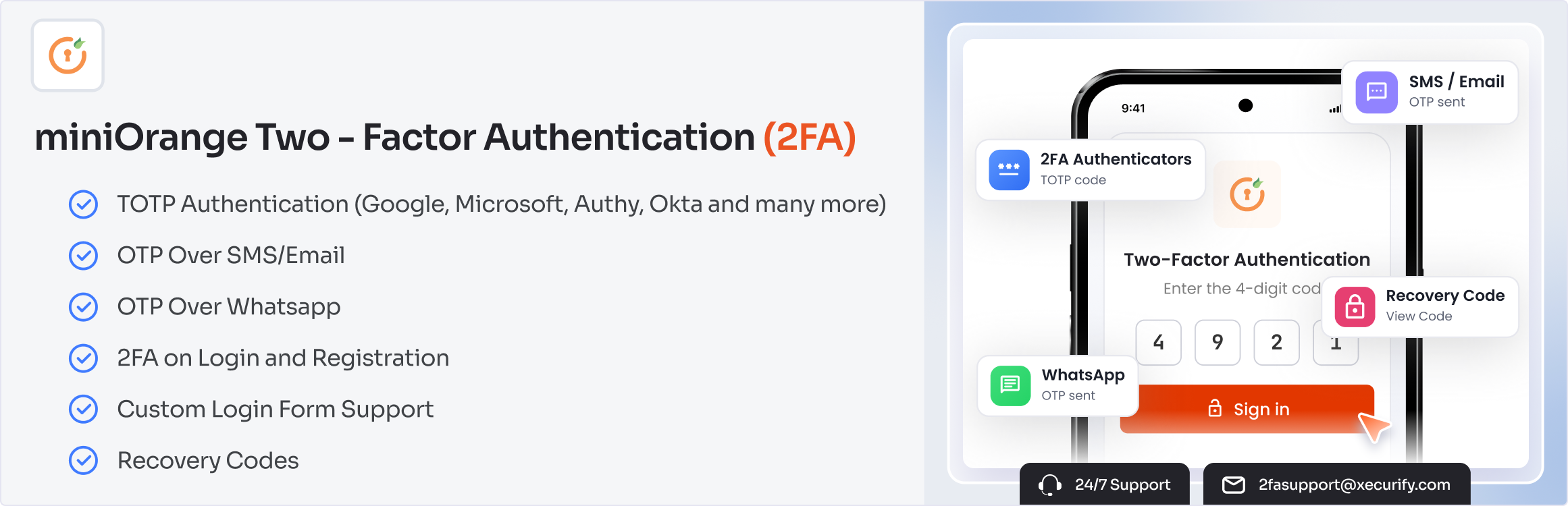
The 2FA plugin supports multiple Two-Factor Authentication (2FA) and Multi-Factor Authentication (MFA) methods, including Google Authenticator, Microsoft Authenticator, Authy, Passkey, Email OTP, SMS OTP, WhatsApp OTP, Telegram OTP, Push Notification, backup codes, security questions, and hardware token authentication.
Whether you manage a WooCommerce store, membership website, LMS platform, enterprise portal, educational institution, government website, or agency-managed environment, WordPress 2FA helps secure user accounts and reduce the risk of account compromise.
The free plan supports unlimited users with Google Authenticator (TOTP), Passkey, Email OTP, and Security Questions. Premium adds more 2FA methods (SMS OTP, WhatsApp OTP, Push Notification, email verification link, and more), enforcement policies, trusted devices, multisite support, custom branding, and more.
What’s New in 6.2.9
Unlimited users on the free plan — no user cap, no per-seat charge.
Passkey (WebAuthn/FIDO2) — free — passwordless 2FA with Face ID, Touch ID, Windows Hello, or a hardware security key.
Push Notification 2FA (Premium) — approve the login from your phone with one tap, no code to type.
Why Use (2FA) Two-Factor Authentication for WordPress?
Protect Administrator Accounts
Administrator accounts are the primary target of attackers. WordPress Two-Factor Authentication (2FA) ensures that only verified users can access administrative dashboards.
Prevent Unauthorized Access
Even if passwords are stolen through phishing attacks or data breaches, additional authentication requirements help prevent unauthorized access.
Improve WordPress Login Security
WordPress MFA strengthens login security by combining passwords with additional verification methods.
Reduce Account Takeover Risks
Multi-factor authentication significantly reduces the likelihood of successful account takeover attempts.
Secure WooCommerce Customer Accounts
Protect customer profiles, order information, payment details, and store management accounts using WooCommerce Two-Factor Authentication (2FA).
Quick Links:
Setup Guide |
Features |
Pricing Plans |
Support
WordPress 2FA Plugin Explained in Minutes
Passkey 2FA — Free
Passkey replaces the password with a cryptographic key stored on the user’s device. Nothing is typed, so nothing can be phished — making Passkey one of the strongest 2FA methods available today, and it’s free in this plugin.
Register a Passkey from the user profile in seconds
Works with Face ID, Touch ID, Windows Hello, and Android biometrics
Works with hardware security keys such as YubiKey, Titan, and SoloKey
Use Passkey as passwordless login or as the second 2FA step
Multiple passkeys per user, with backup codes as fallback
No external calls — Passkey verification happens entirely on your own site
Push Notification 2FA — Premium
Push Notification 2FA sends a login approval request directly to the user’s phone. They tap Approve and the login completes — no six-digit code, no SMS delay, no copy-paste. It’s one of the fastest 2FA methods for teams that log in many times a day.
WordPress 2FA Core Features
miniOrange provides comprehensive WordPress Two-Factor Authentication (2FA) and Multi-Factor Authentication capabilities for websites of all sizes.
Google Authenticator and OTP Authentication for WordPress
Secure WordPress logins using multiple 2FA authentication methods:
Google Authenticator (TOTP-based 2FA)
Passkey Authentication (WebAuthn/FIDO2, passwordless & phishing-resistant)
Email OTP Verification
Security Questions (KBA)
Backup Codes
Microsoft Authenticator (Premium)
Authy Authenticator (Premium)
LastPass Authenticator (Premium)
SMS OTP Verification (Premium)
WhatsApp OTP Authentication (Premium)
Telegram OTP Authentication (Premium)
Push Notification Authentication (Premium)
Email Verification Link (Premium)
Hardware Token Authentication (Premium)
WordPress MFA Policies and User Authentication
Enforce 2FA for all users
Role-based authentication policies
User-specific MFA settings
Trusted device support
Grace period configuration
Backup authentication methods
Force 2FA setup on login
WooCommerce Two-Factor Authentication (2FA)
Protect WooCommerce stores with enhanced login security and customer account protection.
Secure customer accounts with WooCommerce 2FA
Protect store managers and administrators
Improve customer WooCommerce login security
Compatible with WooCommerce login and account pages
Passwordless Login for WordPress
Allow users to securely access WordPress without traditional passwords.
Passkey passwordless login
Magic Link Login
OTP Login (without password)
Email Verification Login
Login Security and Account Protection
Improve overall WordPress login security using advanced authentication controls.
Secure user verification
Trusted device management
Backup authentication options
Account recovery methods
Strong access control policies
Login reports & IP alerts
Custom redirects after login
Custom SMS gateway integration (Premium)
Custom branding & white labeling (Premium)
Multisite support (Premium)
Works with Popular WordPress Plugins
Compatible with:
– WooCommerce
– Elementor
– Ultimate Member
– BuddyPress
– Theme My Login
– LoginPress
– Custom login forms
Free vs Premium
Free — unlimited users, Passkey, Google Authenticator (and other TOTP apps), Email OTP, backup codes, security questions, role-based 2FA, WooCommerce 2FA, passwordless login.
Premium — Push Notification 2FA, SMS OTP, WhatsApp OTP, Telegram OTP, hardware tokens, trusted devices, custom SMS gateway, custom branding & white-labelling, multisite 2FA, advanced reporting.
External Services
Some 2FA methods require communication with miniOrange services to send or verify OTP, SMS, email, push, or account-related requests. These services are used only when you configure or use the related 2FA method.
Passkey and Google Authenticator (TOTP) are verified entirely on your own site and make no external calls.
Service links:
miniOrange Terms |
miniOrange Privacy Policy