內容簡介
WP Configurator Builder(WCB)是一款基於 Gutenberg 的產品配置器外掛,讓使用者無需撰寫任何程式碼,即可在 WordPress 和 WooCommerce 中建立複雜的產品客製化表單,透過拖放介面輕鬆設計產品選項與即時預覽。
【主要功能】
• 可堆疊式透明圖層即時合成產品預覽圖
• 內建 3D 模型檢視器,支援 3D 產品配置
• 即時更新配置圖片與價格
• 擴充 WooCommerce 產品選項(色票、文字輸入等)
• 整合 WooCommerce 結帳系統購買客製化產品
• 以 Gutenberg 拖放式編輯器建立配置表單
外掛標籤
開發者團隊
② 後台搜尋「WCB | WP Configurator Builder – Product Configurators Made Simple」→ 直接安裝(推薦)
原文外掛簡介
Create complex product configurators and customizers in WordPress and WooCommerce without having to touch any line of code
WP Configurator Builder (WCB in short) is a standalone Gutenberg-based product configurator builder plugin for WordPress, giving you a familiar drag-and-drop admin interface.
The plugin does not require any coding knowledge to set up. Simply create your choices, design your form and upload your product images.
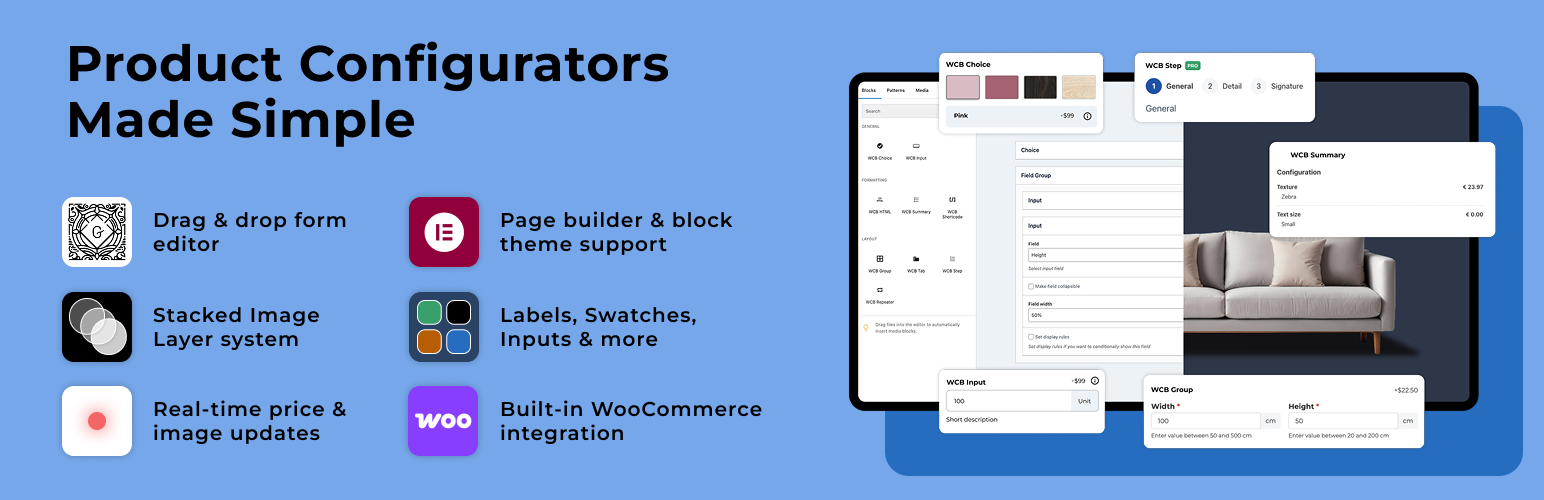
Key features of WP Configurator Builder include:
Stackable image layers: layer transparent PNGs on top of each other to automatically generate the final product render
3D model viewer: built-in support for 3D viewer to create 3D product configurators based on 3D models
Real-time updates: the configuration images and prices update in real time as the customer changes options
Extra product options: extend WooCommerce products with custom add-ons and options. Includes support for swatches, text inputs, buttons and more.
Request quotes: link configuration to WordPress form to capture leads
WooCommerce integration: use the WooCommerce checkout system to purchase customized products
Shortcode display: display configurator forms on any post or page using shortcode display
Drag and drop form builder: use the Gutenberg drag-and-drop form editor to structure your configuration forms
Multi language: built-in multi language plugin support
You can use this product configurator builder to highlight your product variants in WordPress, collect leads using request a quote feature or drive sales through the checkout system of WooCommerce.
Quick links:
See the plugin in action
Learn more about WCB (PRO)
Browse add-ons
Read the documentation
Confused about how to get started? Watch our get started video:
Places where the WP Configurator Builder plugin has been featured
🏆 WP Configurator Builder featured on WP Hive
🏆 WP Configurator Builder featured on WP Mayor
🏆 WP Configurator Builder featured on WP Daily Themes
Why is WP Configurator Builder free?
With the rise of personalization in e-commerce, we wanted to contribute to the WordPress and WooCommerce community by providing a plugin which allows you to create product configurator and customizer forms in a simple way for free.
Why should I use this plugin?
The WCB Configurator builder is a multi-functional product configurator plugin that can be used for various use-cases, including but not limited to:
Extra product options and WooCommerce product add-ons
Visual product configurators
3D product configurators
Request quotes for custom products
Guided selling forms
Composite products
WooCommerce product bundles
Product customizations
Measurement and cost calculators
Example products:
Custom furniture and interior design
Electronics (phones, wearables, etc)
Computers and gaming
Printed apparel and custom clothing
Shoes and bags
Music instruments
Vehicles and parts
Custom sheds and modular homes
Tools and equipment
Handmade items
Accessoires
Digital product customization
Drag and drop configurator builder
Create and manage configuration fields with a drag-and-drop editor:
Add unlimited fields
Drag and hold to reorder fields
Apply each configurator to any WooCommerce product or display on any page
Live product image updates
Automatically update your product visuals:
Preview image changes
Dynamic main image replacement
Multiple image product views supported (showcase your product from various angles)
Apply custom text styles
Stackable PNG image layers
Combine multiple images (layers) into a single live preview:
Ideal for furniture, apparel, vehicle parts, and custom sets
Layer-by-layer visibility control
Support for transparent PNGs (and SVGs)
Customize products in 3D
Create stunning 360 degree configuration experiences:
Based on 3D GLB models
Show and hide specific parts
Update textures and colors
Add custom text and images
Update 3D model background scenes
Play or loop 3D animations
AR support (on compatible devices)
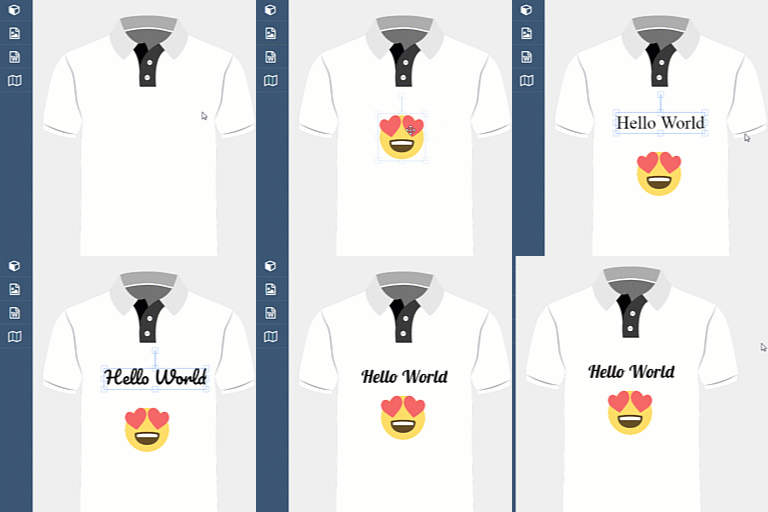
Visual drag and resize controls
Customers can easily drag, rotate and resize elements on the product image:
Drag custom text and images in the product image
Resize and scale text and image uploads
Rotate image uploads and texts
Flexible extra product fields
Create unlimited custom option fields:
Color swatches
Image swatches
Button groups
Tab fields
Text fields
Number fields
Radio buttons
Request quotes
Allow customers to request quotes via forms or email:
Send configurations via email
Request quotes via forms
Dynamic price rules
Supports:
Live price recalculation
Per-option pricing
Fixed price increases
Sale prices
Unit prices (charge per character or per numeric value)
Built-in WooCommerce integration
Sends all configuration data to:
Add configurations to cart
Checkout
Order confirmation
Multi currency support
Block theme and page builder support
Insert configurators anywhere using:
Gutenberg block
Shortcode block
Pre-built templates
Build unlimited configurators
The WP Configurator Builder plugin has no limit on the amount of configurations you can create. You can use it on:
Any number of products
Any product type
Any store size
Custom CSS and design controls
Style the configurator visually:
Buttons, borders, spacing
Fonts and colors
Step indicators
Form elements
Global styling
Custom styles and scripts
Developer friendly
Includes:
Hooks
Filters
Multi-language and RTL-display support
The plugin is fully compatible with multi language plugins:
WPML
Polylang
LocoTranslate
And more
Paid plugin features
Upgrade to WCB Configurator Builder Pro bundle for more advanced customization capabilities.
Advanced configuration form fields
Extend your configuration form with advanced fields:
Image dropdown
Date picker field
Color picker field
Range slider field
File upload field
Field sliders
Repeater field
Panel options field
Conditional field display
Take customization further with conditional display:
Multi-condition rules
AND/OR logic rules support
Disable single options
Show or hide fields
Create multi-step configuration forms
Convert the configurator into a guided multi step wizard:
Mandatory steps
Next/Previous navigation
Configuration summary page
Save and resume configurations
Allow customers to:
Save their progress and resume later
Add configurations to a wishlist
Load saved designs
Create advanced pricing rules
Pro-level pricing flexibility:
Percentage based pricing
Formula pricing
Tiered table prices
Enable configuration PDF downloads
Customers can easily download a PDF file containing:
Configuration price
Company details
Selected options
Generated images
Customer wishlists
Customers can easily save their favorite designs to their wishlist
Save configurations to wishlist
Load designs from wishlist
Set WooCommerce account-based wishlist
Inventory management
Store owners can easily manage their configurations options:
Option weight management
Option SKU management
Option stock management
Linked WooCommerce products
Store owners can easily build composite or bundled products using the linked products field:
Link WooCommerce products to configuration options
Add products to cart separately
Manage product details (like title, stock, sku and price) in WooCommerce
Configuration analytics
Store owners can easily see best performing configuration options:
See conversion rates
Explore most selected configuration options
Collect emails for customer retargeting
WooCommerce visual product customizer plugin
Build visual product configurators with our product configurator builder tool. Add image layers, customize text and upload images.
You can also allow your customers to drag and resize text and images on the product images using the visual control settings provided in our plugin.
3D product configurator plugin
Step up your visual game with GLB 3D models. Change colors, update model parts and even show the 3D model in your own room using AR capabilities.
Change the visual display to 3D model in WCB > Settings and start creating stunning 3D configurations inside the WCB configurator plugin.
WooCommerce product configurator
If you are running a WooCommerce store, you can also use this plugin to extend your regular WooCommerce products and add extra product options, like input fields, swatches, and more.
This product configurator plugin integrates seemlessly with the WooCommerce plugin. Connect your configurations to WooCommerce products and build stunning product configurators and customizers with ease.
You can choose to extend simple products or variation products.
Use the WooCommerce checkout system to handle the online purchasing process.
WordPress CPQ configurator (Configure, Price, Quote)
Allow your customers to ask for specific pricings using the request a quote feature of our plugin.
Simply link your configurator to your favourite form plugin or use the email button action and start collecting leads.
Supported form plugins include:
WP Forms
Forminator
Fluent Forms
Formidable Forms
Gravity Forms
Ninja Forms
Contact Form 7
Note: basically any form plugin is supported as long as it allows you to set custom classes for input fields.
WooCommerce Cost Calculator
Get the advanced calculations add-on and create advanced price calculations using formula’s and tiered table prices
This allows you to perform advanced calculations based on numeric inputs and allows you to create a measurements cost calculator for example.
WordPress Product Configurator
The WP Configurator Builder plugin is designed as a standalone plugin. You can use the shortcode to display your product configurator on any page you like.
About
This plugin is developed and maintained by Dons Digital.