內容簡介
SudoMock Product Customizer 是一款專為 WooCommerce 商店設計的外掛,讓顧客能夠上傳自己的藝術作品、標誌或文字,並即時在 PSD 模擬圖模板上進行渲染,提升客製化產品的購物體驗。
【主要功能】
• PSD 渲染:高保真模擬圖,支援 27 種混合模式及 CMYK
• 白標功能:完全自訂標籤、按鈕文字及顏色
• 購物車整合:渲染的模擬圖自動附加至購物車
• HPOS 相容:為 WooCommerce 高效能訂單儲存設計
• GDPR 合規:完整的客戶資料匯出與刪除功能
• 多語言支援:內建 10 種翻譯
外掛標籤
開發者團隊
原文外掛簡介
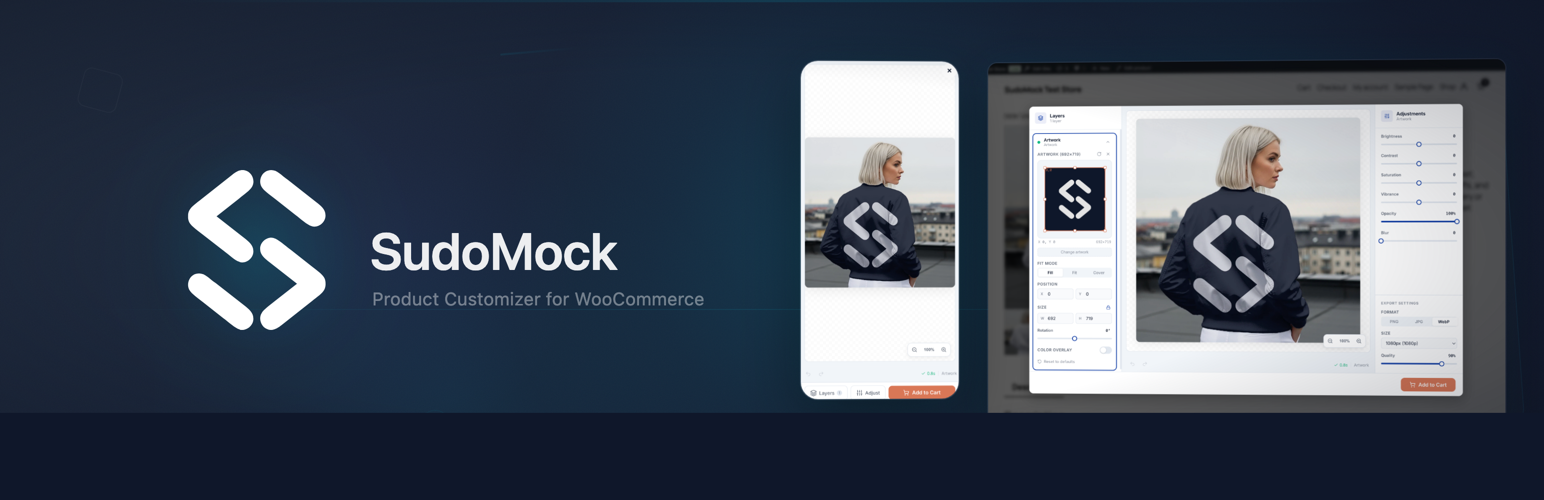
SudoMock Product Customizer connects your WooCommerce store to the SudoMock PSD rendering engine. Customers upload their artwork, logos, or text and see it rendered onto your PSD mockup templates using Photoshop Smart Object replacement.
Features
PSD Rendering – High-fidelity mockups with 27 blend modes, CMYK support, and up to 10000px output resolution once a card is verified on your SudoMock account
White-Label – Fully customizable labels, button text, and colors. Once a card is verified, no third-party branding is shown to customers
Plans start at $25/month – Subscriptions from $0.002 per render. Without one, $0.05 per PSD render with a $5 minimum
Cart Integration – Rendered mockup preview automatically attaches to cart and order
HPOS Compatible – Built for WooCommerce High-Performance Order Storage
Blocks Compatible – Works with both classic checkout and WooCommerce Blocks checkout
GDPR Compliant – Full data export and erasure for customer personalization data
Internationalization – Translation-ready, with 10 translations included
How It Works
Upload PSD mockups to your SudoMock account
Map mockups to WooCommerce products in one click
Customers see a “Customize” button on product pages
Preview – customers upload artwork and see the mockup rendering
Buy – rendered mockup image attaches to cart and order automatically
Who Is It For?
Print-on-demand WooCommerce stores
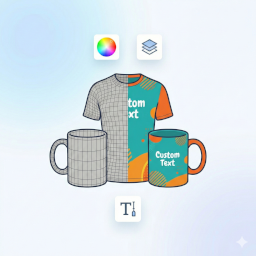
Custom merchandise shops (t-shirts, mugs, posters, phone cases)
Gift stores with personalization (engraving, printing, embroidery)
Brand merchandise with strict visual guidelines
Any WooCommerce store selling customizable products
Integrations
n8n, Zapier, Make automation workflows
Printful, Printify POD fulfillment
REST API for custom integrations
Requirements
WooCommerce 8.0 or later
PHP 7.4 or later
A SudoMock account (free signup)
External services
This plugin connects to the external SudoMock service to provide PSD mockup rendering functionality for WooCommerce products. No data is transmitted until the store administrator explicitly connects their SudoMock account.
SudoMock API (api.sudomock.com)
The plugin communicates with the SudoMock API at https://api.sudomock.com for the following operations. Every request carries the store’s API key and the plugin’s version number.
Account verification: When the admin connects their SudoMock account, and when a connected admin opens the plugin screen, the plugin sends the API key and reads back the account email, the plan, the credit usage and the prepaid balance (GET /api/v1/me). The answer is reused for 5 minutes.
Mockup listing: When the admin opens the Mockups tab, opens the mockup picker in the Products tab, or opens the edit screen of a product, the plugin fetches the PSD mockups and the photo mockups in the merchant’s account (GET /api/v1/mockups and GET /api/v1/sudoai/2d-mockups). Only paging and filter values are sent. Text typed into the mockup search is matched on the store and is not sent.
Mockup details and thumbnails: When the admin opens the Products tab, or the edit screen of a product that has a mockup, the plugin sends the mockup ID and fetches the mockup name and its thumbnail image addresses (GET /api/v1/mockups/{uuid} for a PSD mockup, GET /api/v1/sudoai/2d-mockups/{uuid} for a photo mockup). The thumbnail images are served from SudoMock servers.
Studio session creation: When a customer clicks the “Customize” button, the plugin opens an editor session (POST /api/v1/studio/create-session). It sends the mockup ID and type, the store’s web address, the WooCommerce product and variation IDs, and the purpose of the session (customizing a product to add it to the cart).
Add to cart confirmation: When a customer adds a finished design to the cart, the plugin confirms it with SudoMock before the cart line is created (POST /api/v1/studio/actions/consume). It sends the session and request IDs, the mockup ID, the ID of the finished design, the store’s host name, the product and variation IDs, and the name of the action (add to cart). The answer carries the links to the customization preview, the source design files and the print files, which are saved with the cart line and the order.
Studio configuration: When the admin opens the Settings tab, the plugin reads the white-label editor settings stored on the SudoMock server (GET /api/v1/studio/config). When the admin saves them, it sends the new settings: colors, texts, logo address and editor options (PUT /api/v1/studio/config).
Support messages: When the admin submits the “Need Help?” form in the Settings tab, the subject and the message are sent to SudoMock with the site address and the SudoMock account email (POST /api/v1/support/ticket). If that request does not succeed, the same message is sent by email from the site to [email protected], with the site address and the account email, or the site administrator’s email when no account email is stored.
Stored design file deletion: When a personal data erasure request is processed for a customer, the plugin asks SudoMock to delete the preview, source design and print files linked to that customer’s orders (POST /api/v1/artworks/delete). It sends the links of those files. A deletion that cannot be confirmed is retried once a day.
Account disconnect: When the admin disconnects, the plugin notifies the SudoMock server (POST /api/v1/woocommerce/disconnect). Nothing but the API key and the version number is sent.
All API calls are made server-to-server using wp_remote_request. The API key is stored encrypted (AES-256-CBC).
This service is provided by “SudoMock”: Terms of Service, Privacy Policy.
SudoMock Studio (studio.sudomock.com)
The product editor at https://studio.sudomock.com opens in an iframe modal only when a customer clicks the “Customize” button. Customers can upload artwork to preview their customized product. The preview, source-design file and print file links are returned to the store and saved with the order for fulfilment.
This service is provided by “SudoMock”: Terms of Service, Privacy Policy.
SudoMock Website (sudomock.com)
The plugin links to the SudoMock website at https://sudomock.com for the following purposes:
OAuth connect flow: The admin is redirected to sudomock.com/integrations/woocommerce/connect to authorize the WooCommerce integration and obtain an API key. Clicking it sends the store’s web address and a return address (the plugin’s admin page) to sudomock.com.
Account registration: Links to sudomock.com/register for new account signup.
Dashboard links: Links to sudomock.com/dashboard/playground for PSD mockup management and sudomock.com/dashboard/billing for plan management. These are navigational links that open in a new browser tab.
Documentation links: Links to sudomock.com/docs for integration guides and PSD preparation documentation.
These are browser-side navigational links only. Nothing is sent to sudomock.com until the admin follows one of these links.
This service is provided by “SudoMock”: Terms of Service, Privacy Policy.