內容簡介
Walkercorp Sentinelle 是一款專為 WordPress 網站設計的安全外掛,提供防火牆、反機器人及惡意程式掃描等功能,並以簡單易懂的語言解釋每項保護措施。此外掛無需帳號或外部服務,自行運作並提供實際有效的保護。
【主要功能】
• 隱藏 WordPress 版本及安全標頭
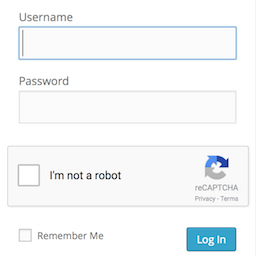
• 限制登入嘗試及隱藏錯誤詳情
• 應用程式防火牆防範 SQL 注入及 XSS
• 掃描上傳資料夾中的可執行檔案
• 實時流量分析及連接記錄
• 伺服器層級阻擋規則設定
外掛標籤
開發者團隊
② 後台搜尋「Walkercorp Sentinelle – Security, Firewall, Anti-Bot & Malware Scan」→ 直接安裝(推薦)
原文外掛簡介
Walkercorp Sentinelle protects your WordPress site and explains every protection in plain language. The plugin works on its own, with no account and no external service, and only offers protections that are actually active.
Main features:
Camouflage: hides the WordPress version, adds security headers, blocks user enumeration, disables the file editor, and blocks access to readme.html and license.txt.
Login and access: limits login attempts, blocks common usernames, hides login error details, sends an alert on new logins, and enables automatic logout.
Firewall: application firewall (SQL injection, XSS, directory traversal), rate limiting per address and per subnet, blocking of vulnerability scanners, blocking of aggressive crawlers (Baidu, Bytespider, SEO and AI bots), anti-crawl protection for WooCommerce filter URLs, blocking of sensitive file probing, automatic banning of scanners, IP allow and deny lists, XML-RPC protection and REST API restriction.
Server-level blocking: on Apache or LiteSpeed, optionally writes rules into the .htaccess file to block before PHP runs; ready-to-copy rules are provided for Nginx and Cloudflare.
File scan: scans the uploads folder for hidden executable files and suspicious code.
Traffic analysis: a real-time chart and a live connection feed (IP address, type, requested page).
Threat log and a security summary widget on the dashboard.
External services
This plugin does not contact any external service. All protections run locally on your site.
Privacy
For the security log and traffic analysis, the plugin stores IP addresses of visitors and blocked requests, along with the requested page, locally in your own database. This data stays on your site, is never sent to any third party, and is purged automatically. You can remove everything by enabling the data-erase option before deleting the plugin.