內容簡介
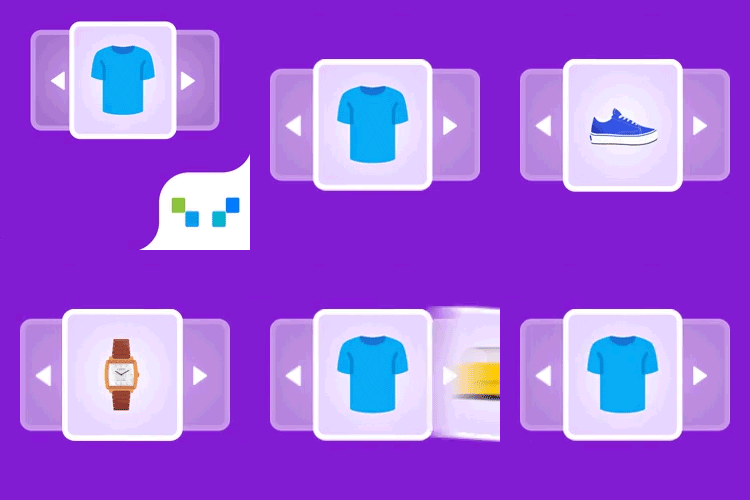
Tukify 是一款專為 WooCommerce 設計的 AI 聊天機器人與購物助手,提供全天候的自然對話式購物體驗。它能根據顧客的問題或上傳的照片,快速找到合適的產品,並提供真實的庫存資訊和建議,提升購物轉換率。
【主要功能】
• 自然對話式搜尋,理解意圖而非僅依關鍵字
• 產品推薦,根據購物車內容提供搭配建議
• 圖片搜尋,根據上傳照片尋找相似產品
• 聊天內產品詳情彈出,無需離開對話框
• 直接在聊天中加入購物車,簡化購物流程
• 訂單狀態查詢,安全且方便的查詢方式
外掛標籤
開發者團隊
② 後台搜尋「Tukify — AI Shopping Assistant for WooCommerce」→ 直接安裝(推薦)
原文外掛簡介
Tukify is an AI chatbot and shopping assistant for WooCommerce that works like a knowledgeable sales assistant who never sleeps. A shopper types a question in plain language – or uploads a photo – and Tukify finds the right products, answers honestly from your store’s real data, recommends complementary items, and guides them to checkout, all inside the chat without leaving the page.
It is a real AI shopping assistant, not a scripted FAQ bot. It understands intent with conversational search, replies with product cards (image, price, stock, add to cart), and only ever recommends real, in-stock products from your own catalog – so it never invents items or prices. It also steps in on its own: when a shopper stalls on the cart or checkout page, Tukify offers help with the things that usually hold a sale up.
Tukify is bring-your-own-key: connect your own AI provider – Google Gemini, OpenAI (ChatGPT), Anthropic (Claude), xAI (Grok), or Groq (fast inference) – and Tukify never pays for inference. Every AI request runs server-side in PHP, so your API keys are never exposed to the browser, and your product embeddings stay in your own site database, keeping your catalog data on your server.
What Tukify does for shoppers
AI chatbot for WooCommerce – a natural, conversational way to shop, available around the clock.
Conversational search – matches by meaning, not just keywords (“warm clothes for winter” surfaces jackets and sweaters).
Product recommendations – cart-aware upsell suggests genuinely complementary items based on what is already in the cart.
Visual / image search – a shopper uploads a photo and Tukify finds similar products in your catalog, great for “find me something like this”. A photo of a room or an outfit is broken into its individual items and each one is searched separately.
In-chat product detail popup – tap a product to see full details, an image gallery, variations (size, colour) and add to cart, all without leaving the chat.
Add to cart in chat – a quantity stepper and add-to-cart on every product card and in the detail popup, plus an optional guided in-chat checkout.
Order status – a secure order-status lookup, verified by order number and billing email, right in the conversation.
Clarifying questions – asks one short follow-up (with tappable quick replies) when a request is too vague, instead of dumping mediocre results.
Natural-language filters – understands price, colour, size, brand, stock, category and sorting (“cheapest wireless headphones under $200”) and applies them as real WooCommerce queries.
Comparison mode – a side-by-side comparison of 2-3 products with a one-line trade-off summary.
Policy and FAQ answers – answers shipping, returns and warranty questions from your own pages and a custom Q&A knowledge base.
Abandonment help – if a shopper stalls on the cart or checkout page, or looks about to leave, Tukify offers a hand with the things that usually hold people up: shipping cost, sizing, and payment. Dismissible, and never more than once per visit.
What Tukify gives store owners
Bring your own API key – use Google Gemini, OpenAI / ChatGPT, Anthropic Claude, xAI Grok, or Groq. You pay your provider directly; Tukify never bills for inference.
Choice of models – pick a chat provider and an embedding provider independently, and choose the model for each.
Background indexing – embeds your catalog in the background via Action Scheduler, and only re-embeds products that changed.
Presentation surfaces – a global floating chat widget plus three Elementor widgets (Chat, Search, Recommendations), each rendered in a Shadow DOM so your theme’s CSS cannot break them.
Conversion analytics – cart recovery rate, resolution rate, chat-assisted average order value against your store-wide average, and attributed revenue, over any date range. Plus top queries, zero-result queries, and unmet-demand insights.
Knows a problem from a purchase – when a shopper sends a photo of a damaged or wrong item, Tukify stops selling and offers the order lookup and your returns policy instead.
Privacy-first – all AI calls are server-side, keys are masked in the admin, and your catalog data stays in your own database. Analytics are aggregate counts only.
Coming soon: a WhatsApp channel, so the same AI shopping assistant can answer shoppers on WhatsApp through Meta’s WhatsApp Business Cloud API. It is previewed in Settings but is not active in this release – nothing is sent or received yet.
Groq (fast inference)
Tukify now supports Groq as a chat provider – the fast-inference platform at groq.com (this is not xAI’s Grok). Groq returns replies very quickly and has a generous free tier, which makes the chat feel close to instant. Groq is chat only, so embeddings keep using Gemini or OpenAI, and image search falls back to a vision-capable provider.
Which provider does what
Google Gemini – chat, embeddings and image (vision) search. Recommended default; has a free tier.
OpenAI (ChatGPT) – chat, embeddings and image (vision) search.
Anthropic (Claude) – chat and image (vision) search. No embeddings – use Gemini or OpenAI as the embedding provider.
xAI (Grok) – chat and image (vision) search. No embeddings – use Gemini or OpenAI as the embedding provider.
Groq (fast inference) – chat only, very fast, with a free tier. No embeddings or vision – use Gemini or OpenAI as the embedding provider, and image search falls back to a vision-capable provider.
You choose a chat provider and an embedding provider independently in Settings. Retrieval (RAG) always uses the embedding provider. If you change the embedding provider or model, Tukify prompts you to reindex, because embeddings from different models are not compatible and are never mixed in the same index.
Requirements
WooCommerce (active).
An API key for at least one supported AI provider: Google Gemini, OpenAI, Anthropic (Claude), xAI (Grok), or Groq (fast inference). Gemini and Groq offer free tiers that are enough for development and small stores.
If you pick Claude, Grok, or Groq for chat, you also need a Gemini or OpenAI key for embeddings (those providers have no embeddings endpoint).
PHP 7.4+.
Elementor is optional (only needed for the Elementor widgets).
External services
Tukify connects to the AI provider(s) you configure to power conversational search, answers, natural-language understanding, and image-based (visual) search. A provider is only contacted when you have entered its API key and selected it, and only for the feature that needs it. All requests are made from your server (PHP); your API keys are never exposed to the browser, and Tukify does not send data to any other third party.
What data is sent, and when:
Catalog indexing – when you index or re-index your products, the text of each product (title, short description, categories and key attributes) is sent to your embedding provider to generate numeric embeddings. This runs in the background and only for products that have changed.
Knowledge base indexing – if you enable the policy/FAQ knowledge base, the content of the pages you select and any custom Q&A you enter is sent to your embedding provider.
Search and chat – when a shopper searches or chats, their message, a short recent conversation history, and the retrieved product context are sent to your embedding provider (to embed the query) and your chat provider (to generate a grounded reply).
Visual search – if a shopper uploads an image, that image is sent to a vision-capable provider to identify the product type before matching your catalog.
Provider terms and privacy policies (review the ones you use):
Google Gemini – https://ai.google.dev/terms and https://policies.google.com/privacy
OpenAI – https://openai.com/policies/terms-of-use and https://openai.com/policies/privacy-policy
Anthropic (Claude) – https://www.anthropic.com/legal/consumer-terms and https://www.anthropic.com/legal/privacy
xAI (Grok) – https://x.ai/legal/terms-of-service and https://x.ai/legal/privacy-policy
Groq (fast inference) – https://groq.com/terms-of-use/ and https://groq.com/privacy-policy/
Note: some providers may use free-tier inputs to improve their models. If you handle real customer data, use a paid plan/key (typically excluded from training) and review that provider’s terms.