內容簡介
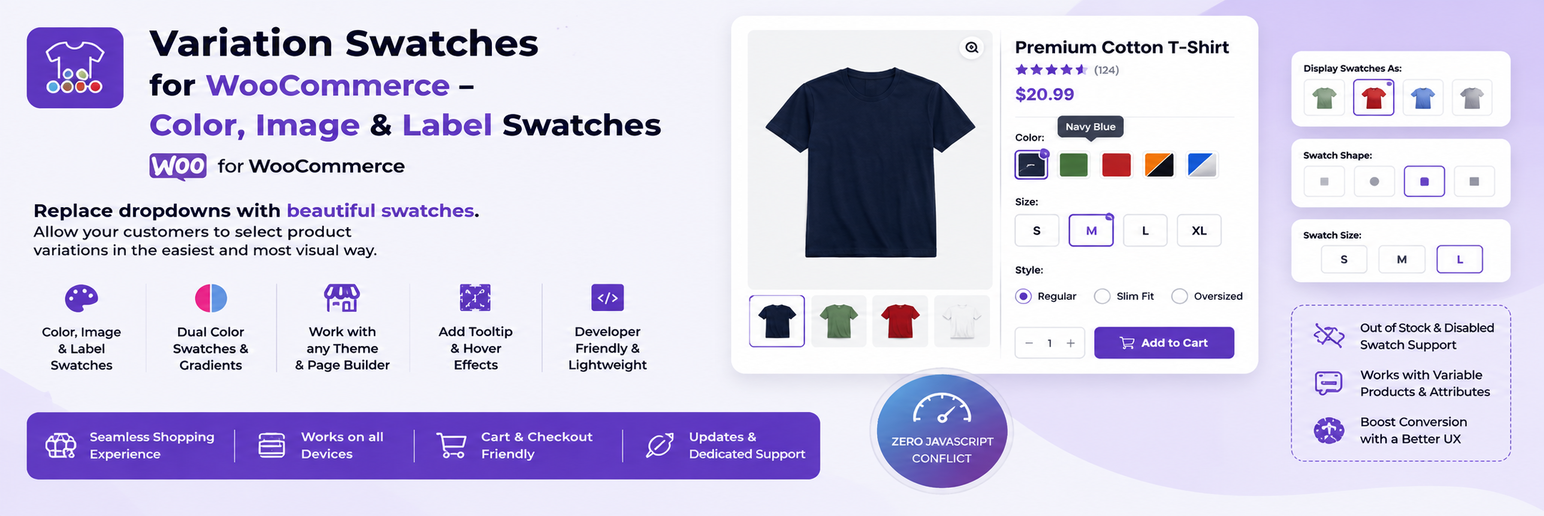
Variation Swatches for WooCommerce 外掛將預設的下拉式變數選擇器替換為視覺化的色塊、圖片和標籤,提升產品瀏覽體驗,使變數選擇更快速、清晰且友善。
【主要功能】
• 雙色/分色色塊選擇器
• 類別與商店頁面色塊顯示
• 自訂圖片色塊上傳
• 標籤/按鈕色塊選擇
• 自動變數圖片切換
• 完全相容於 WooCommerce 主題
外掛標籤
開發者團隊
② 後台搜尋「Variation Swatches for WooCommerce – Color, Image & Label Swatches」→ 直接安裝(推薦)
原文外掛簡介
Variation Swatches for WooCommerce replaces the default dropdown-based variation selectors with visually rich swatches — colors, images, labels, and radio buttons. It improves product browsing experience by making variation selection faster, clearer, and more user-friendly.
📖 View Documentation | 🌐 WebTend
🎨 FREE Features
✅ Dual / Split Color Swatches — two-tone color swatches, free (competitors charge Pro for this)
✅ Archive & Shop Page Swatches — show swatches on category/shop pages, free (usually a Pro feature)
✅ Color Swatches — solid hex color swatches for any attribute
✅ Image Swatches — upload per-term images for visual variation selection
✅ Label / Button Swatches — S, M, L, XL text buttons for size and more
✅ Radio Button Swatches — classic radio-style selectors
✅ Archive “+N More” Indicator — shows overflow count cleanly on shop pages
✅ WooCommerce Product Blocks — archive swatches inside woocommerce/product-collection & all-products blocks
✅ Out-of-Stock Notify Me — inline popup with “Notify me when available” link on OOS swatch click
✅ Selected Swatch Animation — smooth scale-pop & ripple ring on selection (CSS-only, reduced-motion safe)
✅ Attribute Label Display — shows “Color: Red” inline with swatches
⚡ Advanced Variation Features
Automatic variation image switching on swatch click (no page reload)
Out-of-stock display control: blur, blur + cross, or hide completely
Per-product swatch type override (global attribute type overridable per product)
Auto-convert all dropdowns to label swatches with one toggle
Show / hide selected attribute name alongside swatches
🎨 Design & Customization
Square, rounded, and circle swatch shapes (global setting)
Custom swatch size for product pages and archive pages separately
Tooltip support with customizable background and text colors
Selected state indicator with custom checkmark color
Custom CSS field for advanced styling
🏪 Shop & Archive Enhancements
Show variation swatches directly on shop and category pages. Customers can preview product color/size options without opening product pages — proven to increase click-through rates.
♿ Accessibility
ARIA roles (role="radio", aria-checked) for screen readers
Full keyboard navigation: Arrow keys, Enter, Space, Escape
Screen-reader-friendly markup structure
⚙️ Performance & Compatibility
Lightweight — settings cached in memory, no repeated DB queries on archive pages
No unnecessary AJAX requests on the frontend
Fully compatible with WooCommerce HPOS (High-Performance Order Storage)
Compatible with WooCommerce Cart and Checkout Blocks
Works with Astra, Flatsome, OceanWP, Storefront, GeneratePress, Divi, and most WooCommerce themes
🏆 Perfect For
Fashion and clothing stores (color + size swatches)
Furniture and home décor shops (image swatches)
Cosmetics and beauty products (dual-color swatches)
Any WooCommerce store with variable products
How It Works
Install and activate the plugin
Go to Products → Attributes
Edit an attribute term (e.g. “Red” under Color)
Choose swatch type: color, image, label, or radio
Assign values and save — swatches appear automatically
Variation Image Switching
When a customer selects a swatch, the product gallery image updates instantly — no page reload. Smooth, fast, conversion-friendly.
Frequently Asked Questions