內容簡介
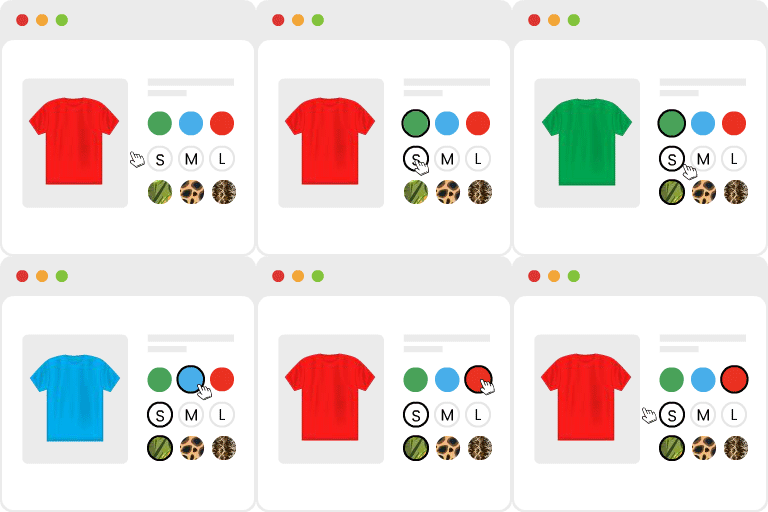
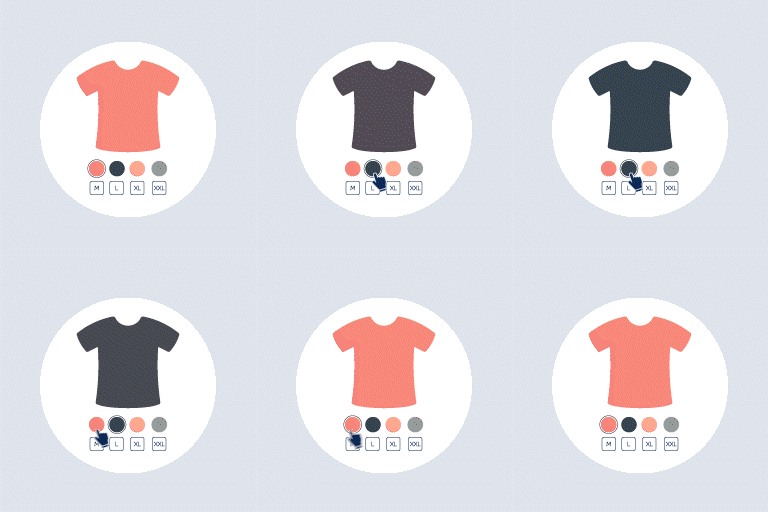
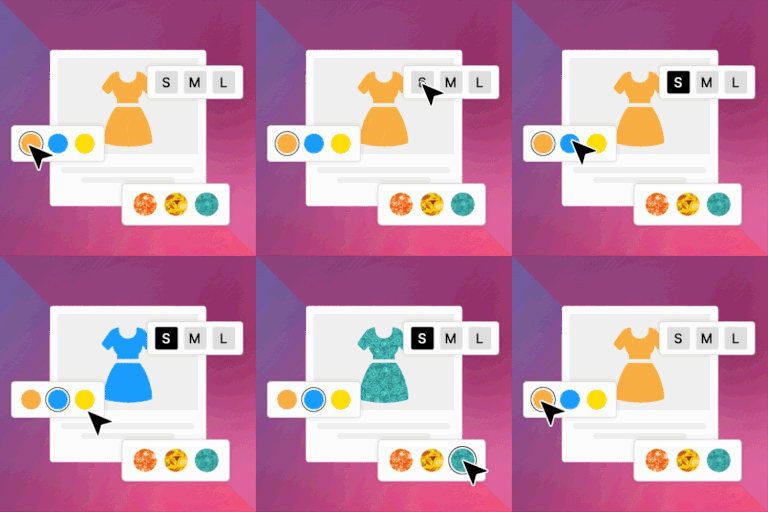
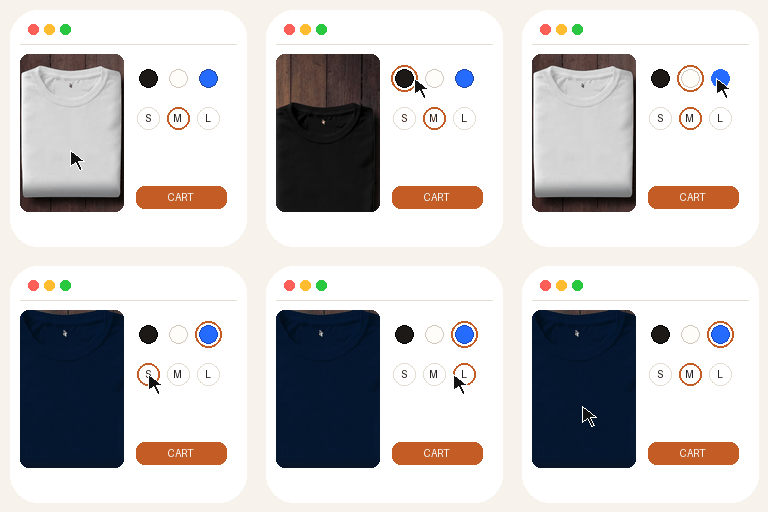
Smart Variation Swatches for WooCommerce 外掛能將 WooCommerce 的屬性下拉選單替換為清晰可點擊的色彩和圖片樣本,提升使用者體驗,減少購物車放棄率。
【主要功能】
• 支援顏色和圖片屬性樣本
• 提供按鈕/標籤選項
• 可自訂樣本形狀、大小和顏色
• 顯示工具提示和缺貨樣式
• 全球屬性設定一次配置,隨處重用
外掛標籤
開發者團隊
② 後台搜尋「Smart Variation Swatches for WooCommerce – Color & Image Attribute Swatches」→ 直接安裝(推薦)
原文外掛簡介
Variation swatches for WooCommerce replace plain attribute dropdowns with clear, clickable WooCommerce swatches. Shoppers can pick colors and images at a glance instead of reading long select lists—better UX and fewer abandoned carts.
This free WooCommerce swatches plugin focuses on the attributes stores use most: WooCommerce color attribute swatches and image attribute swatches, plus text button/label options for sizes and materials.
Why use variation swatches for WooCommerce?
Standard variable products force customers to open a dropdown for every option. With variation swatches for WooCommerce, each option becomes a visual chip:
Color – Hex-based circles or squares for a true WooCommerce color attribute
Image – Thumbnails for patterns, fabrics, or styles (image attribute)
Button / Label – Short text chips for size, material, or pack type
Select – Native dropdown when a list is still the best fit
Whether you sell apparel, cosmetics, furniture, or electronics, WooCommerce swatches make variable products easier to understand and faster to buy.
WooCommerce color attribute
Set any global attribute type to Color under Products → Attributes. Then assign a color to each term (e.g. Red, Navy, Olive). On the product page, the WooCommerce color attribute appears as color swatches instead of a dropdown. Global settings apply store-wide so you configure once and reuse everywhere.
Image attribute
For prints, finishes, or product photos, use the image attribute type. Upload a small image per term; customers see visual WooCommerce swatches that match the real product. Ideal for wallpapers, fabrics, phone cases, and similar catalogs.
Free features at a glance
Variation swatches for WooCommerce – Color, Image, Button/Label, Select
Global attribute types for WooCommerce color attribute and image attribute
Modern admin: Dashboard, guided Settings, Help
Style controls: shape, size, gap, borders, button colors
Tooltips, out-of-stock display styles, hide original dropdown
Shop / archive swatches (basic)
Custom Swatches product tab with global-first logic
Filter widget (classic and block widget editor)
Compatible with latest WordPress and WooCommerce, including HPOS and Cart/Checkout Blocks
How to get started
Install and activate Smart Variation Swatches for WooCommerce.
Open Variation Swatches → Dashboard for a quick overview.
Go to Products → Attributes and set Type to Color, Image, or Button/Label.
Edit terms and set colors or upload images for your WooCommerce color attribute / image attribute.
Add the attribute to variable products and create variations.
Optionally fine-tune Style and Tooltip under Variation Swatches → Settings.
Documentation: Smart Variation Swatches docs
Who is this for?
Store owners who want variation swatches for WooCommerce without complexity: fashion and apparel (color + size), home and décor (image attribute for patterns), beauty (shade WooCommerce color attribute), and any shop with variable products that benefit from visual WooCommerce swatches.
Pro highlights
Radio & Checkbox attribute types – Form-style choices when chips are not ideal.
Advanced archive options – Fuller control of where and how WooCommerce swatches appear on shop and category pages.
Enhanced filter widget – Filter the catalog by color, image, and other attributes with richer swatch UI in sidebars and widget areas.
Priority support – Faster help when you need it.
Single attribute swatches and multi-attribute setups with Pro-level overrides and flexibility.
Upgrade: Smart Variation Swatches for WooCommerce Pro
Video Documentation:
How to create Variation Swatches For Custom Attribute :
Theme Compatibility
Smart Variation Swatches for WooCommerce works with most WooCommerce-ready themes, including Hello Elementor, OceanWP, Hestia, Joyas Shop, Storefront, XStore, eMart, Shoper, Kadence, Avada, The9 Store, Prime Shopping Cart and Divi. Because some themes use custom variation templates, light CSS or template tweaks may be needed for a perfect match. In typical setups, color, image, and label swatches display correctly without extra work.