外掛標籤
開發者團隊
② 後台搜尋「Digitallo Variant Cards for WooCommerce」→ 直接安裝(推薦)
原文外掛簡介
If your store sells products with many color, pattern, or fabric variations — hijabs, sarees, cosmetics, fabric rolls, jewelry — WooCommerce’s default variation dropdown is a poor way to shop. Customers can’t see what they’re choosing until they click through each option one at a time.
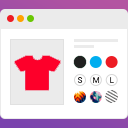
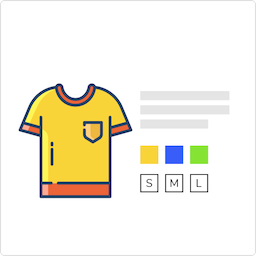
Digitallo Variant Cards for WooCommerce replaces that dropdown with a responsive grid of photo cards. Each variation gets its own image, price, and an independent Add to Cart button — customers see every option at a glance and add exactly the one they want in a single click, with no page reload.
Why use a grid instead of a dropdown?
Customers see all variations visually before choosing, instead of guessing from a text label
Each variation adds to cart independently and instantly (AJAX, no page reload)
Works well for stores with 10, 30, or 50+ variations of a single product
No page speed hit from unnecessary swatch plugins — this is a lightweight, single-purpose tool
Features
Displays each variation as a card: image, name, price, and its own Add to Cart button
AJAX add-to-cart per card, with loading and “Added!” confirmation states
Automatically lists all variation names as pills above the grid (e.g. “Colors: Red, Blue, Green…”)
Per-product toggle from the Variations tab — turn the grid on only where it makes sense
Optional global rule to auto-enable the grid for any variable product with N+ variations
Configurable grid columns for desktop, tablet, and mobile
Option to hide the theme’s default dropdown/quantity/Add to Cart form when the grid is active
Out-of-stock variations can be greyed out or hidden entirely
[dvcw_variant_grid id="123"] shortcode — place the grid anywhere: a custom tab, the product description, or via a page builder
Template override support — copy templates/variation-grid.php into yourtheme/dvcw/ to fully customize the markup
Works alongside any WooCommerce-compatible theme; no theme editing required
Translation-ready
Compatible with WooCommerce High-Performance Order Storage (HPOS) and Cart/Checkout blocks
Who is this for?
Any WooCommerce store where a single product comes in many visual variations — fashion (hijabs, sarees, scarves), cosmetics (shades), fabrics, jewelry, stationery, and similar catalogs where photos sell better than text labels.