內容簡介
RWC Notify Hub 是一款整合三種行銷工具的外掛,提供促銷彈窗、公告欄和即時銷售證明,幫助用戶輕鬆捕捉潛在客戶並展示最近的銷售紀錄,無需撰寫程式碼或影響網站速度。
【主要功能】
• 促銷彈窗:提供多種預製模板,輕鬆插入
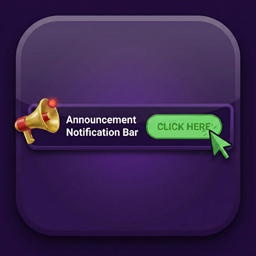
• 公告欄:在頁面上方或下方顯示銷售訊息
• 銷售證明:顯示最近購買的產品通知
• 分析儀表板:追蹤活動效果與點擊率
• 顯示規則:針對特定頁面或文章顯示活動
• 自訂設置:調整顏色、按鈕及顯示時間
外掛標籤
開發者團隊
② 後台搜尋「RWC Notify Hub – Popup, Announcement Bar, Proof Notification」→ 直接安裝(推薦)
原文外掛簡介
RWC Notify Hub gives you three marketing tools in a single plugin. You get a promo popup, an announcement bar, and live sales proof. We built this so you can capture leads and show recent sales without writing code or slowing down your pages.
The frontend runs on pure vanilla JavaScript. It loads fast and stays out of the way of your theme and server resources. You control everything from a straightforward dashboard.
Analytics Dashboard
You need to know if your campaigns actually work. We built a lightweight analytics dashboard directly into the campaign list. It shows your total impressions, total clicks, and average click-through rate (CTR).
The tracking is fast and relies on a unified database architecture, meaning your data stays safe and won’t slow down your WordPress admin area.
Promo Popup
Popup Templates
Pick from 6 pre-made popup templates and insert them with one click. Includes a dotted-grid conversion layout, e-commerce urgency designs with progress bars, a dashed coupon ticket box, a masterclass invite with a floating avatar, and a neon dark SaaS theme. Colors and backgrounds apply automatically.
Features
Exit-Intent: Trigger the popup exactly when a visitor moves their mouse to leave your site.
Scroll Depth: Show the popup after someone scrolls down a specific percentage of your page.
Delay the popup appearance by seconds.
Choose between an image-only banner or a rich text layout.
Adjust image padding, background colors, text colors, and maximum width.
Add a primary call-to-action button with hover color controls.
Select Fade In or Zoom In animations.
Set a cookie expiration in days to stop bothering returning visitors.
Clear the Rich Text editor content and reset any active template styling instantly with a single button.
Announcement Bar
Place a sticky bar at the top or bottom of your screen so it stays visible while visitors scroll.
Write sales messages using the standard WordPress rich text editor.
Control the bar height and match the background and text colors to your brand.
Add a custom CTA button and choose whether it opens in a new tab.
Sales Proof Notifications
Connect directly to WooCommerce or Easy Digital Downloads to show recent purchases.
Filter which notifications display based on order status.
Insert one-click placeholders for first name, city, state, country, product name, and time ago.
Toggle the product image on or off.
Pin the notification to the bottom left or bottom right of the screen.
Customize the border radius.
Control the initial delay, display duration, and time between popups.
Loop notifications and hide them on mobile devices.
Give visitors an icon to close the notification.
Display Rules & Settings
Target specific pages or posts to show your campaigns exactly where you want them.
Restrict campaign editing access to specific user roles.
Purge cache automatically for WP Rocket, LiteSpeed, W3 Total Cache, and WP Super Cache when saving.
Wipe all plugin data from your database upon uninstallation.