內容簡介
**總結:**
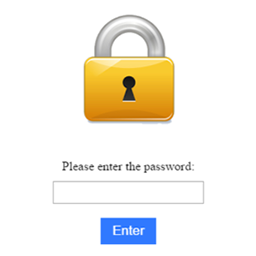
這個 Password Protected Site and Store 外掛是一個完美的解決方案,可以讓您設定獨特的密碼保護網站、頁面和 WooCommerce 產品,創造安全、私密的瀏覽體驗。
**問題與答案:**
- 如何使用這個外掛來保護網站內容?
- 啟用外掛後,訪客將被要求輸入密碼才能訪問受保護的內容。
- 這個外掛有哪些功能?
- 允許設定獨特的密碼來保護網站、頁面和產品,並可進行角色設定來控制訪問權限。
- 可自訂表單標題和描述,控制標題和內容的樣式(顏色、大小、對齊方式)。
- 可在密碼表單上添加和自訂網站標誌,設定自訂提交按鈕樣式(文字、懸停、顏色、邊框等)。
- 可自訂輸入框樣式(大小、字體、佔位符、邊框等),以及自訂頁面或表單的背景(圖片、顏色、透明度)。
- 有沒有可以停用管理員密碼的選項?
- 是的,這個外掛提供選項來停用管理員的密碼需求。
外掛標籤
開發者團隊
② 後台搜尋「Password Protected Site and Store」→ 直接安裝(推薦)
原文外掛簡介
Want to make your WordPress site password protected? Need to create a protected WooCommerce store for select users or clients only? Our Password Protected Site and Store plugin is the ultimate all-in-one solution to restrict access and fully customize the experience – without touching any code.
Whether you’re building a staging site, client preview, private membership area, or exclusive product showcase – this plugin gives you complete control over who can access your WordPress site or WooCommerce store.
✅ Key Features
🔹 Password protect entire site, specific pages, or WooCommerce products
🔹 Set unique passwords for different sections – even individual products
🔹 Enable or disable password for logged-in administrators
🔹 Restrict access based on user roles (Admin, Editor, Subscriber, etc.)
🔹 Customize the password form – title, description, colors, fonts, and layout
🔹 Add your own logo or brand identity to the login form
🔹 Style the submit button with custom colors, borders, hover effects, and more
🔹 Fully customizable input field styles – from placeholder text to font and border
🔹 Set background images or colors for the protected screen
🔹 No coding required – beginner friendly, yet powerful for developers
🔒 Why Use This Plugin?
There are many reasons to protect your WordPress site or WooCommerce store:
Building a client site and need to restrict access?
Selling wholesale or invite-only products?
Running a private blog or online community?
Showcasing content to selected users only?
This plugin is the best way to create a secure, password protected environment on WordPress – with full control over access and design.
🎨 Designed for Customization
Unlike basic plugins, you’re not stuck with default styles. You can make the password page match your brand with:
Custom logo upload
Background color or image with opacity control
Font settings, field styling, and text alignment
Button customization – color, border, hover, font
Perfect for agencies, developers, and site owners who care about visual identity.
🔐 Protect Your WooCommerce Store
Selling to a specific audience? Our plugin lets you password protect WooCommerce products or the entire shop:
Preview stores for clients before launch
Sell to wholesalers or invite-only customers
Hide sensitive or exclusive product listings
Keep your WooCommerce store protected while keeping the design professional.
🔍 SEO Optimized and Fast
This plugin won’t slow down your site. It’s lightweight, SEO-friendly, and works with any theme. Whether you’re running a blog, store, portfolio, or membership site – this plugin ensures your content stays secure and looks great doing it.
💡 Use Cases
Protected WordPress site for staging or internal use
Password protected WooCommerce catalog for private buyers
Exclusive blogs or media libraries
Internal company portals
🛠 Compatible With
✅ All major WordPress themes
✅ WooCommerce
✅ Page builders like Elementor, Gutenberg, WPBakery
✅ Multisite compatible
✅ WPML ready