內容簡介
Password Protected 外掛能有效保護您的 WordPress 網站,讓您可以為頁面、文章、WooCommerce 產品等設定密碼保護,確保內容安全,並防範未經授權的訪問。
【主要功能】
• 密碼保護整個 WordPress 網站
• 為特定頁面和文章設定密碼
• 保護 WooCommerce 產品和類別
• 鎖定內容特定區域
• 允許信任的使用者角色繞過密碼
• 監控登入嘗試和訪問活動
外掛標籤
開發者團隊
② 後台搜尋「Password Protected – Protect Your Site Content With a Password」→ 直接安裝(推薦)
📦 歷史版本下載
原文外掛簡介
👑 Get Pro | Live Demo | Documentation | Support
Do you want to secure your WordPress site, to password protect pages, posts, WooCommerce categories, etc.❓ If so, then you need to install ✨the Password Protected plugin✨.
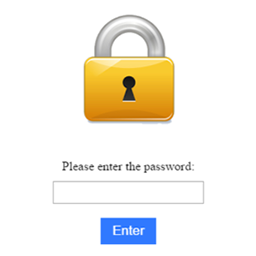
Password Protected is a robust password protection plugin for WordPress that empowers you to password protect entire posts, pages, WordPress categories, WooCommerce products, the WordPress login (wp-admin) page, and even partial content with ease.
Additionally, you can secure the password protected screen from WordPress attacks such as a WordPress brute force attack with the limit login feature.
Therefore, the Password Protected WordPress plugin ensures comprehensive security, covering everything from WordPress pages to WooCommerce products, all with a user-friendly interface.
Password Protect Any WordPress Content, Your Way
With Password Protected, you can secure everything from entire websites to individual content sections while controlling exactly who gets access and how.
In Free Version you can:
Password protect entire WordPress site
Grant access based on IP addresses
Block bots with Google reCAPTCHA
In Pro Version you can:
Password protect specific pages and posts
Lock specific sections of content with partial content protection
Create and manage multiple passwords for different users
Generate bypass links for password-free access
Protect WooCommerce products and categories
Protect custom post types and taxonomies
Allow trusted user roles to bypass password screens
Sell protected content using Gravity Forms
Sell password protected WordPress content as a WooCommerce product
Automatically email access links after form submissions
Redirect users to custom pages after successful access
Block bots with hCaptcha, and Cloudflare Turnstile
Monitor login attempts and access activity
Set password expiration dates and usage limits
Customize your password protected screen to match your brand
Add an extra layer of security to your WordPress login page
What Makes the Password Protected Plugin Stand Out! 😎
Wouldn’t you like to have WordPress password protection that gives you peace of mind and immense security for your WordPress site❓
Here are some of the features of the password protect WordPress plugin that gives so much control over your WordPress content protection while protecting your site from unauthorized access.
⚡ Password Protect Entire WordPress Site With These Features:
Free Version Includes:
✅ Complete Site Protection
Want to protect your entire WordPress site? Password Protected plugin makes it easy!
With a single master password, password protect entire WordPress site to prevent unauthorized access. Also, set how long you want to use the password, define protected permission, and much more.
✅ Passwordless Admin Access
As an admin, you probably don’t want the hassle of entering additional passwords to access your site. Right?
Don’t worry. With the Password Protected plugin, you can simplify the login process for administrators with Passwordless Admin Access. This time-saving functionality enhances efficiency and security by eliminating the need for administrators to manage passwords or risk exposure to unauthorized access attempts.
✅ Google reCAPTCHA
Add an extra layer of protection to your password screen with Google reCAPTCHA (v2 & v3). It blocks automated bots and spam by requiring human verification through simple challenges like image selection or puzzle solving.
✅ IP Address Whitelisting
You can specify which IP addresses can access password protected content with IP Address Whitelisting.
This feature adds an extra layer of security by preventing unauthorized access from IP addresses not included on the whitelist so that only approved users can access protected content.
✅Password Attempt Activity Report (Weekly)
Gain valuable insights into user interactions with your protected content (e.g., password protect pages, posts, etc.) through our exclusive Password Attempt Activity Report. This report will provide a comprehensive overview of login attempts, including successful and failed tries, browsers utilized, and recent activity logs. Whether using the Free or Pro version, this report enables you to track login attempts and user activity efficiently.
Pro Version Unlocks (everything in Free, plus):
✅ Specific Post/Page Protection [Pro]
Do you have premium content or sensitive information that you want to restrict access to? With the Password Protected plugin, you can easily password protect pages or posts so that only authorized users can view them. This feature allows you to offer exclusive content to subscribers or conduct private testing before publication.
Check out our guide on how to password protect WordPress page the right way.
✅Specific Page/Posts Exclusions
Maintain flexibility in your WordPress site’s accessibility by excluding specific pages, posts, and post types from password protection. Whether it’s your homepage, contact page, or landing page, you can ensure that certain content remains accessible to all visitors while securing entire website content with a password.
✅User Role Whitelisting
If you are looking for simplified access control based on user roles. The User Role Whitelisting is the solution you need. By whitelisting certain user roles for your WordPress site, such as administrators, editors, or subscribers, you can ensure that authorized users can view protected content without entering a password.
✅Partial Content Protection
Easily protect specific sections of your WordPress pages or posts with shortcodes. Show free previews while locking premium text, media, or downloads behind a password. Fully compatible with Elementor, Gutenberg, and Beaver Builder, letting you restrict content blocks, widgets, or sections without breaking your design. Perfect for membership sites, gated resources, and premium WordPress content protection.
✅WP-Admin Protection
Password protect wp-login (WordPress admin login page) against unauthorized access. This feature adds an extra layer of security by requiring a password to access the WP-admin dashboard, giving you greater protection against unauthorized login attempts and a WordPress brute force attack.
When you password protect WordPress login page (WP-admin area), it prevents unauthorized users from accessing sensitive site settings, user data, and administrative functions. This is particularly important for sites with multiple administrators or contributors, as it helps prevent unauthorized changes to site settings or content.
✅hCaptcha
Secure your password form with hCaptcha, a privacy-focused alternative to Google reCAPTCHA. It verifies human users while keeping data collection minimal, helping you block bots effectively without sacrificing user privacy.
✅Cloudflare Turnstile
Protect your password entry with Cloudflare Turnstile, a lightweight, user-friendly CAPTCHA solution. Unlike traditional captchas, Turnstile verifies visitors in the background, offering strong bot protection without interrupting the user experience.
✅Custom Post Type Protection
Extend your site’s security beyond standard posts and pages. The Password Protected plugin allows you to protect any custom post type, such as portfolios or testimonials, or you can even password protect WooCommerce products. The feature is extremely useful for businesses or creatives looking to share proprietary content or restrict content access to certain areas of their site.
✅Category/Taxonomy Protection
Password protect categories to take control of your site’s organization and access. Using single or multiple passwords, you can lock specific WordPress categories or taxonomies, along with related post tags.
This functionality is ideal for websites with diverse content categories or membership tiers. By restricting access to certain categories, you can create exclusive areas for different user groups or offer premium/restricted content to subscribers.
✅Limit Login Attempts
Set up a limit for login attempts to protect your WordPress password protected screen against the most common WordPress attacks, such as brute force attacks. The Password Protected limit login attempts feature is a proactive measure that mitigates the risk of unauthorized access and strengthens overall site security.
✅Password Expiration and Usage Limit
If you want to password protect WordPress pages/posts for a certain period, set expiration dates and impose usage limits to restrict the number of times a user can use the password. This will make your site more secure and make it easier to manage user access.
✅Custom Error Messages (Expired/Limit)
Replace generic error messages with custom text when a password expires or reaches its usage limit. Display clear, branded messages to explain why access is unavailable and help visitors understand what to do next.
✅Bypass Links for Quick Access
For passwordless access, easily create unique bypass links for each password protected post, page, WooCommerce product, or category, along with a master bypass URL for the entire site.
✅Detailed Activity Logs
Stay informed and vigilant with detailed activity logs for every password attempt. This feature provides comprehensive insights into site activity, including IP addresses, dates, times, and login statuses, so you can easily monitor and review user interactions.
✅Export Activity Logs to CSV
Export password-protection activity logs to a CSV file for reporting, audits, or further analysis. Filter the activity records you need and download them for easier review and record-keeping.
✅Real-Time Lock Screen Customization
Customize your password-protected screen and see every change instantly with live preview. Match your lock screen to your brand with personalized colors, styles, and design settings—all in real time.
With options to customize the background, logo, and other elements of the lock screen, you can create a cohesive and visually appealing experience for users seeking access to your protected/restricted content.
✅Custom Text Outside the Form
Add custom text above or below your password form to provide instructions, display disclaimers, or share branding messages. This feature helps you give visitors the information they need before they enter a password while keeping the password-protected screen consistent with your website.
✅Multiple Password Management
Experience unmatched flexibility and control over access permissions with Multiple Password Management. You can create unlimited passwords for any lock screen. It is also easy to activate or deactivate multiple passwords for various purposes, from testing to membership management.
✅Custom URL Redirection
Direct users to the custom destination after they unlock your password-protected site. Assign a unique internal URL to each password when using multiple passwords for entire site protection.
This feature helps you send different user groups to dedicated landing pages, member dashboards, onboarding screens, special offers, private resources, or other relevant content based on the password they use.
✅Import & Export Passwords
For quick easy password management, import or export passwords in bulk using a CSV file, complete with usage limits, expiry, status, and more.
✅Request Password
Easily request access to protected content. Simply submit your email, the request is sent to the admin for review. The admin can then approve or reject the request directly from the WordPress dashboard. Upon approval, the user will receive the password to access the protected content.
✅Gravity Forms Integration
Sell password-protected content via Gravity Forms and automatically grant access upon successful form submission. Collect payments, registrations, lead information, contact details, or any other data before allowing users to access your protected pages, posts, categories, or entire site.
When a user submits the form, Password Protected instantly sends a secure bypass link by email. Users can access the protected content with a single click, eliminating the need to manually share passwords.
✅WooCommerce Integration
Sell password protected WordPress content (any page or post) through the WooCommerce simple or variable virtual product. Link your products to protected content and automatically email customers access details after purchase.
Manage customer access with password usage limits, expiration settings, and customizable purchase confirmation messages.
✅Multisite Network Protection
Protect all your WordPress sites in a multisite network from one central location. With Advanced Multisite Network Protection, you can manage password protection for multiple sites directly from the main site, making it easier to control access across your network.
✅Page Builder Support: Elementor, WordPress Block Editor & Beaver Builder
Protect content directly inside Elementor, Block Editor, or Beaver Builder. Restrict sections, blocks, or widgets without breaking layouts—ideal for WordPress content protection within page builders.
Get ✨Password Protected Pro✨ Now!
🎉 5 Key Reasons Why You Should Opt for Password Protected Pro
⚡ Reason #1: Boost Your WordPress Site’s Security With Ease
Upgrade your site’s security with Password Protected Pro and get comprehensive password protection.
Easily password protect WordPress website. From specific page/post protection to WP-Admin protection and user role whitelisting, Password Protected Pro empowers you to easily secure your site against unauthorized access.
With intuitive password management features like multiple password management and detailed activity logs, maintaining security protocols becomes a seamless task, allowing you to focus on your core business objectives without compromising on protection.
⚡ Reason #2: Better User Experience and Accessibility
Unlock unparalleled flexibility in access control with Password Protected Pro’s advanced features. Whether you’re offering exclusive/restricted content to subscribers or conducting private testing before publication, specific page/post protection ensures that only authorized users can access sensitive information.
Meanwhile, features like Bypass URLs and certain page/post exclusions allow you to maintain accessibility for public-facing content, striking the perfect balance between security and user experience.
⚡ Reason #3: Gain Valuable Insights and Oversight
Stay informed and vigilant with Password Protected Pro’s weekly comprehensive activity reporting and logging capabilities. With the password attempt activity report, including detailed activity logs, you gain valuable insights into user interactions, login attempts, and site activity.
This actionable data enables you to monitor access patterns, detect potential security threats, and optimize your access control strategy accordingly.
By leveraging this insight, you can proactively enhance site security, mitigate risks, and ensure compliance with privacy regulations, fostering trust and confidence among your user base.
⚡ Reason #4: Simplified Password Management and Administration
Automate password management with Password Protected Pro’s user-friendly interface and intuitive tools.
With features like password expiration and usage limits, limit login attempts, and passwordless admin access, you can automate routine tasks, reduce administrative overhead, and ensure a smooth user experience.
With simplified access control and administration, Password Protected Pro frees up your valuable time and resources so you can focus on your core business objectives while maintaining the highest standards of security and compliance.
⚡ Reason #5: Easy Membership Management
If you manage a membership site or subscription-based platform, Password Protected Pro offers the features you need to provide exclusive access to your users to maximize revenue.
With features like user role whitelisting and multiple password management, you can conveniently control access permissions for your WordPress restricted content. By simplifying WordPress content protection and ensuring seamless access for paying members, you can enhance user experience, retain subscribers, and drive sustained revenue growth.
🎉 Use Cases for WordPress Password Protection
Password Protected helps you control access to WordPress websites, content, products, and resources. Here are some common ways to use the plugin.
Use Cases For Free Version:
Protect Staging and Development Sites: Keep unfinished websites private while clients and team members review your work.
Create a Private Family Blog: Share family photos, videos, and updates with relatives and friends.
Create Invite-Only Access: Manage access to private launches, exclusive communities, and member-only resources with unique passwords.
Build Private Partner and Vendor Portals: Share restricted resources with partners, vendors, contractors, and external collaborators.
Use Cases For Pro Version:
Protect Premium Content for Subscribers: Restrict access to premium posts, eBooks, reports, podcasts, and other exclusive resources.
Password Protect Client Portfolios: Share private portfolios, galleries, and creative projects with clients.
Protect Online Courses and Training Materials: Restrict access to lessons, training videos, resource libraries, and downloads.
Protect WooCommerce Products and Wholesale Catalogs: Restrict access to selected products, categories, wholesale catalogs, and exclusive deals.
Share Client Proposals and Deliverables: Give clients private …