內容簡介
這個外掛可以快速、簡單地為整個 WordPress 網站設定密碼。您可以編輯背景圖片和向使用者顯示一則訊息。這個外掛完全免費。
翻譯
英文、波蘭文、德文、法文
升級注意事項
如果您透過 FTP 進行手動升級,而非透過 WordPress 的自動升級功能,請務必先停用再啟用這個外掛,以確保順利升級。
升級提示
1.3
新增 WordPress > 6 版本的支援
1.2
新增 WordPress 5.7 版本的支援
1.1
新增波蘭文、德文、法文的翻譯支援
1.0
將外掛新增至 WordPress 儲存庫中
更新紀錄
…
外掛標籤
開發者團隊
原文外掛簡介
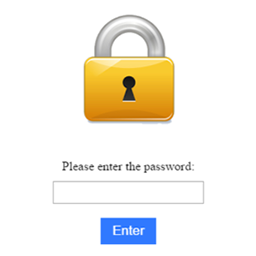
Password for WP locks your whole website behind one password. Visitors see a clean, full-screen login screen until they enter the correct password, while your WordPress admin area (wp-admin) stays fully accessible.
It is perfect for sites in development, staging environments, private launches, client previews, or a simple maintenance mode. Setup takes less than a minute and the plugin is completely free.
Key features
Protect the entire front-end of the site with one password.
Modern, responsive login screen with a clean, flat design.
Choose a background image from the WordPress Media Library and display it stretched as a full cover, with a live thumbnail preview in the settings.
Set a custom background color used as a fallback behind the image.
Add your own headings (H2 and H3) to greet or inform visitors.
Cache support: keeps the protection working when a page cache plugin is active (LiteSpeed Cache, WP Super Cache, W3 Total Cache and more).
Skip the password for logged-in users with a single switch.
CSRF-protected settings and hardened output escaping.
Available in English, Polish, German and French, and fully translation ready.
How it works
When protection is enabled, every front-end request is checked for a valid access cookie. Visitors without the cookie are shown the login screen. After entering the correct password, a secure cookie is set for 30 days so they are not asked again. The WordPress login and admin panel are never blocked by the plugin.
Upgrading
For manual upgrades via FTP, deactivate and reactivate the plugin to ensure it works correctly.
Translations
Password for WP ships with English, Polish, German and French translations. Additional languages can be added using the included .po and .mo files in the /languages folder.