內容簡介
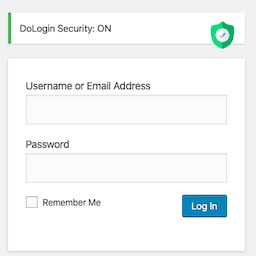
NibbleSecure 是一款用於保護 WordPress 登入頁面的外掛,能有效防止機器人、掃描器及暴力破解攻擊。它透過隱藏預設的登入頁面,限制登入嘗試次數,並在達到設定的閾值後鎖定 IP 地址,確保網站安全。
【主要功能】
• 隱藏登入頁面(秘密登入網址)
• 限制登入嘗試次數及暴力破解保護
• 可配置的鎖定閾值及重複違規懲罰
• 即時電子郵件警報及秘密網址備份
• 404 掃描器檢測(自動封鎖探測不存在頁面的 IP)
外掛標籤
開發者團隊
② 後台搜尋「NibbleSecure – Hide Login, Limit Login Attempts & Brute Force Shield」→ 直接安裝(推薦)
原文外掛簡介
NibbleSecure protects your WordPress login page from bots, scanners, and brute force attacks. It hides your default wp-login.php page behind a secret URL, so automated login attacks never even find your real login form.
On top of hiding your login page, NibbleSecure limits login attempts and locks out an IP address once it crosses your configured threshold. The lockout period grows for repeat offenders. It then sends you an instant email alert when that happens. No external service, API key, or subscription is required.
NibbleSecure also watches for vulnerability scanners. An IP address that requests several pages that do not exist within a short time is blocked automatically for a period you choose.
NibbleSecure runs natively on WordPress’s own database. It’s lightweight, fast, and 100% free.
Looking for Two-Factor Authentication (2FA)? Two-Factor Authentication (2FA/TOTP) compatible with Google Authenticator, Authy, Microsoft Authenticator, and 1Password is available through the separate NibbleSecure PRO add-on, along with heuristic malware scanning, file integrity monitoring, self-healing plugin protection, session hijacking control, Application-Layer (L7) DDoS protection, advanced .htaccess server hardening, manual IP/country blocking, scheduled automatic backups with one-click restore, and a math CAPTCHA on the login and lost-password forms. These PRO features are not included in this free version – see “Available in PRO Version” below for details.
Free Version Capabilities
Hide Login (Secret Login URL)
Limit Login Attempts & Brute Force Protection
Configurable Lockout Thresholds with Escalating Repeat-Offense Penalties
Email Alerts & Secret URL Backup
404 Scanner Detection (automatically blocks IPs that probe for pages that do not exist)
Available in PRO Version
The following features require the separate, self-hosted NibbleSecure PRO add-on (https://mvpplugins.com/nibblesecure/) and are not part of this free plugin:
Two-Factor Authentication (2FA/TOTP) – Adds a second verification step at login using Google Authenticator, Authy, Microsoft Authenticator, 1Password, or other standard authenticator apps, with emergency backup codes and secure email-based recovery if you lose your device.
Heuristic Malware Detection & File Integrity Monitoring – Scans plugin and core files every hour against SHA-256 baselines to catch unauthorized changes, injected code, and malware.
Self-Healing Plugin Protection – Automatically restores NibbleSecure’s own core files if an attacker deletes or tampers with them.
Session Hijacking Control – Detects unauthorized concurrent device logins and lets you instantly log out every other active session.
Application-Layer (L7) DDoS & Flood Protection – Rate-limits and blocks malicious traffic spikes and botnet floods before they reach your server.
Scheduled Automatic WordPress Backups & Restore – Creates scheduled restore points for your database, files, and configuration, with one-click recovery.
Advanced Server Hardening (.htaccess Tweaks) – XML-RPC and pingback toggles, hidden-file blocking (.git, .env), bad-bot and malicious query-string blocking, and other server-level hardening options.
Manual IP, IP Range & Country Blocking – Instantly allow or block specific IP addresses, IP ranges, or entire countries from accessing your site, from a dedicated management panel.
Math CAPTCHA on Login & Lost Password Forms – Adds a simple math challenge to the login and password-reset forms to stop automated bot submissions before they reach the brute-force checks.