
前言介紹
- 這款 WordPress 外掛「miniOrange Social Login and Register (Discord, Google, Twitter, LinkedIn)」是 2015-05-28 上架。
- 目前有 20000 個安裝啟用數。
- 上一次更新是 2024-08-09,距離現在已有 269 天。
- 外掛最低要求 WordPress 2.0.2 以上版本才可以安裝。
- 外掛要求網站主機運作至少需要 PHP 版本 5.4 以上。
- 有 355 人給過評分。
- 論壇上目前有 4 個提問,問題解答率 0%
外掛協作開發者
vkontakte | cyberlord92 | sociallogin |
外掛標籤
google | facebook | LinkedIn | X(Twitter) | social login |
內容簡介
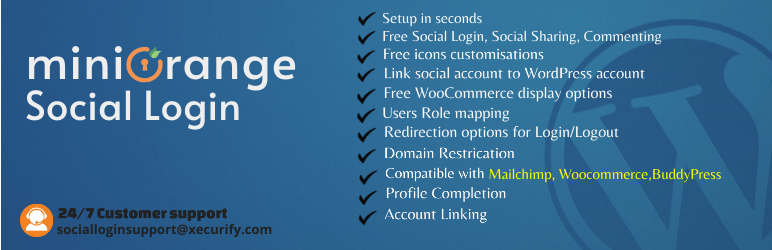
WordPress Social Login 外掛讓使用者可以透過廣泛使用的社交應用程式如 Facebook、Google、LinkedIn、Twitter、Apple、Discord、Twitch、Line、Wechat 及另外 40 個應用程式,進行社交登入、分享及評論。這樣使用者就不必花時間填寫繁複的註冊表格,只要使用他們的社交媒體帳號即可註冊或登入您的網站。
此外掛與 WooCommerce、BuddyPress、MailChimp、Paid Memberships Pro、Ultimate Member 等受歡迎的外掛和 Discord、Hubspot 等應用程式進行整合。
我們為免費使用者提供不同的顯示選項和美麗的登入按鈕自訂選項,無需 CSS 知識即可使用!
免費版 Social Login 支援透過 Facebook、Google、Discord、Twitter、Vkontakte、LinkedIn、Amazon、Salesforce 和 Yahoo 等多個社交網路進行登入。一鍵啟用 Google、Amazon、Vkontakte、LinkedIn、Yahoo、Salesforce、Snapchat 和 Dribbble 登入。多樣的外觀自訂,可在網站的任何位置顯示社交登入按鈕。從多個社交網路提供者(如 Facebook、Google、Microsoft)同步使用者資料到一個社交登入帳號。使用安全的授權和驗證協定(如 OAuth 和 OpenID)進行安全的登入。可自訂社交登入圖示的主題、形狀和效果,選擇任何大小和顏色。社交登入圖示可啟用轉換效果。可在登入或登出後將使用者重新導向到所需的頁面,並自訂登入重新導向 URL 和登出重新導向 URL。使用者註冊時可通過社交登入指派 WordPress 角色。在網站的任何位置使用簡碼顯示社交登入圖示。使用 APP ID 和 APP Secret 設定 Facebook、Google、Twitter、Vkontakte、LinkedIn、Amazon 和 Yahoo 的社交登錄應用程式。在發布社交登入圖示之前預覽自訂圖示。如果社交登入應用程式未返回電子郵件地址和用戶名,請提示使用者輸入電子郵件和用戶名,並使用驗證碼驗證電子郵件。當使用者使用任何社交登入應用程式註冊時,將向管理員發送電子郵件通知。
原文外掛簡介
WordPress Social Login Plugin allows social login, social share & commenting using widely used apps like Facebook, Google, LinkedIn, Twitter, Apple, Discord, Twitch, Line, Wechat, 40 other apps available. Instead of requiring your visitors to waste time filling out the typical registration form, it allows them to register/login to your website using their social media profiles.
Integrations with popular plugins like WooCommerce, BuddyPress, MailChimp, Paid Memberships Pro, Ultimate Member, and applications like Discord & Hubspot.
| Setup | Videos | Docs | Pro Addon
Social Login allows your visitors to login, register, share, and comment with many Social Media applications.
We provide different display options with beautiful login button customizations for free! No CSS knowledge is needed!
Free Social Login Features
Social Login with Facebook, Google, Discord, Twitter, Vkontakte, LinkedIn, Amazon, Salesforce & Yahoo,etc.
One-click activation for Login with Google, Amazon, Vkontakte, LinkedIn, Yahoo, Salesforce, Snapchat and Dribbble.
Flexible display – Display Social login icons anywhere on your websites.
Sync user data – Sync user data from multiple social network providers like Facebook, Google, Microsoft into one social login account.
Secure Login – User Login with safe and secure authorization and authentication protocols like OAuth and OpenID.
Customizable social login icons – Choose from multiple themes, shapes and effects. Pick any size and color. Enable transform effect for social login icons.
User Redirection – Redirect users to pages you desire after any user logs in or logs out. Custom login redirect URL and custom logout redirect URL.
Assign user roles – Assign WordPress roles to users on registration through social login.
Shortcodes – Use Shortcode anywhere on your website to display social login icons.
Take full control – Setup your social login applications with APP ID and APP Secret for Facebook, Google, Twitter, Vkontakte, LinkedIn, Amazon, & Yahoo.
Preview – Preview custom social login icons before you publish them on your website.
Profile completion (username, email) – Prompt users for email-id & username if social login app doesn’t return it. Verify Emails using verification code.
Email Notifications – Emails are sent to admin when a user registers with any social login application.
Enable/disable user registration – Allow or restrict user registration using social login.
Social Share – Social share with Facebook, Twitter, LinkedIn, Reddit, etc.
Social Comments
User friendly UI
Customizable Text For Social Login Icons.
Display Social login icons on WooCommerce Login Page.
24 / Support – Using email and in-plugin support form.
Social Login Providers
Facebook login
Google login
Twitter login
LinkedIn login
Amazon login
Vkontakte login (вконтакте логин)
Apple login
Discord login
HubSpot login
Yahoo login
WordPress login
Dribbble login
Disqus login
Flickr login
Foursquare login
Github login
Kakao login (카카오 로그인)
Line login (ラインログイン)(線路登錄)(线路登录)(เข้าสู่ระบบไลน์)
Livejournal login
Mail.ru login (mailru логин)
Meetup login
Naver login (네이버 로그인)
Odnoklassniki login
Paypal login
Pinterest login
Reddit login
Salesforce login
Snapchat login
Spotify login
Stackexchange login
Steam login
Teamsnap login
Tumblr login
Twitch login
Vimeo login
Wechat login (微信登錄)(微信登录)
Weibo login (微博登錄)(微博登录)
Yandex login (яндекс логин)
Free Social Share & Social Comments Features
Share with social applications – Facebook, Twitter, Google+, Pinterest, Reddit, Vkontakte, Tumblr, StumbleUpon, LinkedIn, Pocket, Digg, Email, Print, and Whatsapp
Facebook Comments – Allow social login users to comment using Facebook.
Disqus Comments – Allow social login users to comment using Disqus.
Shortcodes – Add social share icons on the homepage, posts, feeds, content pages, WooCommerce product pages, etc., or anywhere else on your site.
Customize icons – Customize shape, theme, space & size of the social share icons.
Preview – Preview the Social Share icons before publishing them to the website.
Horizontal social share widget.
Floating vertical social share widget.
24 / 7 Support – Using email and in-plugin support form.
Why miniOrange Social Login
11 Free Social Login apps – Login with popular social network providers namely Facebook, Google, Discord, Twitter, LinkedIn, Vkontakte, Amazon, Salesforce, Yahoo, Snapchat and Dribbble all available in the free plan.
No Setup required – Simply register with us and use our pre-configured application. We will handle everything for you.
24 / 7 Support – If you face any issues or if you simply require assistance with the Social Login plugin then please contact us. Whatever it may be we will solve the issue for you and get everything working as soon as possible.
Tons of Free Features – We have a huge roster of free features. With other plugins, you will have to pay for these features.
Icon Customizations – Flexible icon customizations for Social Login and Social Share icons. No CSS knowledge is needed! Choose from different themes, shapes, and sizes. Pick any color you want to display the social icons.
Social Share – Social share available with all the widely used applications. Users can share anything using Facebook social share, Twitter social share, etc.
Social Comments – Social comments allow users to post their comments with their social media accounts.
Easy Integration – Social Login is the easiest to configure and conveniently allows you to set up and start using the plugin in seconds. Easy integration with your website with options to add Social login on the login page, registration page, and comments section.
User Login/Registration – Enable Social Login/User Registration on WordPress Default Login, Register pages and comment form.
Social Share Providers
Facebook Social Share
Twitter Social Share
LinkedIn Social Share
Reddit Social Share
Pinterest Social Share
Google Social Share
Vkontakte Social Share
Whatsapp Social Share
Tumblr Social Share
StumbleUpon Social Share
Pocket Social Share
Digg Social Share
Social Share with Email
Social Share with Print
Popular Social Login Pro Integrations
With Popular Plugins –
WooCommerce social login integration
BuddyPress social login integration
Paid Memberships Pro social login integration
MailChimp social login integration
MemberPress display options
Ultimate Member display options
With Applications –
Discord social login integration
Hubspot social login integration
Paid Social Login Features
40+ Social Login Providers – Choose from 40+ applications (Facebook Login, Google Login, Discord Login etc.) for social login and user registration. Many social network providers added continuously.
One-click activation – For Login with Discord, Apple, Facebook, Google, Amazon, Vkontakte, LinkedIn, WordPress, Yahoo, Salesforce, Stackoverflow, Mailchimp, Strava etc.
Social login Integrations – Social integrations with popular WordPress plugins like WooCommerce, Paid Memberships Pro, BuddyPress, MailChimp and HubSpot.
Social Login Integrations – Social login icons on WooCommerce pages, BuddyPress pages, Paid Memberships Pro pages, MemberPress pages, Ultimate Member pages.
GDPR Compliance.
Domain Restriction – Authorize select users by allowing or restricting users signing in or registering from specific domains e.g. ‘facebook.com’ or ‘gmail.com’.
Email Notifications – Email sent to user/multiple admins when a user registers with any social login application.
Recaptcha – Enable Recaptcha and ensure the safety of your website.
User Moderation – Approve users registering through social login.
Sync user data – Sync user data from multiple social network providers like Facebook, Google, Microsoft into one social login account.
User Redirection – Redirect users on registration, login, and logout to pages you desire. Custom registration redirect URL, Custom login redirect URL, and custom logout redirect URL.
Assign user roles – Assign WordPress roles to users on registration through social login.
Use Shortcode anywhere on your website to display social login icons.
Take full control – Setup your social login application with APP ID and APP Secret for Facebook, Google, Twitter, Vkontakte, LinkedIn, Amazon, Windows Live & Yahoo.
Preview custom social login icons.
Profile completion (username, email) – Prompt users for email-id & username if social login app doesn’t return it. Verify Emails using verification code.
User Control – Enable/disable user registration through social media login.
Customizable Text For Social Login Icons.
Display Social login icons on WooCommerce Login Page.
24 / Support using email and in-plugin support form.
= WooCommerce Social Login Features [Premium]=
* WooCommerce Integration – Auto-fill first name, last name and email are pre-filled in billing details of a user and on the Woocommerce checkout page.
* Woocommerce Display Options – Display social login icons on WooCommerce login, Woocommerce registration, and Woocommerce checkout pages.
= BuddyPress Social Login Features [Premium]=
* BuddyPress Integration – Sync profile picture from social application to BuddyPress avatar. Sync user social profile to BuddyPress custom fields.
* BuddyPress Display Options – Display social login icons on the BuddyPress registration form and BuddyPress account details pages.
= Paid Memberships Pro [Premium]=
* Paid Memberships Pro – Assign Selected Paid membership level at the time of registration using social.
* Paid Memberships Pro Display Options – Display social login icons on Paid Memberships Pro checkout pages.
= Ultimate Member – Social Login Features [Premium]=
* Ultimate Member Display Options – Display social login icons on Ultimate Member login and Ultimate Member registration pages.
= MemberPress – Social Login Features [Premium]=
* MemberPress Display Options – Display social login icons on MemberPress login, MemberPress account, and MemberPress checkout pages.
= BuddyBoss Social Login Features [Premium]=
* BuddyBoss Integration – Sync profile picture from social application to BuddyBoss avatar. Sync user social profile to BuddyBoss custom fields.
* BuddyBoss Display Options – Display social login icons on BuddyBoss registration form and BuddyBoss account details pages.
Single sign-on
Single Sign-On using Social Login creates a single authentication system for multiple web properties allowing users to navigate websites with a single account.
Contact Us
Don’t hesitate to reach out to us. Send an email to [email protected] if you need absolutely anything.
Website
To know more about Social Login you can visit our website at https://plugins.miniorange.com/social-login-social-sharing.
Check out our website for other plugins https://www.miniorange.com/plugins or click here to see all our listed WordPress plugins.
For more support or info email us at [email protected] or Contact us. You can also submit your query from the plugin’s configuration page.
各版本下載點
- 方法一:點下方版本號的連結下載 ZIP 檔案後,登入網站後台左側選單「外掛」的「安裝外掛」,然後選擇上方的「上傳外掛」,把下載回去的 ZIP 外掛打包檔案上傳上去安裝與啟用。
- 方法二:透過「安裝外掛」的畫面右方搜尋功能,搜尋外掛名稱「miniOrange Social Login and Register (Discord, Google, Twitter, LinkedIn)」來進行安裝。
(建議使用方法二,確保安裝的版本符合當前運作的 WordPress 環境。
5.2 | 5.5 | 5.1.1 | 5.1.2 | 5.1.3 | 5.1.4 | 5.1.5 | 5.1.6 | 5.1.7 | 5.1.8 | 5.1.9 | 5.2.1 | 5.2.2 | 5.3.1 | 5.4.1 | 5.5.1 | 5.5.2 | 6.0.0 | 6.0.1 | 6.0.2 | 6.1.0 | 6.2.0 | 6.2.1 | 6.2.2 | 6.2.3 | 6.2.4 | 6.2.5 | 6.2.6 | 6.3.0 | 6.3.1 | 6.3.2 | 6.3.3 | 6.4.0 | 6.4.1 | 6.5.0 | 6.6.0 | 6.6.1 | 6.6.2 | 6.6.3 | 6.6.4 | 6.6.5 | 6.6.6 | 6.6.7 | 6.6.8 | 6.6.9 | 7.0.0 | 7.0.1 | 7.0.2 | 7.0.3 | 7.0.4 | 7.0.5 | 7.1.0 | 7.1.1 | 7.1.2 | 7.1.3 | 7.1.4 | 7.1.5 | 7.1.6 | 7.2.0 | 7.2.1 | 7.2.2 | 7.2.3 | 7.2.4 | 7.2.5 | 7.2.6 | 7.2.7 | 7.3.0 | 7.3.1 | 7.3.2 | 7.3.3 | 7.3.4 | 7.3.5 | 7.3.6 | 7.3.7 | 7.3.8 | 7.3.9 | 7.4.0 | 7.4.1 | 7.4.2 | 7.4.3 | 7.4.4 | 7.4.5 | 7.4.6 | 7.4.7 | 7.4.8 | 7.4.9 | 7.5.0 | 7.5.1 | 7.5.2 | 7.5.3 | 7.5.4 | 7.5.5 | 7.5.6 | 7.5.7 | 7.5.8 | 7.5.9 | 7.6.2 | 7.6.3 | 7.6.4 | 7.6.5 | 7.6.6 | 7.6.7 | 7.6.8 | 7.6.9 | trunk | 5.1.10 | 7.3.10 | 7.3.11 | 7.3.12 | 7.4.10 | 7.5.10 | 7.5.11 | 7.5.12 | 7.5.13 | 7.5.14 |
延伸相關外掛(你可能也想知道)
 Social Media Widget 》快來查看適用於您網站的 WordPress 最新優惠。, 社交媒體小工具是一個簡單的側邊欄小工具,允許用戶輸入他們的社交媒體網站個人資料網址和其他訂閱選項,顯示...。
 OG — Better Share on Social Media 》毫不設定,功能強大。, 我們相信這個外掛對於初學者來說是最好的選擇,因為它不需要設定,只需安裝並啟用它 - 所有的神奇都將被完成!。
 Meks Smart Social Widget 》選擇不同的圖示形狀和大小,並快速連接您的網站與社交媒體配置檔。提供了100多個社交媒體圖示:Aim、Apple、Behance、Blogger、Cargo、Delicious、DeviantArt...。
 Tagembed: Embed Twitter Feed, Google Reviews, YouTube Videos, TikTok, RSS Feed & More Social Media Feeds 》Tagembed 是領先的社交媒體聚合工具,讓使用者聚合、整理和嵌入 Instagram Feed、Twitter Feed、Facebook Feed、YouTube Video、Google Reviews、RSS Feed、L...。
 WP LinkedIn Auto Publish 》WP LinkedIn Auto Publish 允許您自 WordPress 自動發布文章、自訂文章和頁面到您個人的 LinkedIn 個人資料和/或您是管理員的公司頁面上。, 這個外掛程式簡單...。
 Custom Share Buttons with Floating Sidebar 》最流行的社交分享 WordPress 外掛程式, 透過社交網站(如 Facebook、Twitter、Instagram、Whatsapp、Pinterest 等)與朋友分享您的網站,推廣您的業務。, 此...。
 Social Sharing Toolkit 》ton, you need to enter the URL for your RSS feed., , 分享內容, 插件目前支援以下社交網站分享您的內容:, , Facebook(按讚、分享和傳送按鈕), Twitter,...。
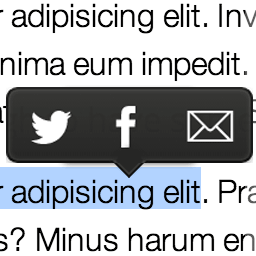 Selection Sharer by Hans van Gent 》Selection Sharer 讓讀者超級方便地分享你的內容並帶動新的訪客到您的網站。透過 Selection Sharer,您網站/部落格上的任何訪客都可以輕鬆地, 選中你想分享的...。
 Social Sharing (by Danny) 》Danny 的社交分享, 提供最簡單的 Twitter、Facebook、LinkedIn 和 Google+ 分享連結。, 大多數社交分享外掛程式都太醜、太重、太複雜或程式碼太差了,這個外...。
 WP to LinkedIn Auto Publish 》在免費的測試網站上試試看:點擊此處 => https://tastewp.com/new/?pre-installed-plugin-slug=linkedin-auto-publish, 快速了解 WP to LinkedIn Auto Pub...。
 Simpliest Social Share 》這個簡單的外掛讓您可以在社交媒體 (Facebook、Twitter、LinkedIn、Pinterest)、WhatsApp、Telegram 和電子郵件中分享您的文章和 Woocommerce 產品。, 它不使...。
 Easy Social Share 》這是一個簡單的 WordPress 外掛,它會在後台小工具區域添加一個小工具,您可以將它指定到側邊欄或其他位置。此外掛的功能如下:, 允許您設置您的使用者/社交...。
 Call Now, Email, Messaging, Sharing Buttons for Mobile 》, 與您的客戶保持聯繫, 提供方便的手機信息解決方案, 通過Skype、Messenger、SMS、電子郵件和電話與您的客戶聯繫, , Zotabox是一個高級的外掛,有30天的免費...。
 Social Counter 》這是一個簡單卻強大的社交網絡統計工具,支持 Facebook、Twitter 和 Google Plus。, 透過管理面板中的視覺控制,可以自訂顏色和計數器格式。, 功能:, , 極簡...。
 Jamie Social Icons 》此外掛可在文章/頁面的頂部或底部顯示社交媒體圖示,或手動添加 Facebook、Twitter、Pinterest、Google Plus、LinkedIn 按鈕。, 此外掛可讓您在頁面和/或文章...。