內容簡介
GlobalDev Contact Forms 是一款獨立的視覺表單建構器,專為 WordPress 設計。它能將每個有效的提交儲存於 WordPress 資料庫中,方便與 Google Ads、GA4、Meta、TikTok 等分析平台進行驗證,無需付費功能,所有特性立即可用。
【主要功能】
• 專業的拖放式管理介面
• 支援多語言的表單與訊息控制
• 無限制的表單與欄位數量
• 條件顯示/隱藏規則
• 內建電子郵件通知功能
• 內建與 Google 反垃圾郵件保護
外掛標籤
開發者團隊
原文外掛簡介
GlobalDev Contact Forms is a self-contained visual form builder for WordPress. It stores every valid submission in your WordPress database before attempting email delivery, making lead counts easier to verify against Google Ads, GA4, Meta, TikTok, or another analytics platform.
There is no Pro edition and no paid-feature wall. All included features are available immediately.
Visual form builder
Professional drag-and-drop administration interface
Per-form Language & Messages controls for multilingual websites
One-click language presets for English, Romanian, German, French, Spanish, and Italian
JSON field export/import directly in the Build tab
Unlimited forms and fields
Field duplication and reordering
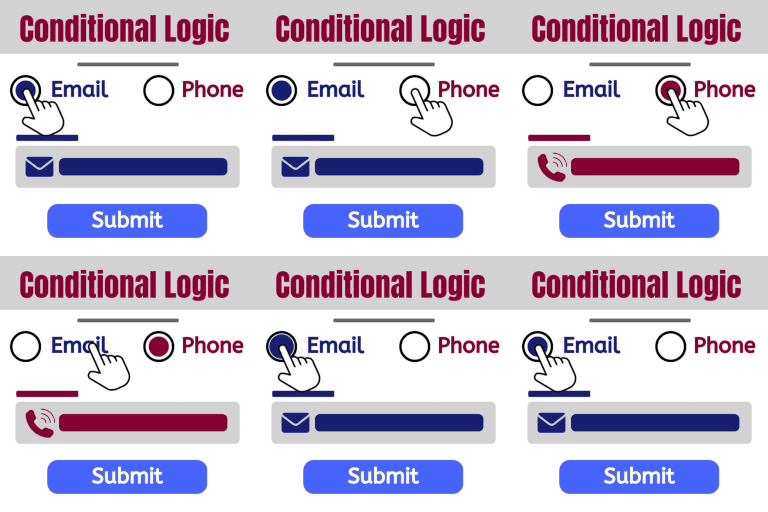
Conditional show/hide rules with multiple conditions and ALL/ANY matching
Chained conditions for multi-step branches
Radio and checkbox layouts: stacked, inline, buttons, and tab-style choices
Conditional HTML messages displayed inline or in a modal popup
Success messages displayed below the form or in a modal popup
Information-only endpoints that suppress and reject online submission
Standard and conversational form experiences
In-dashboard preview
Responsive field widths
Per-form input styles: outlined, filled, and underline
Full field color controls for labels, text, placeholders, backgrounds, borders, and focus states
Per-form field-label font-size control
Input height, border width, corner radius, and field spacing controls
Submit button styles: solid, outline, and gradient
Submit button colors, width, alignment, and independent corner radius
Per-form JavaScript that runs only after a successful non-spam submission
Included field types
Single-line text
Email
Phone
Number
Date
Paragraph text
Dropdown
Radio buttons
Checkboxes
Consent checkbox
HTML content
Conditional submit button
Hidden field
Lead management
Every valid submission is stored locally before email is attempted
Unread/read entry status
Entry detail screen
CSV export for all entries or the active form/status filters, with Excel-safe values
Notification status showing whether WordPress accepted or rejected the email request
Visitor IP address, browser, source page, landing page, and attribution details in stored entries
Email notifications
Administrator notifications
Multiple recipients
Reply-To mapped to a submitted email field
Automatic submitter confirmation emails
Merge tags for form and field values
Test-email tool
Administrator emails include entry metadata: IP address, browser, source page, landing page, and attribution values
Conversion and advertising tools
After an entry is stored, the plugin dispatches:
gdcf_submission_success
It also pushes this event to window.dataLayer:
gdcf_form_submission_success
The event includes the form ID, entry ID, and captured attribution parameters. This can be used as a Google Tag Manager Custom Event trigger for Google Ads, GA4, Meta Pixel, TikTok Pixel, or other tags.
Each form can also run an optional custom JavaScript snippet immediately after a successful non-spam submission. This supports direct conversion calls such as gtag('event', 'conversion', { 'send_to': 'AW-XXXXXXXXXX/XXXXXXXXXXXXXXX' }); without editing theme files.
The plugin captures supported attribution values from the landing URL and keeps them for the browser session:
utm_source
utm_medium
utm_campaign
utm_term
utm_content
gclid
gbraid
wbraid
fbclid
ttclid
Built-in and Google anti-spam protection
WordPress nonce verification
Honeypot field
Minimum form-completion time
Per-form rate limiting using a privacy-preserving IP hash
Server-side field validation
Google Cloud reCAPTCHA checkbox
Google Cloud reCAPTCHA invisible score
Compatibility with existing legacy reCAPTCHA v2 checkbox, v2 invisible, and v3 keys
Server-side token, hostname, action, and score verification where applicable
Google reCAPTCHA is disabled by default. Google scripts are loaded only on pages containing a GlobalDev form after a complete configuration is enabled.
External services
Google reCAPTCHA is an optional external service and is disabled by default. When enabled, the plugin loads a Google reCAPTCHA JavaScript file on pages containing a GlobalDev form. The browser communicates with Google to obtain a verification token. The website backend then sends the token, configured site key, and expected form action where applicable to Google’s verification or assessment endpoint. The plugin does not include submitted contact-form field values in that request.
For Google Cloud reCAPTCHA modes, the website owner supplies a Google Cloud project ID and API key. For legacy compatibility modes, the website owner supplies an existing classic secret key.
Service information and policies:
Google reCAPTCHA: https://cloud.google.com/security/products/recaptcha
Google Cloud Terms: https://cloud.google.com/terms/
Google Cloud Data Processing Addendum: https://cloud.google.com/terms/data-processing-addendum/
Google Privacy Policy: https://policies.google.com/privacy
Privacy
GlobalDev Contact Forms stores submitted form data in the local WordPress database. It also stores the visitor IP address reported by the web server, a one-way IP hash used for rate limiting, the source page, browser user-agent, and supported advertising attribution parameters when available. Administrator notification emails include these entry details.
The plugin never sends form entries to GlobalDev. Email notifications are passed to the website’s WordPress mail system. If Google reCAPTCHA is enabled, Google processes browser telemetry and verification data as described in the External services section. Site owners are responsible for appropriate privacy notices, consent configuration, retention policies, and lawful processing terms for their jurisdiction.