內容簡介
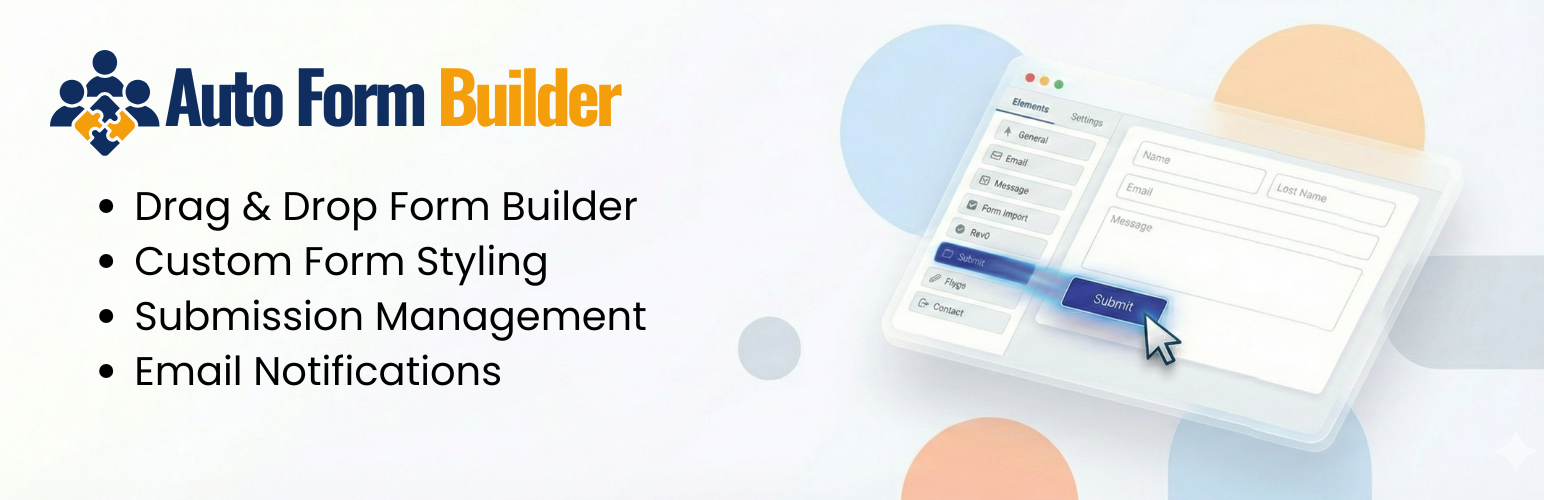
AFB – Auto Form Builder 是一款免費的 WordPress 表單建立外掛,提供拖放式介面,讓使用者輕鬆建立聯絡表單、多步驟表單、調查表及具條件邏輯的表單,無需編碼及月費,並可選擇性使用 AI 生成表單。
【主要功能】
• 拖放式表單建立器
• 支援多步驟表單與條件邏輯
• 提供 15 種以上的欄位類型
• 即時計算總額功能
• 整合 Stripe 付款與 Google Sheets
• 自訂外觀與匯入/匯出功能
外掛標籤
開發者團隊
② 後台搜尋「AFB – Auto Form Builder: Drag & Drop Contact Forms, Multi-Step Forms, Conditional Logic & AI」→ 直接安裝(推薦)
📦 歷史版本下載
原文外掛簡介
Auto Form Builder (AFB) is the free WordPress form builder that gives you what other plugins charge for. Build contact forms, multi-step forms, surveys, file-upload forms, order and payment forms with live calculated totals, and forms with conditional logic — all with drag and drop, no code, and no monthly fees. Build a form by hand or let AI build it for you, and embed your forms on any website, WordPress or not.
There is no premium tier and there are no paid add-ons: the “Add-Ons” screen is simply optional free modules (Popups, Form Analytics, spam protection, Slack, User Registration, Entry Tags, Google Sheets, Stripe Payments) you switch on in one click. Stripe Payments adds no transaction fee of its own: you pay only Stripe’s standard processing fees. The only thing you can ever pay for is AIDA credits for the optional AI features, once the free trial credits are used up.
Watch the full overview video · See all features · Support
Why Auto Form Builder?
Multi-step forms, conditional logic, surveys, form analytics, spam protection, calculated totals, Stripe payments, Google Sheets, webhooks, Slack notifications, import/export, and full visual customization — all free. Privacy-first by design: your submissions stay on your own site, and the plugin makes no external calls unless you enable a feature that needs one.
Drag & Drop Form Builder
The visual drag-and-drop builder lets you add and reorder fields, undo/redo, preview on desktop, tablet, and mobile, and copy a shortcode to embed anywhere. Start from a template (Contact, Feedback, Support, Newsletter, Event Registration), a blank canvas, or describe your form and let AI build it.
15+ Field Types
Text, Textarea, Email, Phone, Number, Date, Time, Month & Year, Checkbox, Radio, Dropdown, Name, Address, File Upload, Signature, Color Picker, Calculation, an HTML content block, and Page Break (multi-step) — plus four survey fields: Tabular Survey (Likert grid), Star Rating, NPS, and Opinion Scale. Browse the full field reference.
Text — length limits, pattern validation, password mode, text transform, and hidden-field mode.
Email — validation, a confirmation field, allowed domains, and use as the confirmation-email recipient.
Number — min/max, step, money, percentage, or decimal display, and an optional slider.
Checkbox — a single consent box or a group with minimum/maximum selections.
File Upload — multiple files, drag-and-drop, type and size limits, and previews.
Name & Address — separate parts with per-part required toggles and URL prefill.
Calculation — a live total from other fields, with decimal places, a currency prefix or suffix, and custom separators.
Most fields also support icons, help text, conditional logic, auto-fill, and custom CSS classes.
Conditional Logic
Show or hide any field based on earlier answers with AND/OR conditions. Logic can also change the success message or redirect, and reroute, change, or skip notification emails.
Calculations
Show live totals, quotes, scores, or fees using +, −, ×, ÷, brackets, and min, max, round, abs, ceil, and floor. The result is recalculated on your server on submit, so visitors cannot change it, and a Calculation field can set the amount of a Stripe payment.
Multi-Step Forms
Split long forms with Page Break fields, step titles, a progress bar, and answer-based branching that skips steps that don’t apply.
Surveys & Visual Results
Tabular Survey (Likert grid), Star Rating, NPS (0–10), and Opinion Scale fields, with per-question charts, an automatic NPS score, and a 30-day trend.
Signature Field
Visitors sign with a mouse, finger, or stylus; the signature is stored securely and shown in the entry details — ideal for consent forms and agreements.
Full Visual Customization
Theme presets, reusable saved themes, header image, colors, fonts, layout, and field and button styling, with a live preview across devices.
Partial Entries
In-progress answers are saved even when nobody presses Submit, and abandoned entries are deleted after a retention period you choose (1–365 days).
Submission Management
An inbox with Unread, Starred, Spam, and Trash tabs, search, filters, bulk actions, printing, and CSV or JSON export. See submission management.
Email Notifications
Per-form admin and confirmation emails with your own recipients, subject, and placeholders such as {submission_data}, in HTML or plain text.
Embed on Any Website
Every form has an embed code for any site, including non-WordPress platforms and page builders such as WP Bakery, Brizy, and Elementor. The embed keeps your design, resizes itself, and is isolated from the host theme. Also available as a Gutenberg block.
Prefill and Pass Answers On
Prefill fields from URL parameters, and add {field} tags to a redirect URL — for example https://example.com/book?email={email} — to hand answers on to a payment link, booking page, or CRM. Answers are encoded safely and can never change which website the visitor is sent to.
Free Add-Ons
Switch these on under Forms → Add-Ons:
Stripe Payments — take payments with Stripe Checkout using your own Stripe account. Charge a fixed price, an amount the visitor enters, or a Calculation result; payment status and refunds are tracked for you, and card details are entered on Stripe’s page, never on your site. No added transaction fee — you pay only Stripe’s standard processing fees.
Popup Forms — modal, slide-in, sticky bar, full-screen, welcome mat, or floating button, triggered by delay, scroll, exit intent, or click.
Form Analytics — views, submissions, and conversion rates per form, with a 30-day chart.
Spam Protection — Google reCAPTCHA and Cloudflare Turnstile.
User Registration & Login — create accounts from any form (never as Administrator), send a welcome email, and add a login form with the [auto_form_builder_login] shortcode.
Slack Notifications — post new submissions to your Slack channels.
Entry Tags — color-coded tags and quick filters to organize submissions like a lightweight CRM.
Google Sheets — send new submissions to a Google Sheet, with a spreadsheet, worksheet and field-to-column mapping for each form. Rows are sent in the background and retried automatically if Google is slow or unavailable.
The two AI modules, AI Assistant and AI Conversation, are also on this screen; see “AI Features” below.
Webhooks, Import & Export
Send submissions to Zapier, Make, GoHighLevel, or any endpoint, with optional HMAC-SHA256 signing. Export and import forms and entries for backup or moving between sites.
Auto Form CRM Integration
AFB integrates natively with Auto Form CRM, a premium WordPress CRM with contacts, a deal pipeline, automation, email campaigns, scheduling, and live chat, so your submissions become managed leads.
AI Features (optional)
Two optional AI features. They are switched on by default, but they do nothing and send nothing until you connect an AIDA account, and you can switch either of them off under Forms → Add-Ons:
AI Assistant — build a form from a description or document, generate conditional logic, summarize submissions, draft replies, and chat with an admin assistant that can create forms.
AI Conversation — turn any form into a friendly chat, with optional appointment booking.
These run on AIDA, our AI service at autoformcrm.com. A free AIDA account includes trial credits; after that, AI usage needs one-time credit packs, while every non-AI feature stays free. See “External Services” for exactly what is sent.
External Services
By default the plugin contacts no external service. Each service below is used only after you set up the feature that needs it.
AIDA — AI Assistant & AI Conversation (optional)
Provider: AIDA by Auto Form CRM (https://autoformcrm.com/); requests are processed by Anthropic.
When: only after an administrator connects an AIDA account, and then each time an AI feature is used. The AI modules are on by default, but nothing is sent until an account is connected. The core builder never contacts AIDA.
Account & cost: a free AIDA account with trial credits; after that, one-time credit packs bought on autoformcrm.com in a new tab (no payment inside the plugin). All non-AI features stay free.
Data sent (only for the action you trigger): on connect, your site address and a one-time code; the form description or document when building a form; submission content when you ask for a summary, reply or answer about submissions; messages typed into the admin assistant; and, if AI Conversation is on for a public form, the visitor’s chat messages. The AIDA token is sent server-side only and stored encrypted.
Not sent: anything for AI features you do not use, and never WordPress passwords.
Terms / privacy: https://autoformcrm.com/terms, https://autoformcrm.com/privacy, https://www.anthropic.com/legal/commercial-terms, https://www.anthropic.com/legal/privacy
Deactivation feedback (opt-in, one-time)
Provider: Auto Form CRM, https://autoformcrm.com/api/v1/plugin-feedback
When: only when an administrator clicks “Submit & Deactivate” in the deactivation dialog. Skipping or closing it sends nothing.
Data sent: the chosen reason, an optional comment (up to 1000 characters), WordPress, PHP and plugin versions, and site locale. The exact payload is shown before sending.
Not sent: site URL, admin name or email, user ID, IP address or form data.
Terms / privacy: https://autoformcrm.com/terms and https://autoformcrm.com/privacy
Anonymous usage data (opt-in, off by default)
Provider: Auto Form CRM, https://autoformcrm.com/api/v1/plugin-telemetry
When: only if you turn on “Help improve Auto Form Builder by sending anonymous usage data” (onboarding or Settings → General): one “install” event on opt-in and one “uninstall” event on deletion.
Data sent: a random site ID, plugin, WordPress, PHP and MySQL versions, install version, locale, multisite flag, days since install, form and submission counts as ranges, active modules and onboarding status. The full list is shown next to the checkbox.
Not sent: site URL, admin name or email, user ID, IP address or form content.
Terms / privacy: https://autoformcrm.com/terms and https://autoformcrm.com/privacy
Slack Notifications (off by default)
Provider: Slack Technologies, LLC (https://slack.com/). Only hooks.slack.com webhook URLs are accepted.
When: only after you add your own Slack webhook URL and enable it for a form: on each submission of that form and on “Send Test”.
Data sent: the form title and site name, plus the submitted answers only if “Include answers” is on. Passwords, CAPTCHA values and file contents are never sent; files appear by name only.
Terms / privacy: https://slack.com/terms-of-service and https://slack.com/trust/privacy/privacy-policy
Stripe Payments (add-on, off by default)
Provider: Stripe, Inc. (https://stripe.com/). Only https://api.stripe.com is contacted, from your server, with your own Stripe API key.
When: only after you enable the add-on and connect a key: to verify the key; to create or delete a webhook endpoint in your Stripe account; about every six hours while the settings page is open, to re-check the key; when a visitor submits a payment form (to create a Checkout session) and returns from it; when Stripe notifies your site of a payment event (signature-verified); and every ten minutes through WP-Cron while payments are still pending.
Data sent: your API key (server-side only, stored encrypted); your webhook URL and site name; for payments, the amount, currency, product name, return page addresses, submission and form IDs, and the payer’s email only if you map an email field. Card details are entered on Stripe’s page and never touch your site.
Fees: the plugin adds no fee. Payments go straight to your Stripe account; you pay only Stripe’s fees.
Terms / privacy: https://stripe.com/legal/ssa and https://stripe.com/privacy
Google Sheets (add-on, off by default)
Provider: Google LLC. Your server contacts oauth2.googleapis.com, sheets.googleapis.com and www.googleapis.com using a service account you create.
When: only after you enable the add-on and save the service-account credentials: when you test the connection or pick a spreadsheet or worksheet, and after each submission of a connected form (sent in the background through WP-Cron, with retries).
Data sent: a sign-in request signed with your service-account key (the key stays on your site, encrypted); the chosen spreadsheet and worksheet; and the mapped field values with their column names. Picking a spreadsheet lists those shared with the service account.
Not sent: fields you have not mapped.
Terms / privacy: https://developers.google.com/terms and https://policies.google.com/privacy
Google reCAPTCHA (add-on, off by default)
Provider: Google LLC (https://www.google.com/recaptcha/).
When: only after you enable the add-on, enter your keys and turn it on for a form. Pages with that form load https://www.google.com/recaptcha/api.js, and your server checks each submission with https://www.google.com/recaptcha/api/siteverify.
Data sent: Google’s script collects what it needs to detect bots (such as IP address, browser details and page interaction). Your server sends your secret key and the response token. No form answers are sent.
Terms / privacy: https://policies.google.com/terms and https://policies.google.com/privacy
Cloudflare Turnstile (add-on, off by default)
Provider: Cloudflare, Inc. (https://www.cloudflare.com/).
When: only after you enable the add-on, enter your keys and turn it on for a form. Pages with that form load https://challenges.cloudflare.com/turnstile/v0/api.js, and your server checks each submission with https://challenges.cloudflare.com/turnstile/v0/siteverify.
Data sent: the Turnstile script collects what it needs to detect bots (such as IP address and browser details). Your server sends your secret key and the response token. No form answers are sent.
Terms / privacy: https://www.cloudflare.com/website-terms/ and https://www.cloudflare.com/turnstile-privacy-policy/
Webhooks (off by default)
Provider: the one endpoint you enter (for example Zapier, Make or your own server). Private and local network addresses are refused.
When: only after you enter a webhook URL and turn webhooks on: after each submission and when you send a test.
Data sent: your site address, submission time, form and submission IDs, the answers (signatures as embedded images) and the form’s field settings, signed with HMAC-SHA256 if you set a secret. A test sends only the site address and time.
Terms / privacy: those of the receiving service.
Google Fonts (only for forms using a Google font)
Provider: Google LLC (https://fonts.google.com/).
When: only on pages showing a form styled with one of the Google fonts offered under Customize (some theme presets use one). The default font uses your theme’s font and loads nothing.
Data sent: the browser’s font request from fonts.googleapis.com, which gives Google the visitor’s IP address and browser details. No form content is sent.
Terms / privacy: https://developers.google.com/fonts/terms and https://policies.google.com/privacy