內容簡介
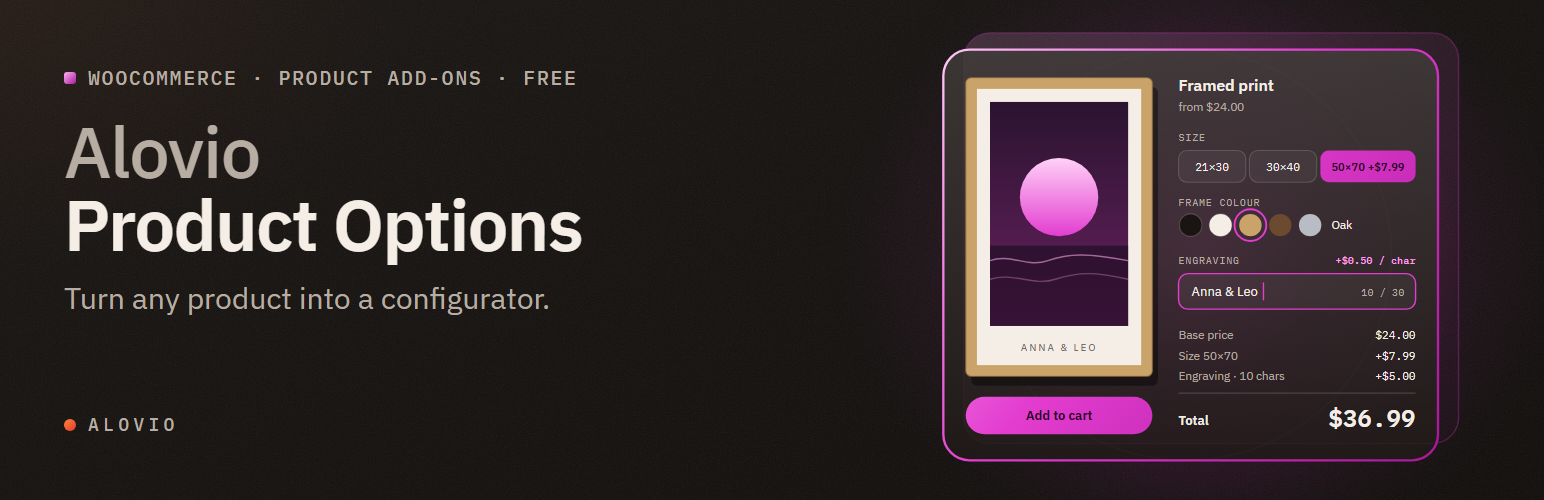
Alovio Product Options 是一款專為 WooCommerce 設計的外掛,能將產品轉換為可配置的商品,讓商家能夠輕鬆添加額外欄位和付費附加選項,並透過條件邏輯顯示或隱藏這些選項,提供即時的價格更新,提升顧客的購物體驗。
【主要功能】
• 支援 18 種欄位類型
• 條件邏輯功能,免費使用
• 每個選項可設定獨立價格
• 實時價格明細顯示
• 直觀的全螢幕建構器
外掛標籤
開發者團隊
② 後台搜尋「Alovio Product Options – Extra Product Fields & Add-Ons for WooCommerce」→ 直接安裝(推薦)
原文外掛簡介
Alovio Product Options turns WooCommerce products into configurable products. Add extra fields and paid add-ons, show or hide them with conditional logic, price them per unit, per character, as a percentage or with a formula — and let shoppers watch a live price breakdown update as they choose.
Everything is free. No Pro version, no locked features, no upsell screens.
Build once, apply everywhere
Create an option group in the visual builder and apply it to all products, whole categories, or hand-picked products. Priorities control the order when several groups meet on one product. A slim panel on the product-edit screen shows exactly which groups apply, with one-click deep links.
18 field types
Text, text area, number, checkbox, multiple choice (radio), dropdown, button group, colour swatch, image swatch, quantity stepper, date, time, email, phone, URL, file upload (secure, rate-limited, MIME-verified — up to 10 files per field, each removable), surcharge, and section heading.
Conditional logic — all of it free
Show, hide or require any field based on other fields, with multi-condition AND/OR rules and five operators (is, is not, contains, greater than, less than). The builder previews rules live: set a value in the simulation bar and watch fields appear and disappear exactly as they will on the product page.
A price per option
Selling sizes, materials or finishes? Give every choice its own price — 21×30 +399, 30×40 +499, 50×70 +799 — in dropdowns, radio buttons, button groups, colour and image swatches. Prices appear beside each choice automatically, so shoppers compare before they pick.
Five pricing modes
Fixed — a flat add-on price.
Per unit — price × the number entered (number and quantity fields).
Per character — price × text length (engraving!).
Percentage — a share of the product price, variation-aware.
Formula — decimal-safe expressions over your fields: {width} * {height} * 0.85, with min(), max(), round().
Live price breakdown
Instead of a mystery total, shoppers see an itemized box: base price, each chosen option with its cost, and the final total — updating live, following the selected variation, formatted in your store currency.
A builder you’ll actually enjoy
The full-screen builder shows your fields as the customer sees them, with drag-and-drop ordering, undo, ⌘S save, a preview-as-customer simulation bar and a live options total. Start from one of six templates — gift options, engraving, t-shirt designer, made-to-order dimensions, delivery date, donation — or import/export groups as JSON between sites.
Built right
HPOS compatible (High-Performance Order Storage).
Accessible — fieldset/legend structure, ARIA attributes, focus styles, inline validation messages.
Translatable & RTL-ready.
Option values flow into cart, checkout, order emails and the admin order screen — each priced option shows its cost right on the cart line (“Gift wrap: Yes (+$5.00)”) — and uploads become admin download links.
Server-side prices are always authoritative — the browser preview can never change what gets charged.
Development
This plugin is not obfuscated. The compiled assets in build/ are generated from the human-readable source shipped in this package:
src/ — the admin hub/builder (React, via @wordpress/scripts), the product-page runtime and the shared formula engine, compiled to build/hub.js and build/frontend.js.
assets/css/ — stylesheet sources compiled into the bundles.
composer.json — the PSR-4 autoload map for the includes/ PHP classes.
To rebuild from source: npm install && npm run build (webpack via @wordpress/scripts; see webpack.config.js), and composer install for the PHP autoloader.