內容簡介
Gatekeepr 外掛讓您在訪客查看任何文章類型的單一頁面之前,必須先輸入密碼。無論是文章、頁面或自訂文章類型,皆可透過簡單的設定介面進行保護,提供靈活的密碼管理選項。
【主要功能】
• 支援多種文章類型的密碼保護
• 提供共用密碼或個別密碼選擇
• 訪客可在設定天數內保持解鎖狀態
• 密碼變更可立即使所有訪客失效
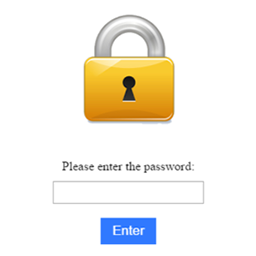
• 獨立的解鎖畫面不依賴主題
• 自訂解鎖畫面樣式與內容
外掛標籤
開發者團隊
② 後台搜尋「Gatekeepr – Password Protect for Post Types」→ 直接安裝(推薦)
原文外掛簡介
Gatekeepr lets you require a password before visitors can view the single/detail page of any post type — Posts, Pages, or any custom post type registered by your theme or another plugin.
Unlike WordPress’s built-in per-post password protection, this plugin protects an entire post type at once from a single settings screen — with either one shared password for everything, or an individual password per post type.
Features
Choose exactly which post types are protected — every public post type is listed with a toggle, including custom post types.
Two password modes: one shared password for everything, or an individual password per protected post type.
Visitors who enter the correct password stay unlocked for a configurable number of days (cookie-based), instead of being asked every visit.
Changing a password immediately invalidates every visitor’s existing unlock for it — no manual cleanup needed.
Logged-in users who can edit a given post always see it directly, so editing and previewing is never blocked.
Clean, standalone unlock screen that doesn’t depend on your active theme, so it renders consistently even on page-builder sites.
Customize the unlock screen: background color, accent color, an uploaded logo, and an optional secondary button (e.g. “Contact us”) linking anywhere you choose.
Built-in brute-force throttling on the password form.
The REST API and RSS/Atom feeds are gated too, so protected content isn’t readable through either while locked.
Protected post types are automatically excluded from XML sitemaps (core WordPress sitemaps, Yoast SEO, and Rank Math), so they aren’t advertised to search engines.
A small “Protected” indicator appears in the post list table for any post type that’s currently gated, so editors can see it at a glance.
Compatible with full-page caching plugins — protected pages are automatically excluded from the page cache so one visitor’s session is never served to another.
No external requests, no tracking, no bundled third-party services.
Development happens in the open on GitHub: https://github.com/bilalkk9/post-type-password-protect
A note on the “current password” display
The Gatekeepr settings screen can show you the current password (hidden by default, behind a “Show” toggle) so you don’t need to reset it if you’ve forgotten it. To make this possible, the password is stored in an encrypted, recoverable form rather than only as a one-way hash. If your workflow requires a password that can never be viewed after saving, simply treat the field as write-only and don’t use the “Show” toggle — the underlying visitor-facing verification always uses a one-way hash regardless.