內容簡介
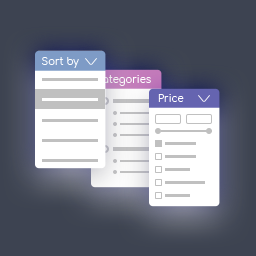
Filterive for WooCommerce 是一款專為 WooCommerce 商店設計的產品篩選外掛,能讓顧客依照類別、產品屬性及價格範圍快速篩選商品,提升購物體驗。
【主要功能】
• 滑入式篩選面板或側邊欄內嵌篩選
• 支援子類別的類別篩選
• 產品屬性篩選(OR 和 AND 組合)
• 價格範圍滑桿,根據頁面商品調整
• 關鍵字搜尋框,依名稱篩選商品
• 一鍵移除的活躍篩選標籤
外掛標籤
開發者團隊
原文外掛簡介
Filterive for WooCommerce adds a product filter to your WooCommerce shop, category and tag pages. Customers can narrow products by category, product attribute and price range, either from a slide-in panel with a floating button or from an inline filter placed in your sidebar (widget or [wcaf_filters] shortcode).
Features
Slide-in filter panel with overlay, or inline sidebar mode
Category filtering with subcategory support
Product attribute filtering (OR within an attribute, AND across attributes)
Price range slider that adapts to the products on the page
Keyword search box that filters products by name
Active-filter badges that can be removed with one click
Optional AJAX live filtering — update products without reloading the page
Optional SEO-friendly URLs (history.pushState) for shareable filtered views
Color/appearance customizer (CSS custom properties)
Exclude individual categories or attributes from the filter (admin settings)
Per-category “hide in filter” toggle and attribute-to-category auto-redirect
Works with internationalised (non-Latin) attribute slugs
Accessible markup (ARIA roles, keyboard close, focus handling)
Fully translatable (POT file included; ships with a Ukrainian translation)
The plugin uses only WordPress core and WooCommerce APIs. It loads no scripts, styles or data from third-party servers.
Filter modes
Floating panel — a button on shop/category/tag pages opens a slide-in panel.
Inline / sidebar — disable the panel and the filter is injected into your theme’s sidebar, or place it yourself with the Filterive for WooCommerce widget or the [wcaf_filters] shortcode.