內容簡介
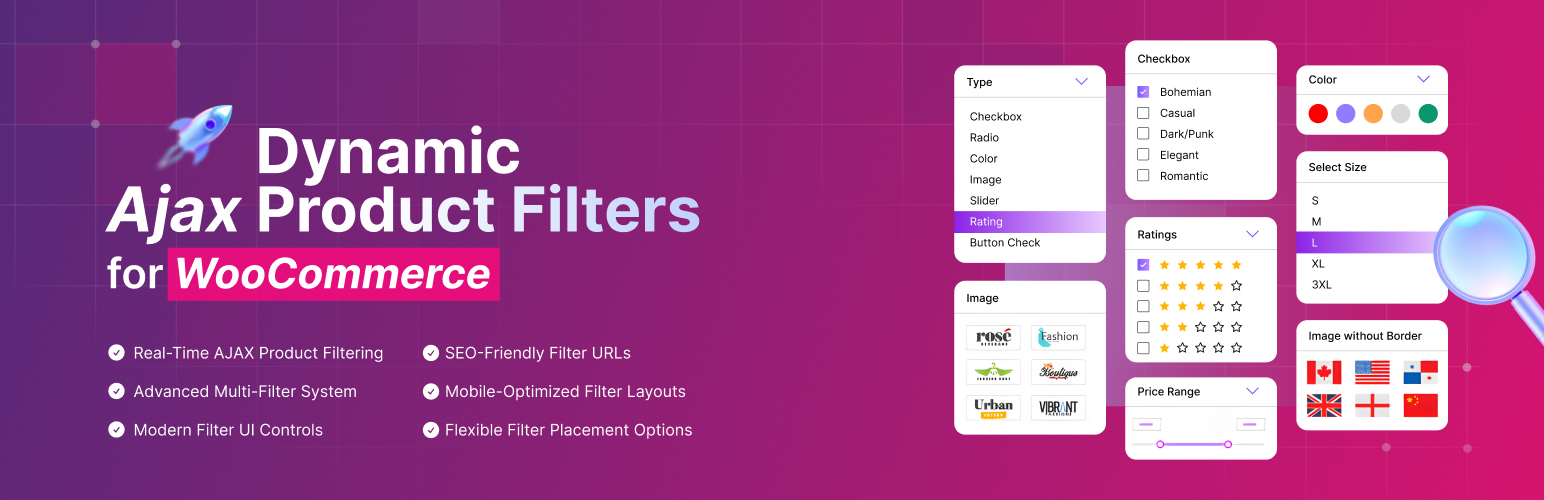
Dynamic AJAX Product Filters for WooCommerce 是一款快速且具 SEO 優化的 AJAX 產品過濾外掛,能夠提供客戶即時的產品過濾體驗,提升產品發現的效率與使用者介面互動性。
【主要功能】
• 即時 AJAX 產品過濾
• 高級多重過濾系統
• 彈性過濾位置選擇
• 現代化過濾 UI 控制
• SEO 友好的過濾 URL
• 行動裝置優化過濾佈局
外掛標籤
開發者團隊
② 後台搜尋「Dynamic AJAX Product Filters for WooCommerce」→ 直接安裝(推薦)
📦 歷史版本下載
原文外掛簡介
Supercharge your WooCommerce store with fast, flexible, SEO-optimized filtering.
Give customers real-time filtering, rich UI controls, and faster product discovery.
Dynamic AJAX Product Filters for WooCommerce is a fast, SEO-friendly AJAX product filter plugin for real-time product discovery. Customers can filter by category, tags, attributes, price, rating, search, brand, stock, sale, dimensions, SKU, product ID, discount, and dates without page reloads. Pro adds selected custom taxonomies, custom fields, featured products, exclusions, desktop layouts, and WPML-compatible filter strings.
The Pro upgrade adds brand mapping, dimension controls, advanced pagination, AJAX sorting, custom loop selectors, shortcode builder options, and multilingual filter support.
» Buy Pro | » More info | » Demos | » Docs
⭐ Key Features at a Glance:
Dynamic AJAX Product Filters for WooCommerce helps customers find products quickly.
✅️ Real-Time AJAX Product Filtering – Instant product updates without reloads.
✅️ Advanced Multi-Filter System – Combine categories, attributes, prices, tags, ratings, stock, sale, dimensions, SKU, dates, and Pro custom data.
✅️ Flexible Filter Placement Options – Use sidebars, top bars, widgets, product grids, builders, shortcodes, and Pro desktop layouts.
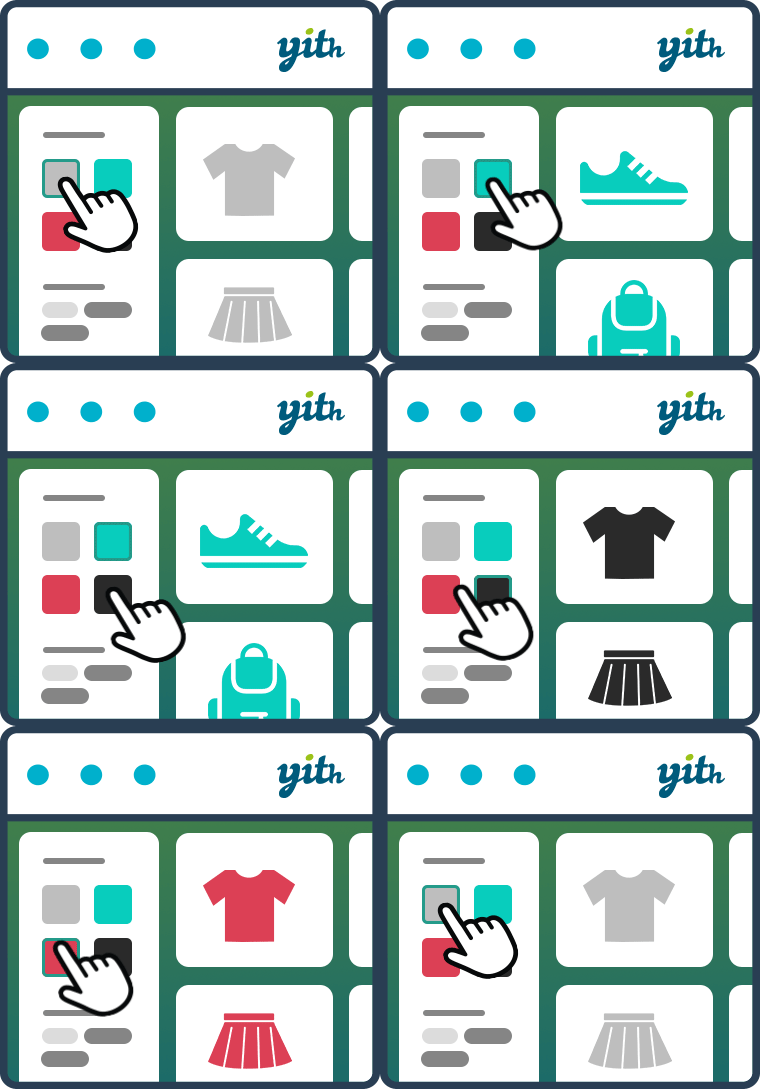
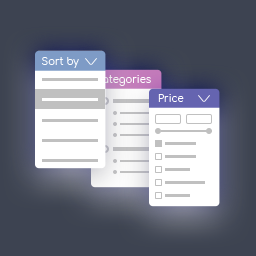
✅️ Modern Filter UI Controls – Select2, checkboxes, radios, sliders, button checks, and swatches.
✅️ SEO-Friendly Filter URLs – Crawlable query strings or clean permalinks.
✅️ Mobile-Optimized Filter Layouts – Style 1, Style 2, Popup, and Drawer.
✅️ Builder & Theme Integration – Elementor, Gutenberg, widgets, shortcodes, archive selectors, and builder hooks.
✅️ Advanced Product Metadata Filters – SKU, product ID, brand, author, discounts, and Pro custom data.
✅️ Powerful Filter Logic – AND/OR logic, multi-select, single-select, and defaults.
✅️ Performance-Optimized Architecture – Efficient queries, AJAX fragments, cache tools, and optimized filtering.
✅️ Pro Catalog Controls – Custom taxonomies, featured filters, brands, exclusions, dimensions, and custom field exclusions.
✅️ Builder-Ready Shortcode Controls – Layout, selector, pagination, mobile, URL, and Pro drawer/collapse/operator controls.
✅️ Advanced Pagination & Sorting Controls – Pagination modes, selectors, AJAX sorting, result counts, and browser history.
✅️ Modern Pro UI Variants – Chips, steppers, dropdowns, rating sliders, chart sliders, SKU buttons, discounts, and date filters.
✅️ Pro Multilingual Filter Support – WPML strings, translated taxonomy data, language-aware caches, and frontend values.
🎯 Core Filtering Features:
The AJAX Product Filter for WooCommerce helps shoppers refine products by category, price, rating, attributes, tags, stock, sale, and custom data.
✅️ Supercharged AJAX Filtering Engine
Fast AJAX filtering updates products instantly.
Real-time results Instant updates with every filter click.
Smooth pagination and sorting Pagination and sorting without reloads.
Custom loader effects Branded loading feedback.
Advanced pagination modes Number, previous/next, load more, or infinite scroll.
AJAX sorting and result counts Sync ordering, counts, and grids.
Browser history step navigation Back/forward navigation for filter states.
✅️ Powerful Filter Options – From Basic to Advanced
Help shoppers find products faster:
Product Basics Filters
Core WooCommerce filters:
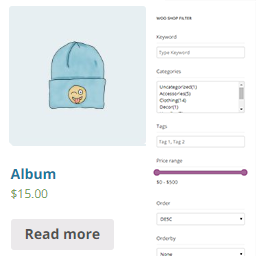
Filter by Price: Set budget ranges.
Filter by Rating: Show top-rated products.
Filter by Category, Tags, or Attributes: Narrow by taxonomy or attribute.
Keyword-Based Search Filter: Allow instant text-based searches across product titles.
Pro Search Scope & Auto Suggestions: Search content, SKU, taxonomies, authors, and brands.
Pro Featured Product Filter: Show featured products.
Product Metadata & Pro Custom Field Filters
Filter by product data and identifiers:
Filter by Brand – Browse by brand.
Filter by Author – Useful for books, creators, and digital products.
Filter by SKU – Find products by code.
Pro Custom Meta Field Filters – Filter by store-specific data.
Filter by Product ID – Find exact products.
Pro Custom Taxonomies – Filter by custom product taxonomies.
Pro Brand Taxonomy Mapping – Map WooCommerce, PWB, YITH, BeRocket, JetEngine, supplier, manufacturer, product_brand, product_brands, pa_brand, or other taxonomies.
Pro Selected Custom Taxonomies – Choose which taxonomies appear.
Attribute & Pro Custom Field Exclusions – Hide unwanted attributes or fields.
Stock & Availability Filters
Show availability and deals:
Filter by Stock Status – In stock, out of stock, or backorder.
Filter by Sale Status – Show sale products.
Filter by Discount Percentage – Show discounted items.
Pro Product Exclusion Rules – Exclude products, categories, tags, brands, or custom terms.
Product Dimensions & Weight Filters
Filter measurable products:
Filter by Length, Width, Height – Useful for furniture, apparel, and equipment.
Filter by Weight – Useful for shipping and sizing.
Dimension Visibility & Order – Choose and order dimension filters.
Dynamic Dimension Ranges – Use range controls for measurable data.
Date-Based Filters
Filter time-based products:
Show products from: Today, This Week, This Month, This Year.
Specific Date Range (From–To): Useful for seasonal or scheduled products.
✅️ Multiple URL & AJAX-Based Filtering Methods
Use SEO, URL, and AJAX filter modes.
1. Query string-based filters
Format: ?filters=brand,size,color
Example: ?filters=adidas,l,blue
2. Query String Filtering with Key Prefixes
Format: ?filters=1&brand=adidas&size=l&color=blue
3. Clean Permalink-Based Filtering
Format: /filters/brand/size/color
Example: /filters/adidas/large/blue
4. Permalink Filtering with Key-Value Pairs
Format: /filters/brand=adidas/size=l/color=blue
5. AJAX-Based Filtering (No URL Change)
Dynamic filtering via AJAX without changing the URL.
6. Real-Time Dynamic AJAX Filters
Instant filtering as users select options.
Advanced URL and Redirect Controls
Manage filter words, permalink prefixes, route parsing, and redirects.
✅️ Full Widget & Shortcode Support
Available Shortcodes
Add filters anywhere:
[plugincy_filters] – Display the full filter set.
[plugincy_filters_single name=”attribute_slug”] – Show one filter group.
[plugincy_filters_selected] – Show selected-filter chips.
Shortcode Builder & Attributes
Build [plugincy_filters] visually in the admin shortcode builder, Elementor, or Gutenberg.
Configure layout, mobile_responsive, product_selector, pagination_selector, per_page, category, tag, attribute, terms, and URL settings; Pro unlocks drawer side, collapsible desktop filters, close-on-apply behavior, operators, redirects, and the full six desktop layouts.
Use full filter, single filter, and selected filter widgets or blocks with separate style controls.
Built-in Dynamic AJAX Filter Widget & Block
Use widget and block support with Elementor and the Block Editor.
✅️ Mobile-Friendly & Responsive by Design
Optimized for mobile shoppers:
Choose from 4 mobile friendly styles:
Style 1, Style 2, Popup, and Drawer
Touch-friendly controls
Smooth navigation across screen sizes
Set drawer side, sidebar-on-top behavior, mobile breakpoint, and close drawer/popup after apply.
✅️ Built-in SEO Optimization
SEO-ready AJAX filters:
Create SEO-friendly, crawlable permalinks
Customize SEO titles, meta descriptions, and metadata
Enable anchor-based navigation
Use AJAX-only mode when SEO URLs are not needed
🎨 Advanced Filter Design & UI:
Build a modern filter UI for your WooCommerce store.
Multiple UI Elements
Filter UI options:
Dropdowns
Checkboxes
Radio Buttons
Sliders
Color Swatches
Images
Icons
Chips
Button Check
Input Fields
Stepper
Dimensions
Advanced Date Range
Advanced Rating System
Expanded Pro Style Variants
Chips, button chips, chip dropdowns, modern dropdowns, checkbox dropdowns, and steppers.
Rating text, dynamic rating, rating chips, and rating sliders.
Input price range, chart slider, price range button, and price cards.
Color, image, button, icon, badge, and icon-only styles.
Dimension ranges, SKU buttons, discount sliders, and calendar layouts.
Upgraded Dropdowns with Select2
Searchable styled dropdowns.
New Filter Styles
Modern filter layouts for store themes.
Collapsible Widget Options
Expandable groups for long lists.
Customizable Filter Widgets via Elementor & Gutenberg
Manage order, visibility, and style in builders.
Advanced Term Controls
Order, include/exclude, logic, counts, tooltips, and term search placement.
Filter Visibility Control
Choose global or page-specific placement.
Different Filters for Different Pages
Assign unique filter sets per page or catalog area.
Customizable Loader
Use built-in loaders or Pro custom HTML/CSS.
⚡ Compatibility & Performance:
Optimized for speed, SEO, and WooCommerce compatibility.
Speed Optimized
AJAX updates, selectors, cache data, and admin controls.
Works with Custom & Premium Themes
Supports WooCommerce-compatible themes.
Built-in WordPress Widget Support
Add filters to widget-ready areas.
Loop and Builder Selectors
Set product, pagination, sorting, count, and shortcode selectors.
Storefront UX Controls
Apply/reset behavior, defaults, stock removal, no-products text, Select2 placeholders, and Pro AJAX UX controls.
Large Catalog Cache Handling
Database-safe cache tools, background rebuilds, Action Scheduler, WP-Cron, status tools, and manual refresh.
Accessibility and Pro Multilingual Support
Accessibility hardening plus Pro WPML strings, taxonomy data, caches, and labels.
Search by Text Field
Let shoppers type search keywords in the filter panel.
🔓 Pro Features – Unlock the Full Power:
Pro adds advanced filter control, styling, SEO URLs, multilingual support, and maintenance tools.
Selected Custom Taxonomy Filters
Choose which custom product taxonomies appear.
Brand Taxonomy Auto/Manual Mapping
Map WooCommerce, PWB, YITH, BeRocket, JetEngine, supplier, manufacturer, product_brand, product_brands, pa_brand, and other brand taxonomies.
Featured Product Filter
Filter WooCommerce featured products.
Product Exclusion Rules
Exclude products, categories, tags, brands, or custom terms.
Dimension Visibility, Ordering & Range Controls
Control length, width, height, weight, and range filters.
Advanced Pagination Modes
Use numbered, previous/next, load more, or infinite scroll.
AJAX Sorting, Result Count & Loop Selectors
Sync sorting, counts, loops, grids, and builders.
Shortcode Builder & Advanced Attributes
Configure layouts, drawer, collapse, mobile, selectors, per-page, URL, redirect, and operators.
Expanded Style Library
Use chips, steppers, dropdowns, icons, ratings, price sliders, dimension cards, SKU buttons, discounts, and dates.
WPML Compatibility
Translate option strings, taxonomy labels, filter data, caches, and frontend labels.
Dynamic Filtering with SEO-Friendly Permalinks
Use clean, crawlable filter URLs.
Anchor-Based Navigation
Use anchor links for indexing and accessibility.
Unlimited Filters
Create flexible filter options for any catalog.
Dynamic Rating Display
Show product ratings with theme-friendly designs.
Advanced Price Sliders
Offer precise price range filtering.
Separate Subcategory Widgets
Display and filter subcategories separately.
Import & Export Settings
Move plugin settings between sites.
Premium Feature Updates
Use the included Pro update flow.
Cache & Maintenance Controls
Clear caches, refresh metadata, and reduce repeated work.
❤️ Why Store Owners Love It
Built for store owners and developers:
Instant AJAX filtering for smoother shopping
Flexible controls for many store sizes
Built-in mobile styles
SEO-friendly clean URLs and crawlable filter pages
Works with WooCommerce archives, Elementor, Gutenberg, widgets, shortcodes, and selectors
Easy setup with strong customization
🎬 How to Use Dynamic AJAX Product Filters for WooCommerce
🛍️ Perfect For Every Store Type
The AJAX Product Filters for WooCommerce plugin fits many store types.
Retail & Fashion
Fashion Stores – Filter by color, size, material, or brand.
Cosmetics & Beauty Stores – Filter by skin type, shade, brand, or price.
Sports & Footwear Stores – Filter by shoe size, sport, brand, or material.
Rental Businesses (Fashion, Tools, Vehicles) – Filter by rental duration, size, price, or availability.
Lifestyle & Entertainment
Bookstores – Filter by author, category, language, or date.
Music & Media Stores – Filter by genre, artist, date, or format.
Art & Craft Shops – Filter by category, size, price, or artist.
Kids & Toy Shops – Filter by age group, education type, size, or brand.
Essentials & Living
Home Decor & Furniture – Filter by dimensions, material, stock, or style.
Grocery & Organic Food Stores – Filter by diet, expiration date, or availability.
Pharmacy & Health Stores – Filter by ailment, dosage, brand, or medicine type.
Pet Supply Stores – Filter by pet type, age, or food/material.
Specialized & B2B
Electronics & Gadgets – Filter by specs, price, ratings, or compatibility.
Tools & Hardware Stores – Filter by tool type, brand, usage, or power source.
Automotive & Accessories Stores – Filter by vehicle model, brand, year, or part.
Wholesale & B2B Stores – Filter by supplier, MOQ, bulk tiers, or product codes.
Educational & Digital Products – Filter by subject, format, instructor, or date.
Outdoor & Adventure Gear – Filter by gear type, weather resistance, brand, or use.
and many more
Support
For support, feature requests or bug reports, please visit Plugincy Support.
Privacy Policy
To learn more about the data we collect and how we use it, please see our Privacy Policy.