內容簡介
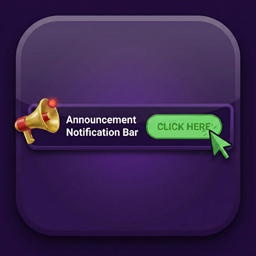
Definitive Announcement Bar 是一款簡單輕量的外掛,能在網站頂部添加公告條,顯示運送通知、促銷信息或其他短訊息。支援多條消息自動交替顯示,並與各種佈景主題及 WooCommerce 完美兼容。
【主要功能】
• 多條旋轉消息,支援粗體、斜體及連結
• 實時預覽編輯,編輯時即時更新
• 可選的行動呼籲按鈕,具自定顏色
• 自訂背景、文字及按鈕顏色等樣式
• 可選擇在特定頁面顯示或隱藏公告條
• 支援桌面及行動裝置顯示選項
外掛標籤
開發者團隊
② 後台搜尋「Definitive Announcement Bar – Simple, Lightweight Top Bar for Bricks and Online Stores」→ 直接安裝(推薦)
原文外掛簡介
Definitive Announcement Bar adds a clean bar to the top of your site for shipping notices, sales, opening hours or any other short message. Add several messages and they cross-fade automatically.
It is built to stay out of your way: one small stylesheet, one small script without jQuery, and nothing is loaded on pages where the bar is hidden.
Works with your setup
Bricks Builder – the bar is placed right before your Bricks header. It is never shown inside the builder. Colors, font size and padding accept Bricks CSS variables such as var(--primary).
Any other theme – block themes and classic themes use the standard wp_body_open hook. For older themes without that hook, the bar is moved to the top of the page automatically.
WooCommerce – show or hide the bar on the shop, product categories, single products, cart, checkout and My Account. Shortcodes inside messages work, too. Compatible with High-Performance Order Storage and the block-based cart and checkout.
Page builders and custom headers – switch to manual placement and use the [definitive_announcement_bar] shortcode wherever you want the bar.
Features
Multiple rotating messages, edited in a compact visual editor with bold, italic and links
Live preview on the settings page that updates while you edit
Optional call-to-action button with its own colors
Background, text, link and close button colors, font family, font size, height, padding, alignment and uppercase style
Pick a font installed on your site (theme, Font Library or Bricks custom fonts) or type any CSS font-family
Top of the page, optionally sticky while scrolling, or fixed to the bottom of the screen
Optional close button (×): a closed bar stays hidden for the session or a number of days, and reappears automatically when you change the messages
Show the bar everywhere except selected pages, or only on selected pages: front page, blog, posts, pages, search, 404 or WooCommerce pages
Always show or never show the bar on any single post, page or product from its edit screen
Show the bar on desktop and mobile, desktop only or mobile only
Show the bar to everyone, only logged-in users or only logged-out visitors
Schedule a start and end date, for example for a weekend sale
Works with page caching: dismissal and scheduling are also checked in the browser
Accessible: keyboard-friendly close button, rotation pauses on hover and focus, and animations are turned off for visitors who prefer reduced motion
Translation ready and RTL friendly. Messages and the button can be translated with WPML or Polylang