內容簡介
U2Code Product Addons for WooCommerce 讓顧客能夠個性化他們所購買的產品,例如刻字、禮品包裝、上傳藝術作品等,並在產品頁面上即時顯示價格總計,提升購物體驗。
【主要功能】
• 支援多種欄位類型,如選擇題、檔案上傳
• 可針對特定產品、類別或標籤設定附加選項
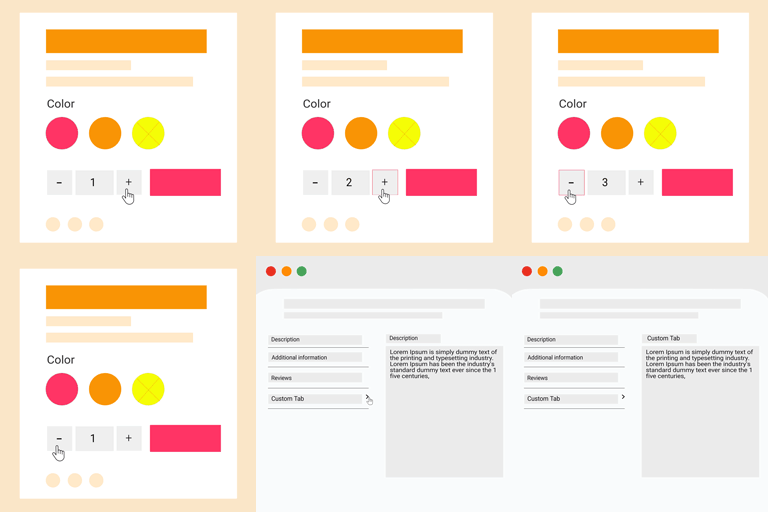
• 實時更新價格總計,方便顧客查看
• 提供多種佈局主題,易於客製化
• 支援多貨幣與翻譯外掛整合
• 專業版提供進階功能,如條件邏輯與日期範圍欄位
外掛標籤
開發者團隊
② 後台搜尋「U2Code Product Addons for WooCommerce」→ 直接安裝(推薦)
原文外掛簡介
U2Code Product Addons lets customers personalize the products they buy — engraving text, gift wrap, image swatches, uploaded artwork, donations — and charges for it right on the product page, with a live totals box that updates as they pick.
Build addon groups once and attach them to your whole catalog, to specific products, categories, tags or brands, or add fields to a single product from its own edit screen. No code, no shortcodes.
Try the live demo — the builder and the storefront, ready to click through.
Field types
Multiple Choice — dropdown (single or compact multi-select), radio buttons, checkboxes, buttons, pills, cards, or image and color swatches (square or circle)
Single Checkbox — gift wrap, express handling, an agreement to accept
Short Text — plain text, number, email, phone or URL, with optional character limits
Long Text — multi-line input for gift messages and instructions
Quantity — a numeric amount priced per unit
Date Picker — delivery and pickup dates, with selectable range limits
File Upload — artwork, photos and documents, with file type and size limits
Customer Defined Price — donations, tips, “pay what you want”
Heading — display-only text to structure long forms
Pricing
Charge a flat fee, a percentage of the product price, per quantity, or per character of what the customer types. Every price shows in a live totals box before add to cart and carries through the cart, checkout, order emails and the admin order screen.
Targeting
Assign addon groups to all products, or target specific products, categories, tags and brands — with exclusions
Show fields only for selected variations of a variable product
Reusable option sets, or import options straight from a product attribute
Design
Four storefront themes — Boxed, Compact, Bold and Soft — previewed live in the settings, or switch styling off entirely and use your theme’s own look. All markup uses plain, prefixed CSS classes that are easy to override.
Fits into your store
Classic and block-based (Store API) cart and checkout
Customers can reopen and edit their choices from the cart; you can edit them on the order from the admin
Uploaded files live in a protected folder, and files never attached to an order are cleaned up automatically
Multi-currency: WOOCS, CURCY, Aelia, WCML, WooPayments and Currency Switcher for WooCommerce
WPML and Polylang, including targeting translated products
Works alongside Tiered Pricing Table — addons stack correctly on tier prices
HPOS compatible
Pro version
The paid version adds features for stores that need more:
Date Range field — a start and end date priced per day, for rentals and hire periods
Dimensions field — width × height priced by area, for made-to-measure blinds, glass, fabric and signage
Users & Roles — show addon groups only to certain roles or specific customers, or hide them from some
Multiple file uploads on a single File Upload field
Selection limits — require a minimum and maximum number of choices on multi-select fields
Conditional logic — show or hide any field based on what the customer picked in another, with unlimited rules
Upgrade from the Product Addons screen inside the plugin.
Source code & build
The admin app in assets/admin/ is compiled with webpack. Its human-readable
source ships in this plugin under js-source/. To rebuild it:
cd js-source
npm install
npm run build
The output is written to assets/admin/. Everything else in assets/ is
hand-written and used as-is.