外掛標籤
開發者團隊
原文外掛簡介
Know where every lead and order came from, without sending data to Google or any other outside service.
Lead Source Tracker remembers how each visitor found your site (search, social, another website, an ad campaign or a direct visit), the page they landed on, and the pages they saw before they filled in a form or placed an order. It adds this to the emails your team receives and to WooCommerce orders, and gives developers simple functions to attach it anywhere else.
It collects:
IP addresses (optional)
Browser and device information
Navigation paths
Page view history
UTM parameters from marketing campaigns
Referrer information
Visitor data is kept in cookies in the visitor’s browser and read by your site on each page load. The only time it is saved to your database is with a WooCommerce order, so your team can see where the customer came from. The plugin never sends it to any external service.
Lead Emails (no code needed)
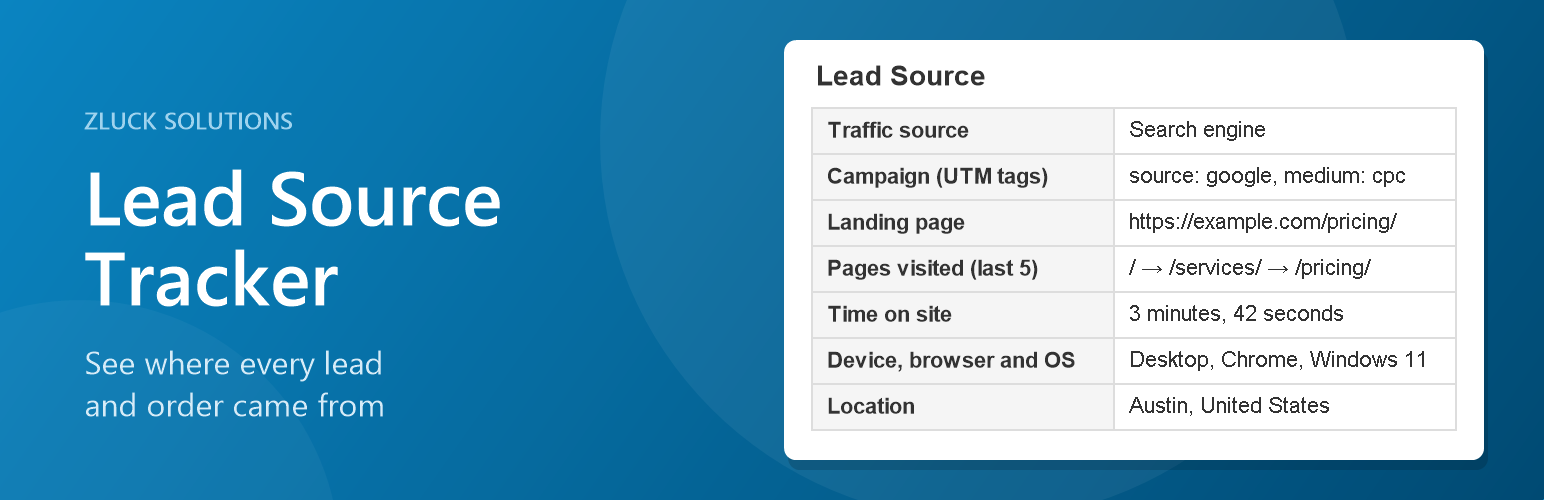
Add a short visitor summary (traffic source, campaign, landing page, pages visited, time on site, device and location) to the notification emails your team receives:
WooCommerce emails to your team, such as New order and Failed order
WordPress new user registration
Contact Form 7, WPForms, Gravity Forms, Ninja Forms, Forminator, Fluent Forms, Formidable Forms, Elementor Pro and Jetpack forms, chosen form by form
Any other email, such as a custom form, sent only to addresses you list
Customers never see it: plugin emails only get it when they go to the recipients set in that plugin (never an address the visitor typed in), and other emails only when every recipient is on your list.
Use the Send test email button on the Lead Emails page to see a sample summary in your own inbox.
Key Features
Privacy-focused: Data stays between the visitor’s browser and your site
Consent-aware: Respects consent plugin choices, Do Not Track and Global Privacy Control
Performance optimized: Tracking script is loaded with defer attribute
Lead Emails: Add visitor info to the emails your team receives, without code
Developer-friendly: Helper functions and filters to use visitor data in your own code
Easy configuration: Simple settings to enable/disable specific tracking features
Consent management: Compatible with popular WordPress consent plugins
Use Cases
Understand visitor behavior on your site
Track marketing campaign effectiveness
Analyze user journeys
Personalize content based on visitor history
Debug user issues