
內容簡介
使用 Countdown Block(Gutenberg 編輯器中的倒數計時區塊)可以製造缺失特殊優惠或吸引視線到即將舉行的活動,或利用緊迫感來製造緊迫感。您也可以建立一個即將到來的頁面,讓您的訪客知道還有多少時間才能發布。
時間結束後,您可以設置定時器從頁面中消失,或者用消息替換它,或者重定向到自定義 URL。
功能
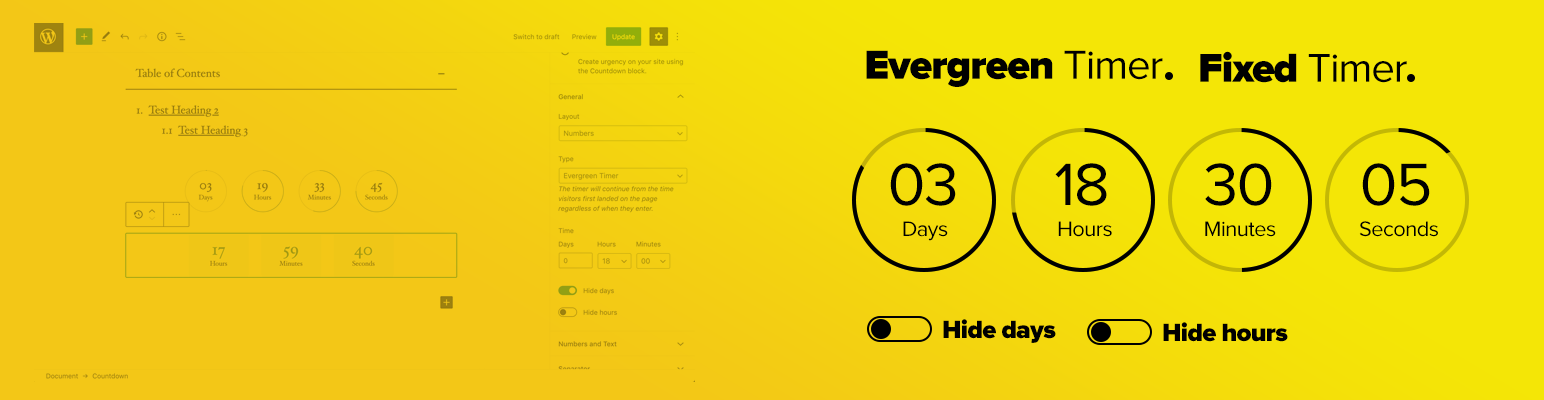
固定或常青計時器
數字或圓圈樣式
顯示或隱藏天數和小時
多種樣式選擇
在結束時隱藏定時器的選項
當結束時顯示消息的選項
結束時重定向到自定義頁面的選項
超輕量級
易於配置
常青倒數計時器
常青計時器意味著所有訪問者在進入頁面時都有相同的時間框架。這意味著,如果:
– A用戶今天訪問了頁面,他會看到2小時的倒數計時。
– B用戶兩週后訪問,她仍然看到2個小時的倒數計時。
訪客在帶有倒數計時的頁面上登陸時,瀏覽器中會設置一個 Cookie。如果下次訪客登陸到頁面上,計時器將從訪客第一次登陸頁面時的相同時間繼續。
這是在促銷銷售、活動或其他限時優惠或折扣時創建或增加緊迫感的最佳方法。
固定倒數計時器
固定計時器旨在在特定日期促進優惠或活動。您可以使用固定計時器吸引觀眾關注即將舉行的活動。或者使用固定計時器建立即將發布網站或產品的即將推出頁面。或者將其用於您的黑色星期五、網絡週一、聖誕節或新年優惠活動。
倒數計時結束後的操作
一旦計時器到達零,您可以簡單地設置自定義操作。
隱藏倒數計時器
設置自定義頁面或 URL 以重定向您的訪問者
顯示消息
外掛標籤
開發者團隊
📦 歷史版本下載
原文外掛簡介
Create a fear of missing out a special offer or draw attention to your upcoming events or create a feeling of urgency using the Countdown Block for Gutenberg editor. You can also build a coming soon page to let your visitors know how much time is left to launch.
Once the time is over you can set the timer to disappear from the page, or it can be replaced by a message, or redirect to custom URL.
Features
Fixed or Evergreen timer
Numbers or Circle style
Show or hide days and hours
Various styling options
Option to hide timer when ends
Option to show a message when ends
Redirect to custom page when ends
Ultra light-weight
Easy to configure
Evergreen Countdown Timer
Evergreen timer means all visitors get the same time frame, regardless of when they enter the page. It means if,
– User A visits the page today, he sees a countdown of 2 hours.
– User B visits two weeks later, she still sees a countdown of 2 hours.
A cookie is set in the visitor’s browser once he lands on the page with the countdown. If the visitor lands on the page next time, the timer will continue from the same time the visitor first landed on the page.
This is the best way to create or increase urgency when promoting sales, events, or other time-limited offers or discounts.
Fixed Countdown Timer
Fixed timer is designed to promote offers or an event on a specific day. You can use the fixed timer to draw attention of your audience to your upcoming events. Or build a coming soon page with fixed timer to let your visitors know when the time left to launch the site or product. Or use it for your Black Friday, Cyber Monday, Christmas, or New Year offers.
Actions When Countdown Ends
You can simply set a custom action to run once the timer reaches zero.
Hide the countdown timer
Set a custom page or URL to redirect your visitors
Show a message














