內容簡介
Dreamfox Delivery Date & Timeslot for WooCommerce 外掛讓您能夠全面掌控 WooCommerce 的配送排程,顧客可以在結帳時選擇訂單送達的日期和時間,減少錯過配送的情況,提升顧客滿意度。
【主要功能】
• 顧客可在結帳時選擇送達日期
• 設定每個時段的最大訂單數量
• 自動隱藏已滿的時段
• 支援產品類別的排程規則
• 可自訂送達日期標籤與描述
• 無需編碼,輕鬆配置
外掛標籤
開發者團隊
② 後台搜尋「Dreamfoxmedia Delivery Date & Timeslot for WooCommerce」→ 直接安裝(推薦)
📦 歷史版本下載
原文外掛簡介
Take full control of your WooCommerce delivery schedule with Dreamfox Delivery Date & Timeslot for WooCommerce.
This powerful plugin lets customers choose when their order arrives — directly at checkout. You define lead times, delivery windows, slot duration, and how many orders fit in each timeslot. When a slot is full, it disappears automatically so you never get overbooked.
Perfect for bakeries, florists, meal prep stores, local delivery businesses, and any WooCommerce shop that needs reliable order scheduling without custom development.
👉 Learn more about features and documentation: dreamfoxmedia.com
🚀 Why this plugin?
Manual delivery scheduling leads to missed dates, overbooked slots, and endless customer emails asking “When can you deliver?”
With this plugin, you can:
– Let customers pick their delivery date at checkout
– Offer timeslots inside your delivery window (e.g. 08:00–20:00)
– Set a maximum number of orders per slot — full slots hide automatically
– Apply rules per product category so scheduling only shows when it matters
– Show the chosen date and timeslot in orders, emails, and the thank-you page
👉 Result: Fewer missed deliveries, less admin work, and a smoother checkout experience your customers trust.
Key Features
✔ Works on both the classic checkout and the new WooCommerce Block Checkout
✔ Delivery date picker on the WooCommerce checkout page
✔ Minimum lead time — e.g. require at least 3 days before delivery
✔ Count only working days toward the lead time, if you like
✔ Category-based rules — apply scheduling to any product categories, no limit, with a per-category lead-time override
✔ Holiday and blackout dates — block dates customers cannot book
✔ Disable specific weekdays (e.g. no Sunday or Monday deliveries)
✔ Custom delivery date label and description at checkout
✔ Make the delivery date field required, or auto-fill it with the earliest available date
✔ Delivery date and timeslot shown in admin orders, customer emails, order details, and thank-you page
✔ Lightweight, fast, and easy to configure
✔ No coding required
Delivery Timeslots
✔ Enable or disable timeslots with one toggle
✔ Define your delivery window start and end time (e.g. 08:00 – 20:00)
✔ Choose slot duration: 1, 2, 3, 4, 6, 8, or 12 hours
✔ Set max orders per timeslot — full slots are hidden from customers automatically
✔ Past timeslots on today’s date are filtered out in real time
✔ Live slot preview in admin — see your schedule update as you adjust settings
Built for Performance and Security
✔ HPOS compatible — fully supports WooCommerce High-Performance Order Storage
✔ Nonce-verified AJAX, capability checks, and sanitized data throughout
✔ Translation ready — Dutch, English, and German included
Everything above is 100% free — there is currently no paid tier. If that changes in a future release, this section (and the plugin’s Freemius pricing page) will say so clearly.
How It Works
Go to WooCommerce > Delivery Date in your admin menu
Set your minimum delivery days and select product categories
Enable timeslots, set your delivery window, slot duration, and max orders per slot
Save your settings
At checkout:
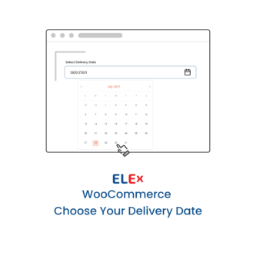
– Customers pick a delivery date from the calendar
– Available timeslots load automatically for the selected date
– Full or past slots are hidden — no manual management needed
Simple, powerful, and built for real delivery workflows.
📚 Knowledge Base: help.dreamfoxmedia.com
🛠 Need help or support? Submit a request
More WooCommerce Plugins by Dreamfox
Payment Gateway Per Product — show the right payment methods per product, category, or tag
Shipping Gateway Per Product — control shipping methods per product, category, or tag
Follow us: dreamfoxmedia.com